Evermotion: More Than an Asset Library
How Evermotion became a full-scale production partner for archviz, automotive and synthetic data.


Total: € 0
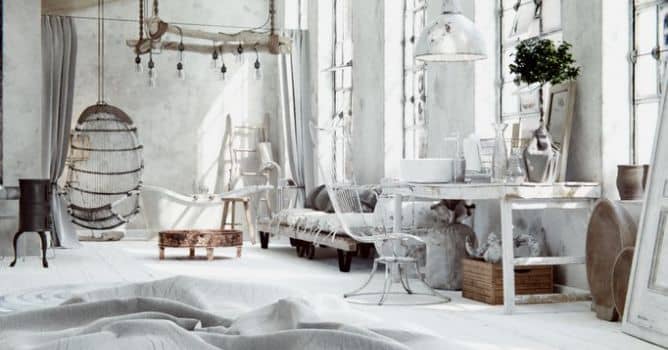

This is one of interiors that we included in Archinteriors vol. 48 for Blender collection - it's nice, vintage loft with many retro-looking props, a lot of white paint and scratchy, grunge textures. It's not the cleanest interior, but it has some natural look of old gear and furniture. Let's take a look.

The scene was originally created for 3ds Max and V-Ray. Thanks to PBR workflow and Substance Painter we could easily port it to Blender and re-create all materials without much hassle. This is render from Blender / Cycles. This image is after post-production. Simple compositing was made in Blender.
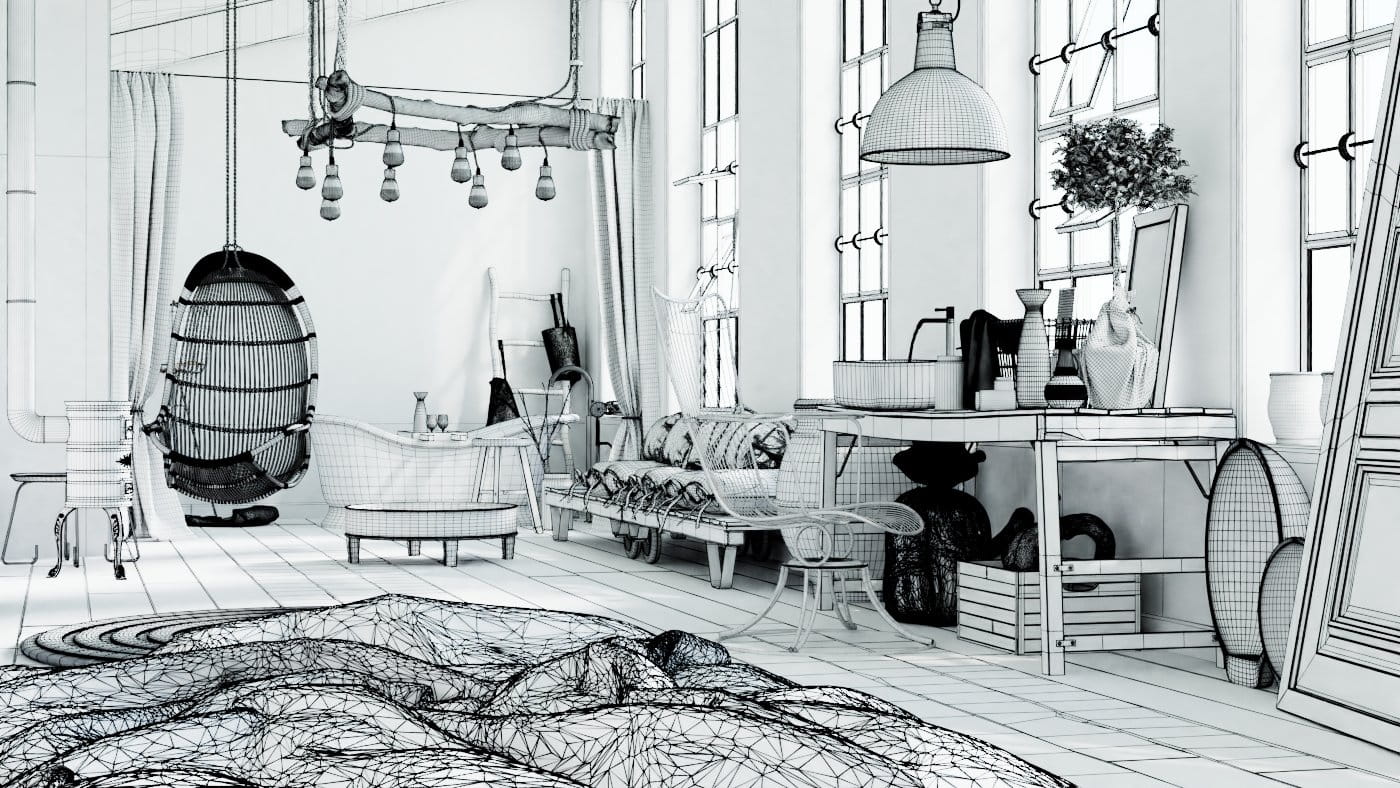
This is a wireframe render made in Blender.
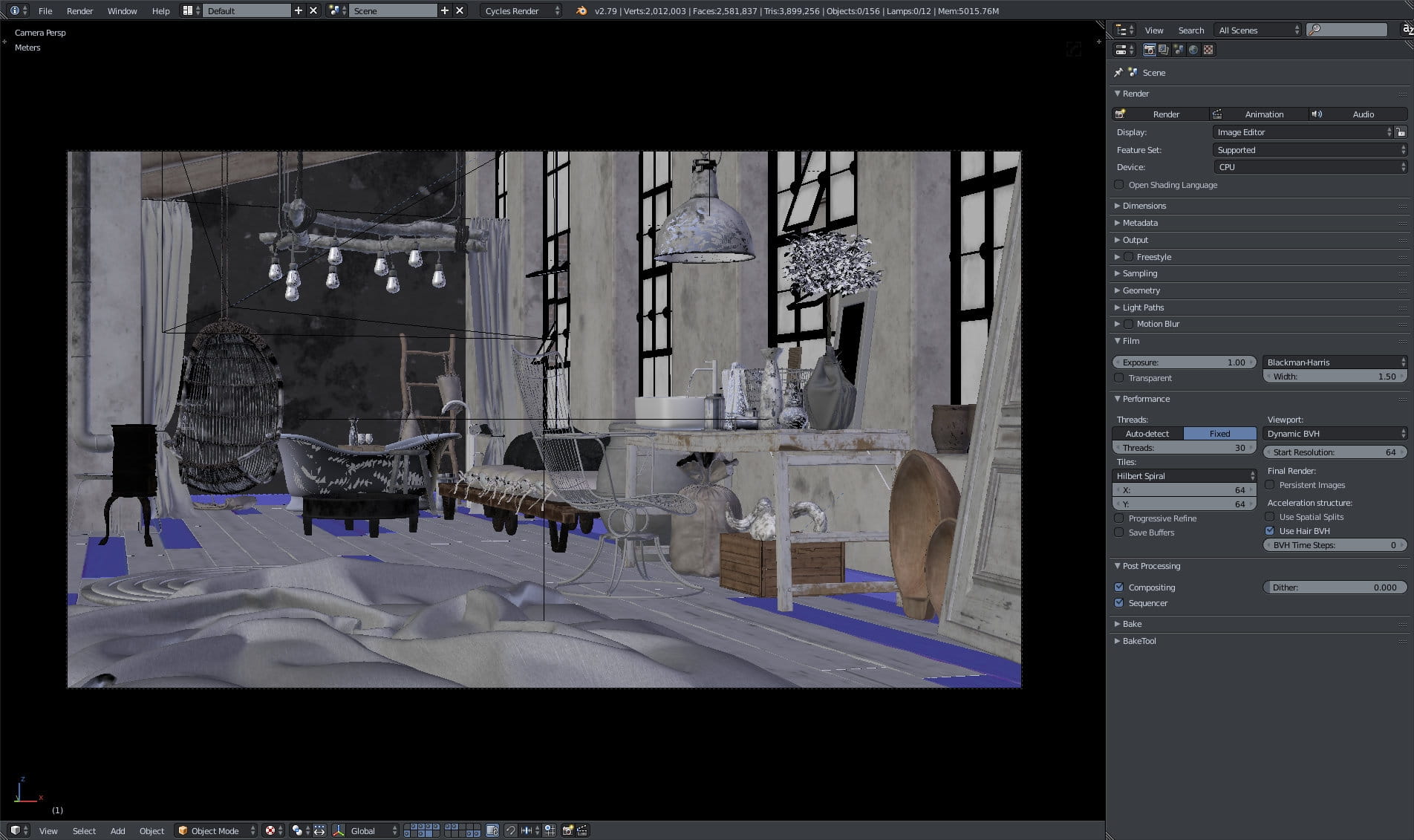
This is how the scene looks in Blender viewport when viewed through main Camera and with textures view enabled. We recommend to navigate the scene in solid color mode though, because Blender 2.79 viewport lags a lot when we start to show materials / textures.
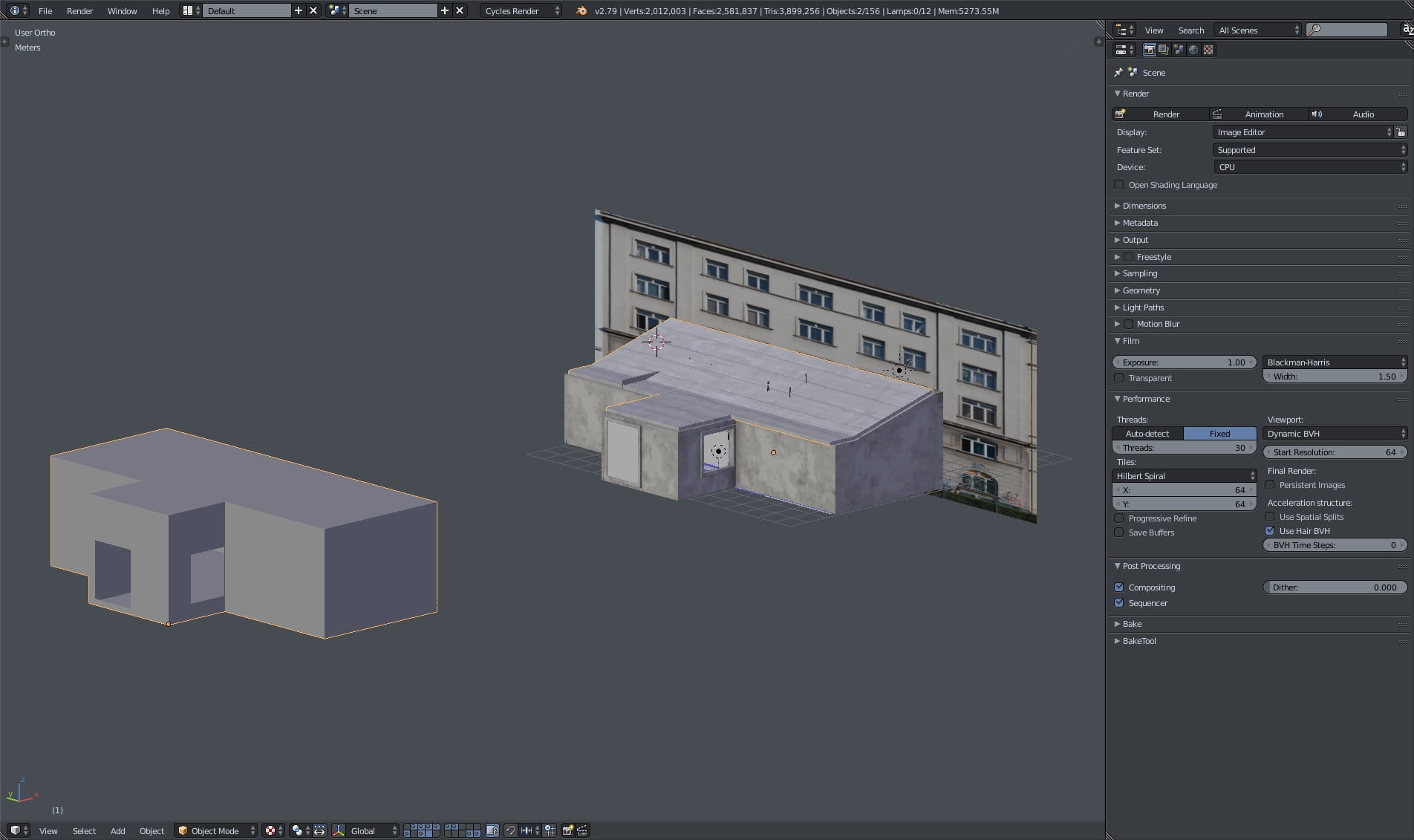
This is an overview of the scene. There are three elements here: on the right you can see image plane that is used for providing "look behind the windows". Just in front of the plane is main building with props. On the left is "wall blocker" - it is originally put on the main building, but here I moved it to the left manually. It assures that there are no light leaks from light sources. It is not very usable when rendering in Cycles, but it helps to get rid of light artifacts if we were to export this scene to some game engine, like Unreal Engine or Unity.
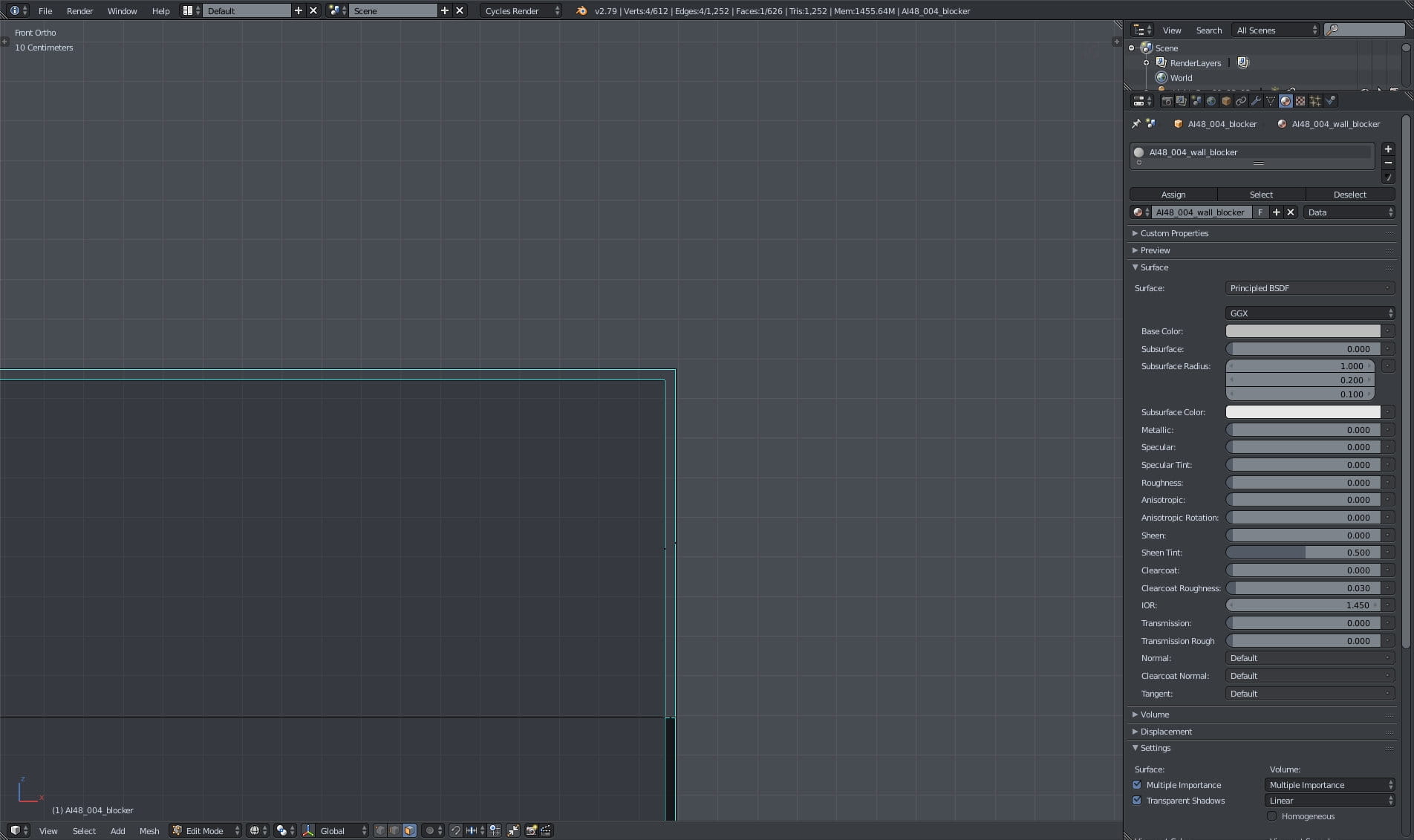
Wall blocker is not made from 2d planes, it has a thickness.
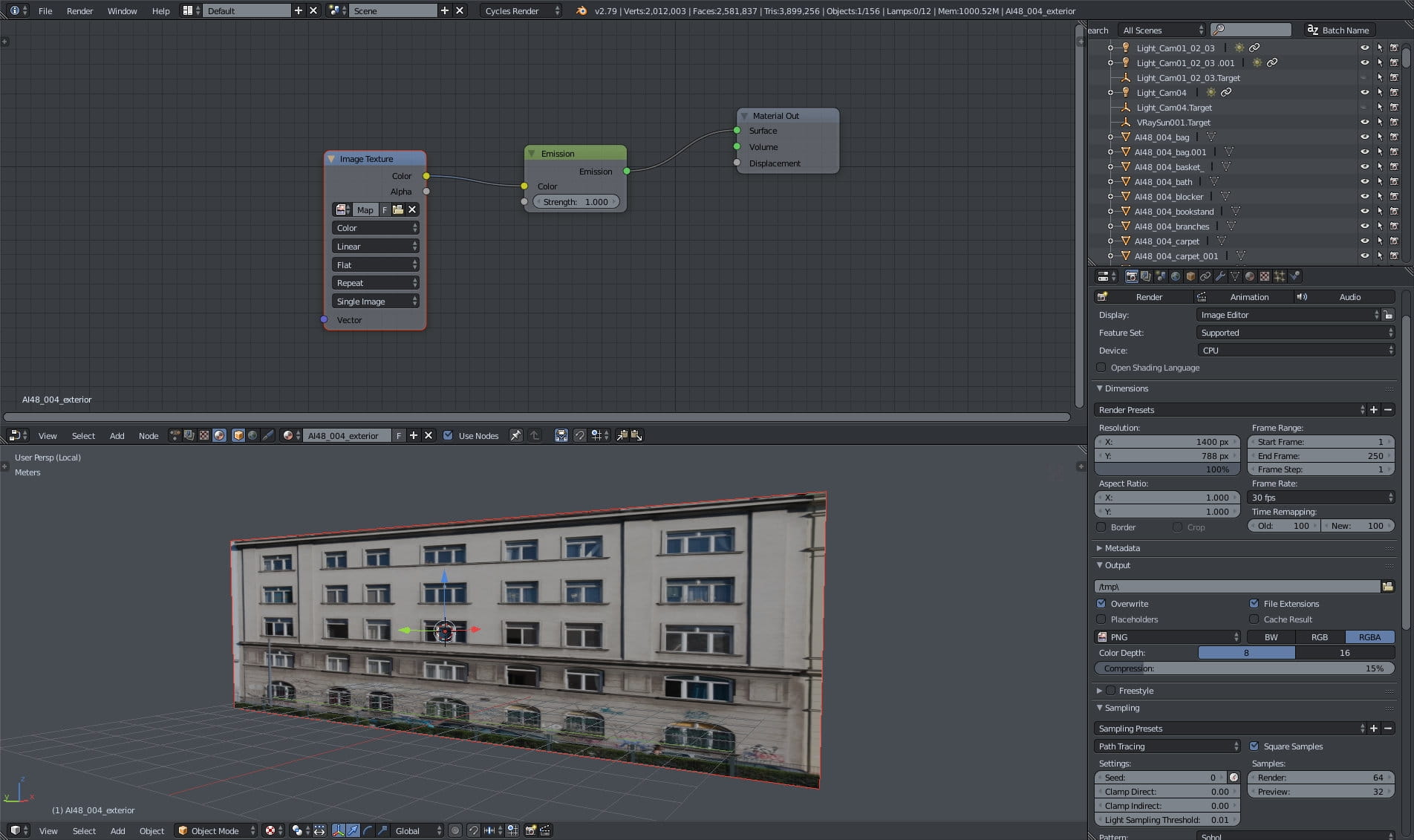
The plane with image - close-up. We used simple emmisive shader.

We used two directional lights. One is compatible with Camera 1,2,3 and the other with camera 4. Here you can see the position and settings of the first directional light (sun).
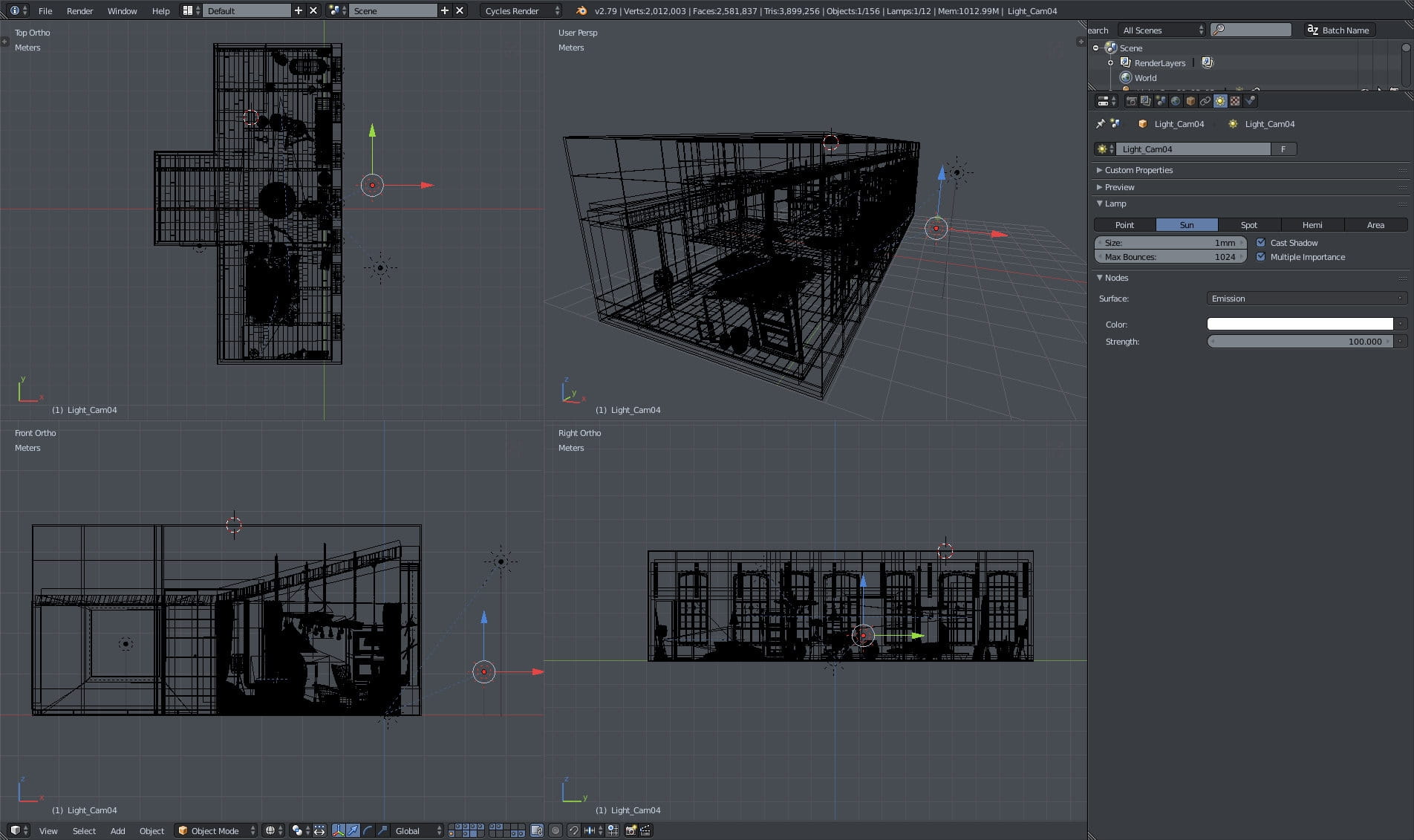
Second directional light, for camera 4 only.
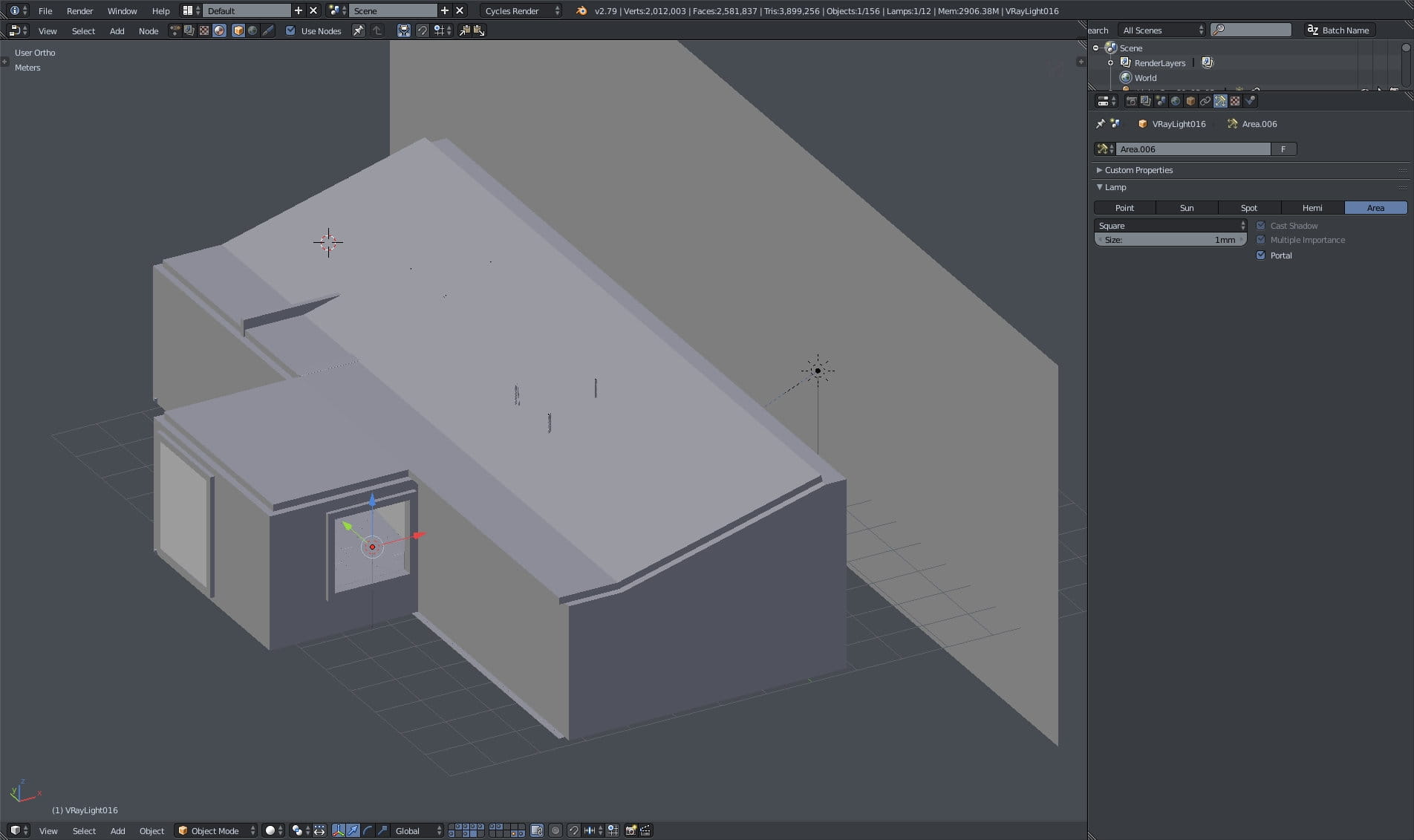
We placed portals in windows to gain speed during rendering.
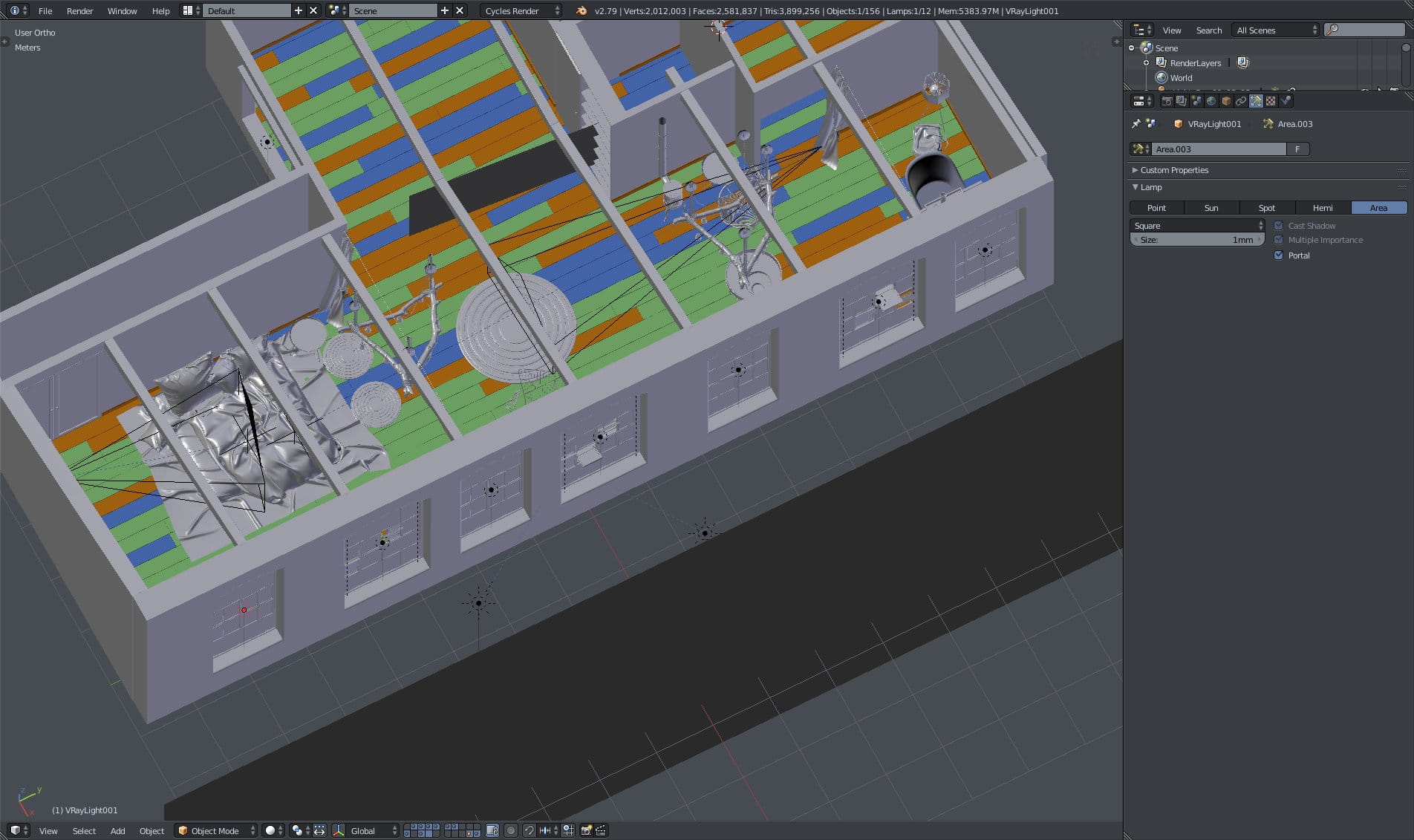
More portals :)
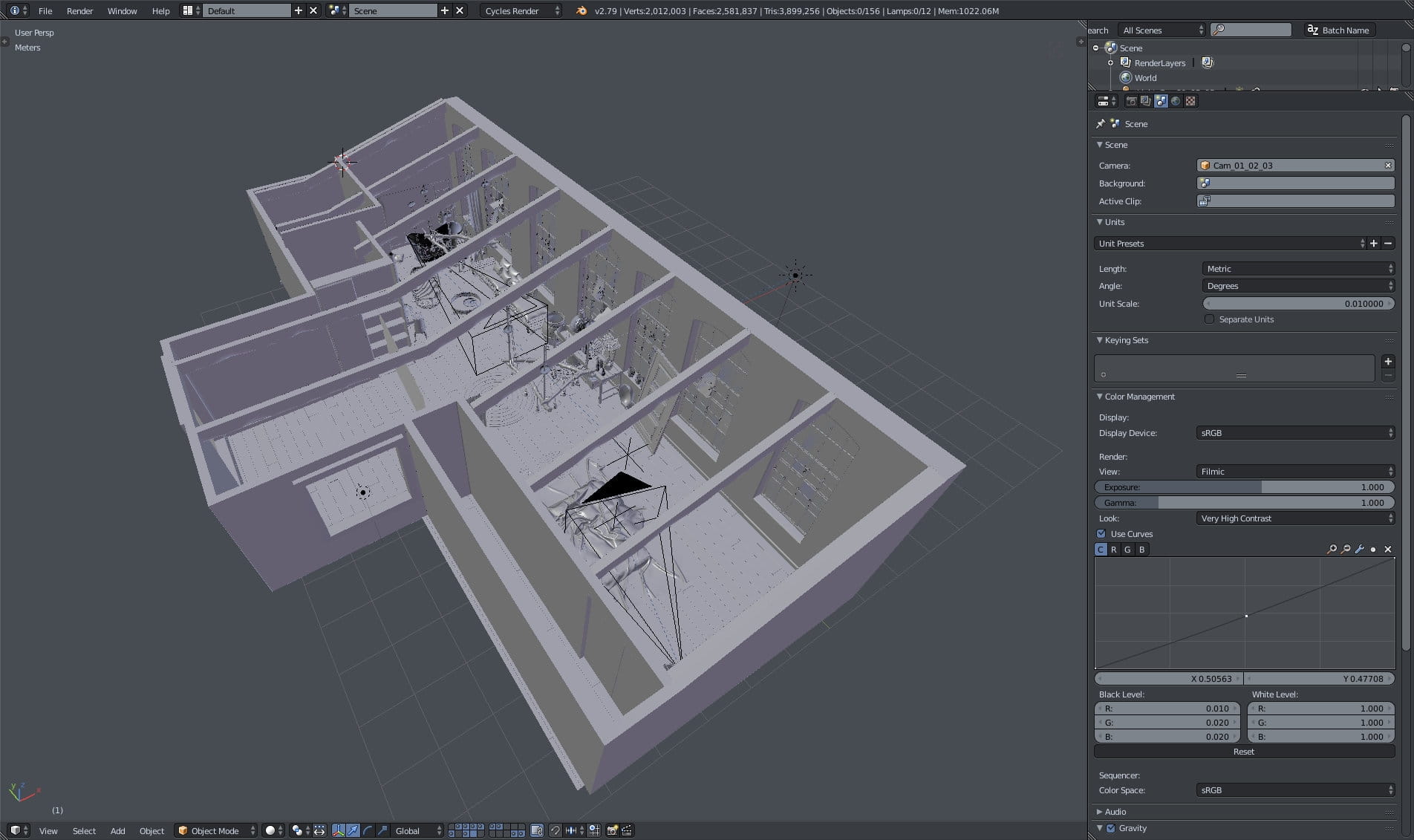
Overview of the interior, we removed roof mesh here.

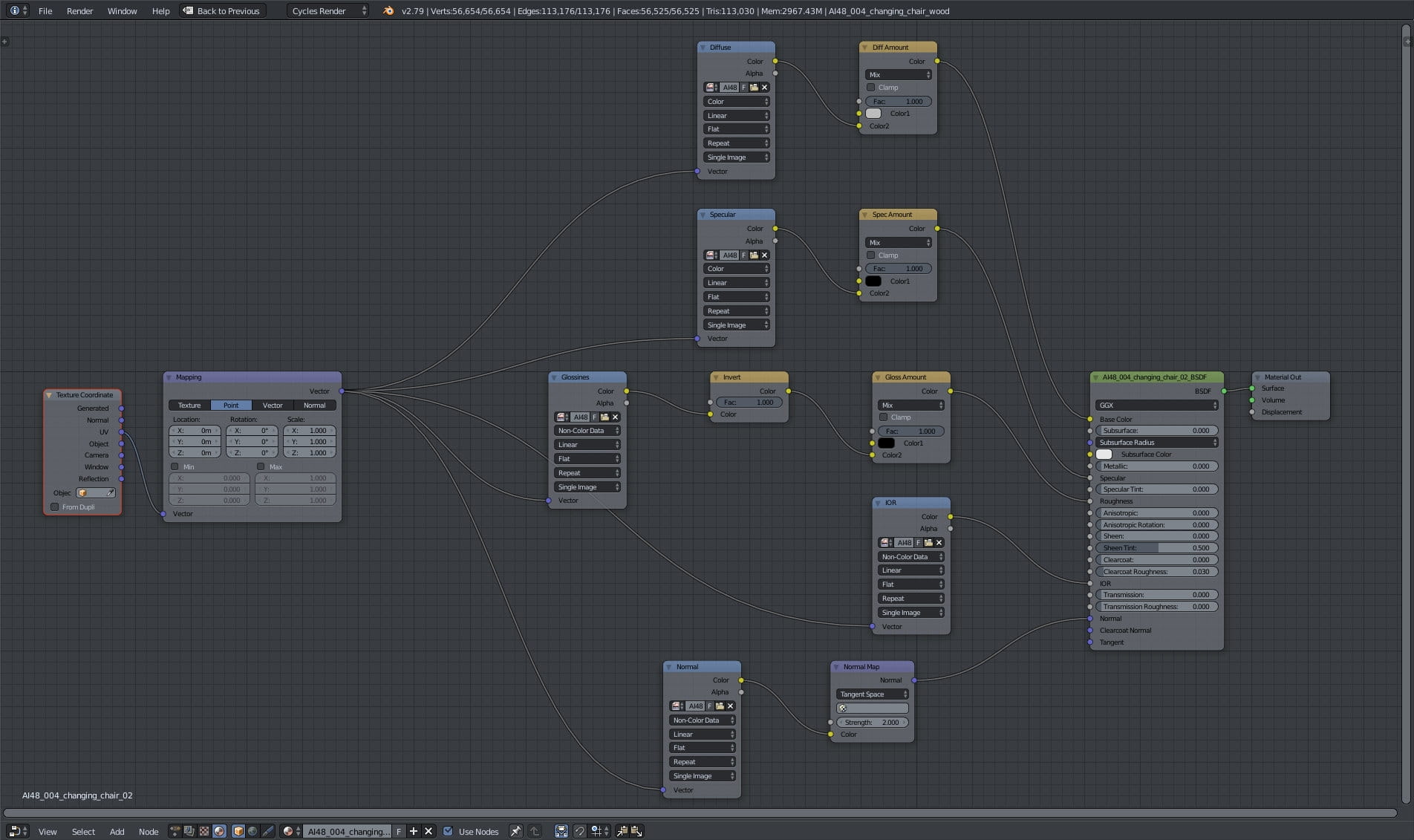
Wooden supports - textured mesh on the left, diffuse texture on the right, material overview on the top.
Wooden supports material - very simple setup, the quality is thanks to good textures.

Hanging chair mesh and uv map.
Hanging chair material.

Floor mesh with three materials assigned. I colored them in viewport so you can see material distribution. On the right you can see uv map of the boards assigned to the first material.

Floor material.
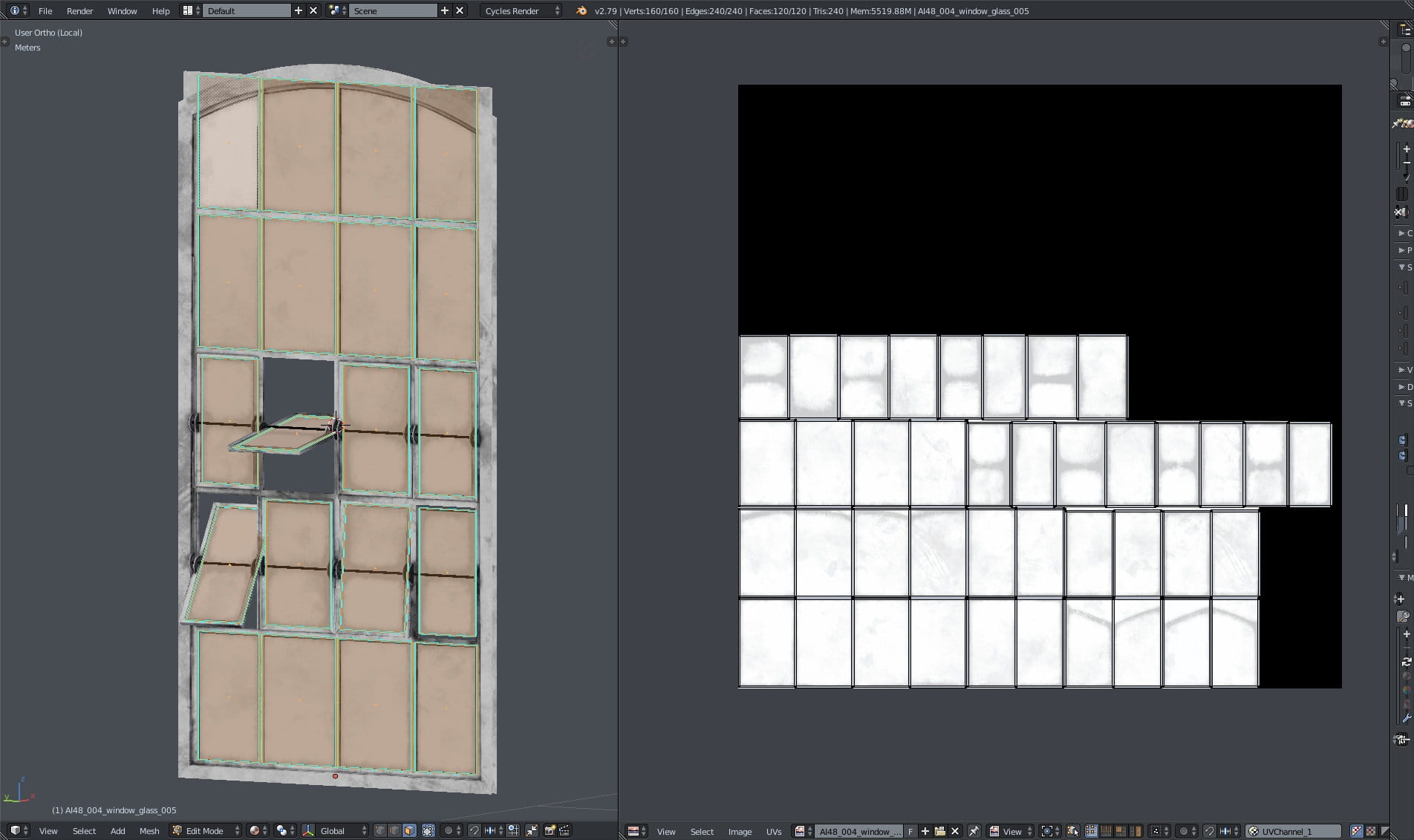
Windows: there are two separate ojects: frame and windows. On the right you can see uv map of windows.
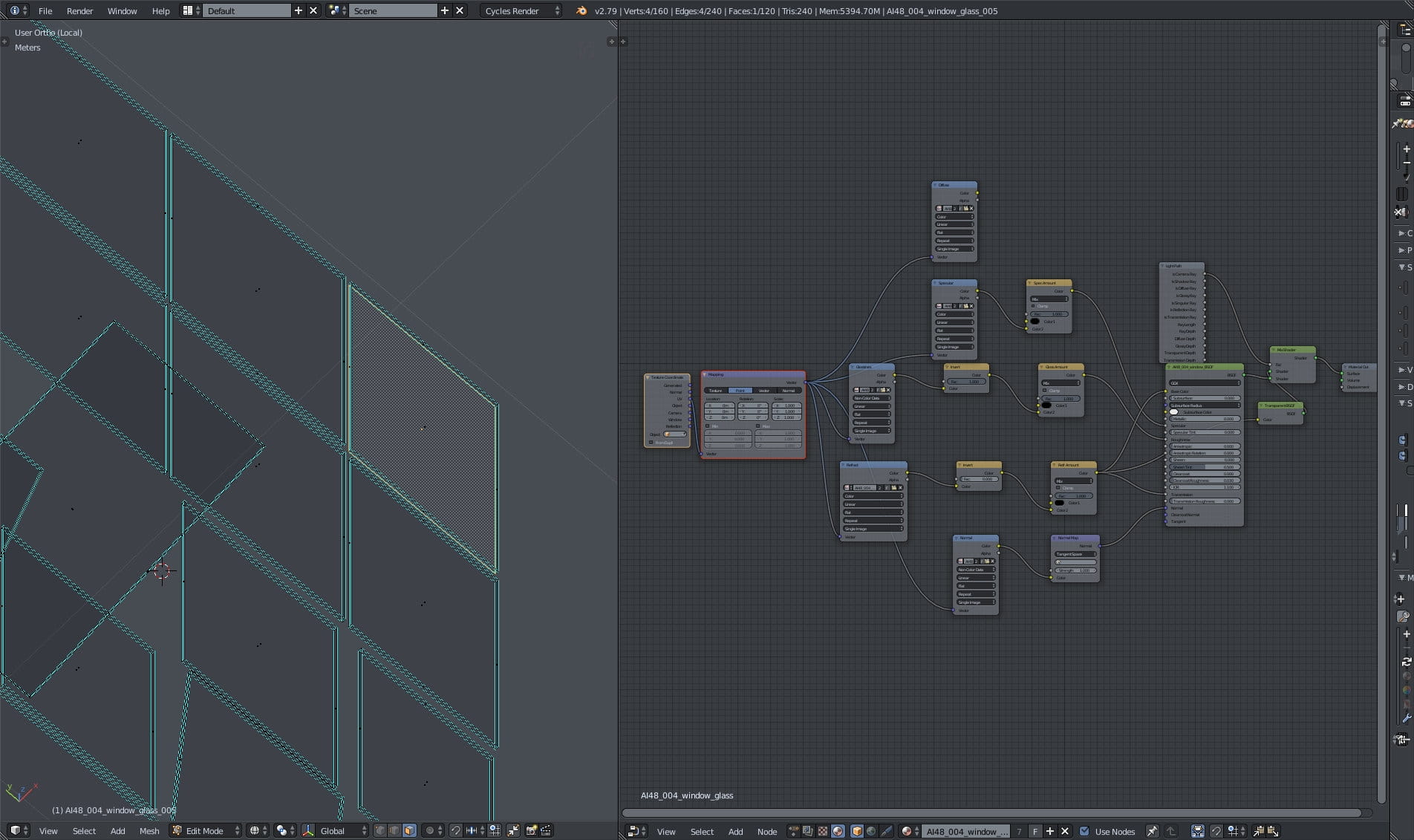
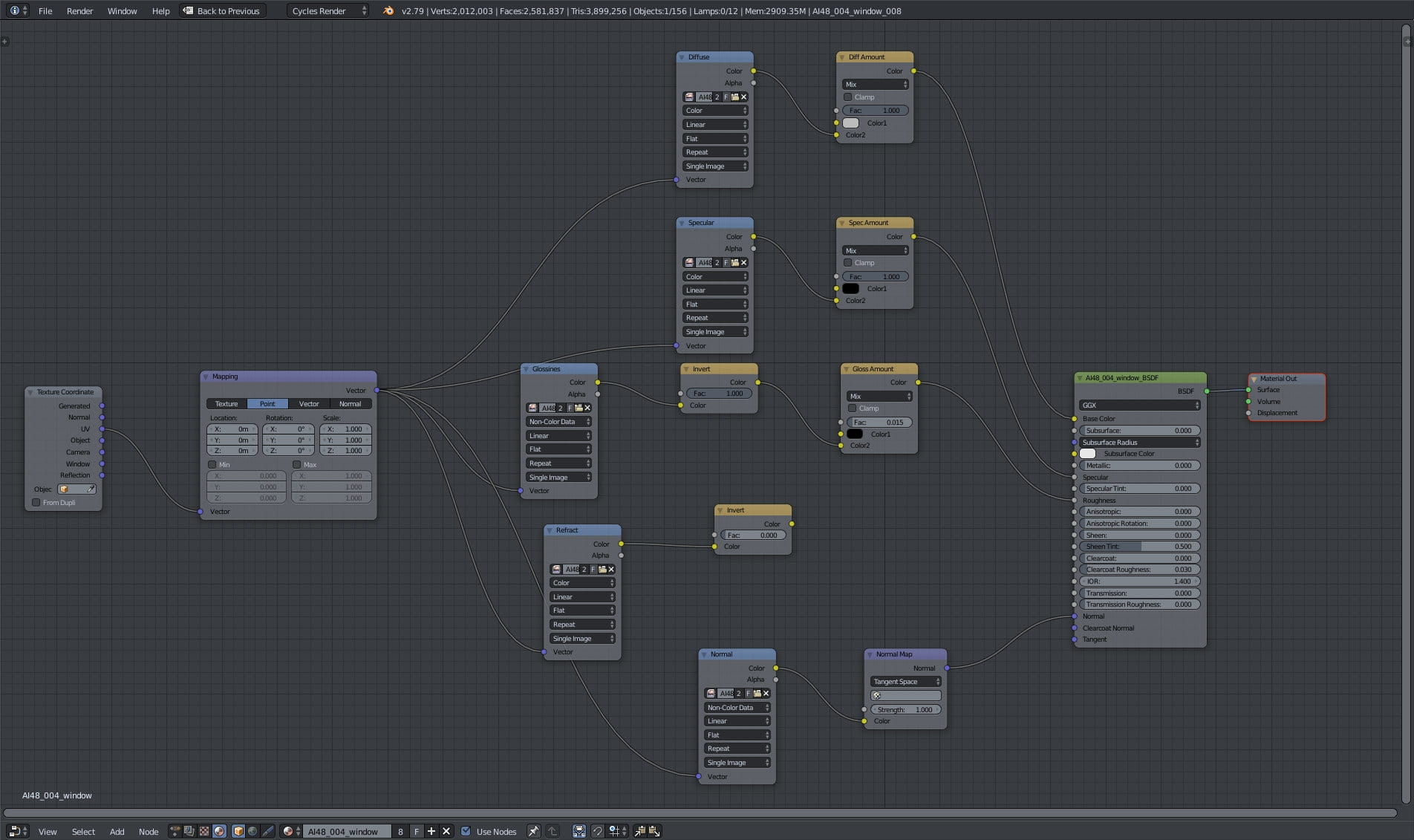
Glass mesh on the left and material overview on hte right.
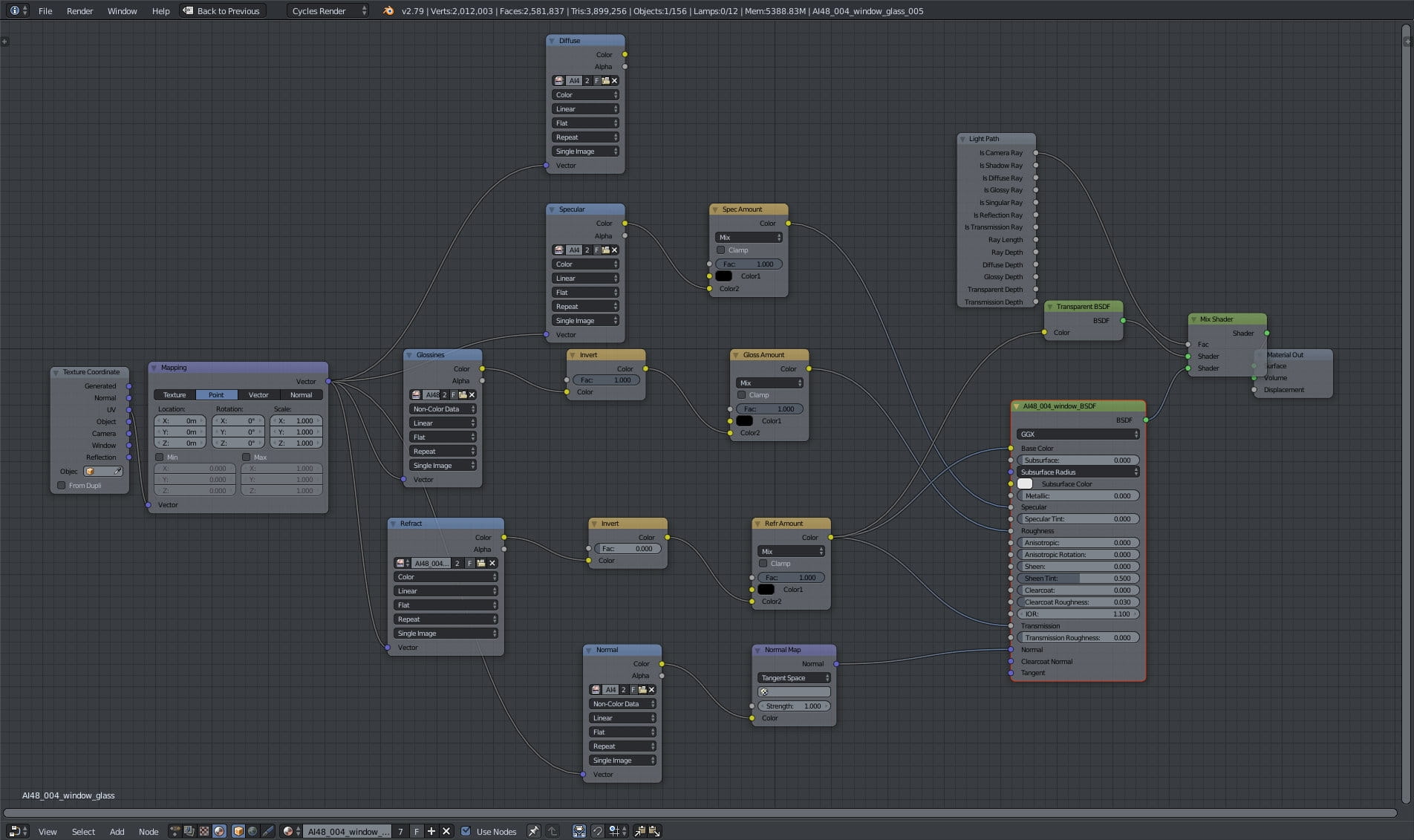
Glass material
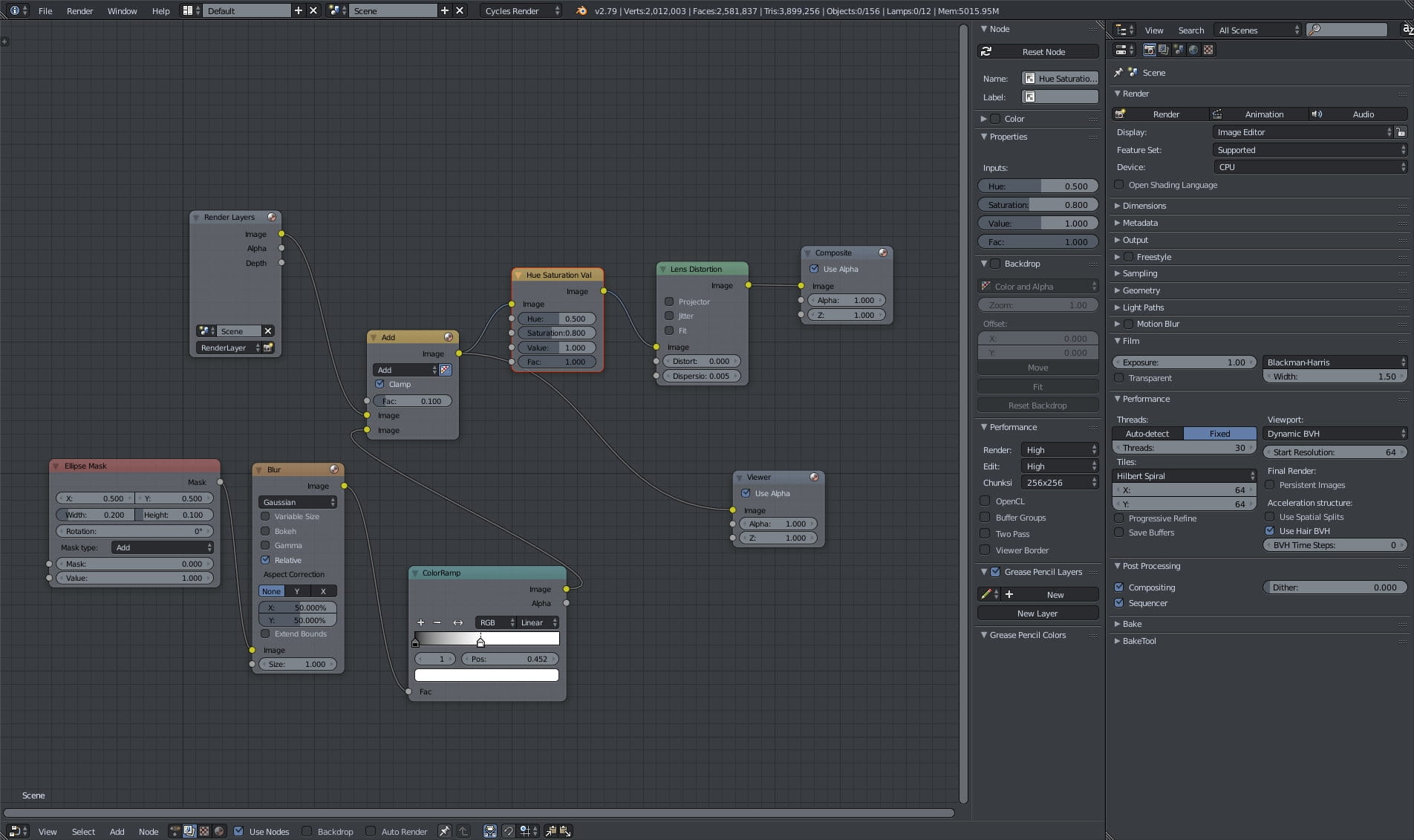
Compositing.
Final image after post-production. Thanks for reading! Check out Archinteriors vol. 48 for Blender in our shop.




LEAVE A COMMENT





|

|

|

|

|
 Customer zone
 Your orders
 Edit account
 Add project
 Liked projects
 View your artist profile
COMMENTS