Evermotion: More Than an Asset Library
How Evermotion became a full-scale production partner for archviz, automotive and synthetic data.


Total: € 0
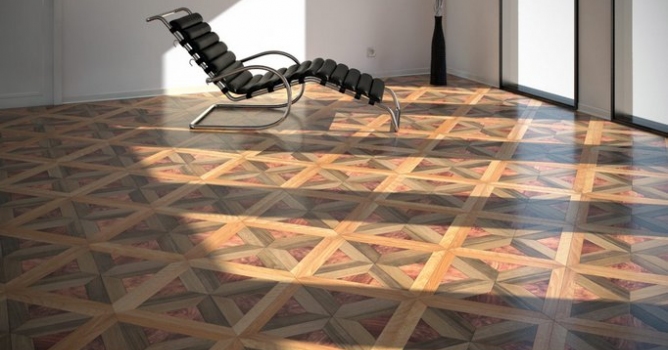

Main features:
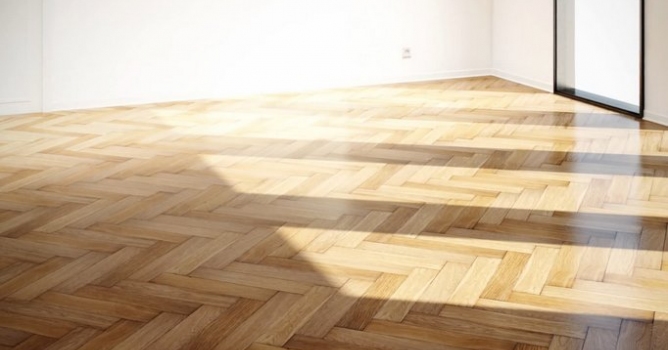
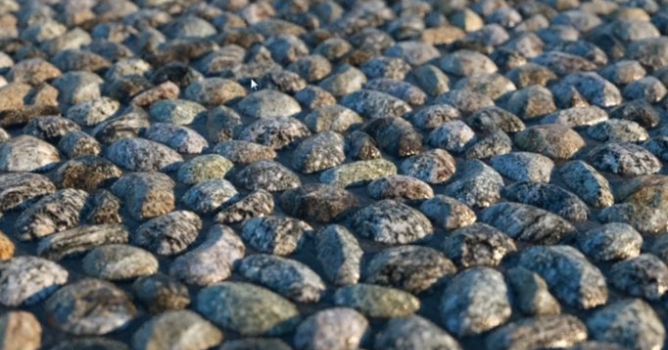
Use Crossmap for randomized bitmaps or procedural maps and use OmniTiles for any layer within your material. OMNITILES pattern editor makes creating patterns easy: Create any shape by simply drawing lines along the edges of your tile. You can modify existing patterns or create entirely new ones. Each shape / tile can have it´s own map assigned, for example VP Crossmap to randomize bitmaps within each repeated tile, or procedural maps for even further freedom. Let yourself be inspired by the new freedom of OMNITILES.
Design new patterns
With the integrated pattern editor, exclusively developed for Omnitiles, it´s easy to create new patterns on the fly. You can draw shapes with virtually unlimited points, move, rotate, scale, mirror and duplicate shapes. All patterns are seamless tileable, which makes Omnitiles the ideal tool to create game textures of any size and resolution.
The handy Snap to Grid function will lead as guide for symmetrical patterns. You can adjust the grid pattern by dividing the grid into x/y number of rows/columns either symmetrical or individually (e.g. for brick shapes). The option to display a background image serves as a guide to create patterns from photos.
LEAVE A COMMENT





|

|

|

|

|
 Customer zone
 Your orders
 Edit account
 Add project
 Liked projects
 View your artist profile
COMMENTS