Search
Cart
Sign in
  • offerCustomer zone
  • offerYour orders
  • offerEdit account

  • offerAdd project
  • offerLiked projects
  • offerView your artist profile

  • Dark mode

We care about your privacy

We use cookies to provide you with the best possible experience. They also allow us to analyze user behavior in order to constantly improve the website for you. The consent is voluntary. You can withdraw it at any time or renew it in Cookie settings on the home page. Withdrawal of your consent does not affect the lawfulness of processing performed before the withdrawal. Privacy Protection Policy
Accept all
Accept selection
Reject all

MeasureIt - Measurement tools add-on for Blender

Youtube 2015-05-26 13:38 article  > Software

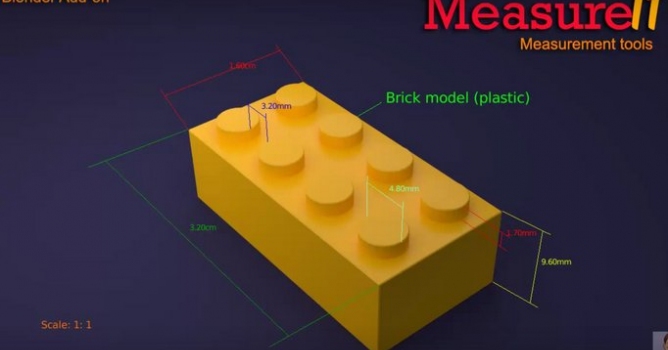
These tools are useful for any job that requires exact measurements, including architectural projects, technical design and 3D printing.

MeasureIt is an add-on designed for displaying measures in the viewport, making the process of design objects with exact measures, easier.


You can use it for:

  • Mesh vertex to vertex measure: Length between vertices in the same mesh.
  • Mesh vertex labeling: Add a label to any mesh vertex. This allows identify easily different areas or objects in the scene.
  • Object to Object: Distance between object origins, vertex to origin or vertex to vertex.
  • Object to origin: Distance between object origin to scene origin or vertex to scene origin.
  • Allows work with different scales.

The measures can be used with Meshes, Empties, Lamps and Cameras. Blender units, Metric and Imperial are supported.

As all measure definitions are saved in the blend file, you can save the file and the next time you use it, the measures will be ready.

More info: https://github.com/Antonioya/blender/tree/master/measureit

 

Author: Youtube Editor: Michał Franczak
Tags:
You may also like...
Discounted license for NAG ALL for Evermotion Pass subscribers
×

LEAVE A COMMENT

You need to be logged in to leave a comment. Don't have account? Register now.