We use cookies to provide you with the best possible experience. They also allow us to analyze user behavior in order to constantly improve the website for you.
The consent is voluntary. You can withdraw it at any time or renew it in Cookie settings on the home page. Withdrawal of your consent does not affect the lawfulness of processing performed before the withdrawal.
Privacy Protection Policy
Unwrella for Max & Maya, BonesPro, Flatiron, UV-Packer and Spotmask are now officially released for the Autodesk Product Suite 2016.
3d-io has just released compatibility updates, feature improvements and fixes for all their software products. Unwrella for Max & Maya, BonesPro, Flatiron, UV-Packer and Spotmask are now officially released for the Autodesk Product Suite 2016.
Customers can download free update from their user area and a demo version for testing can be downloaded from the homepage.
Improved handling of unwrapped objects when they get copied. Flatiron now tries to automatically provide copies of created unwrap groups for copied objects. This allows copies to baked instantly after copying without having to unwrap them separately.
Materials and Textures created by Flatiron now receive names to make their use in the material editor more convenient.
Flatiron Modifier is no longer visible in Add Modifier ui to avoid accidental adding.
Fixed a bug where merged data from multipass rendering could end up with the wrong gamma setting.
Prevented a crash caused by invalid Editable Poly objects.
Various minor fixes to improve unwrap results of objects with problematic mesh topology.
Added MAXScript function to list all objects in an unwrap group.
Added MAXScript function to rename an unwrap group.
MAXScript get/set element parameter value handled the data incorrectly for some parameters.
Added adjustable influences for ParaBones and MetaBones. Weights can be adjusted via vertex painting and new MAXScript functions.
Increased accuracy for spline bone interpolation and improved performance when attaching splines.
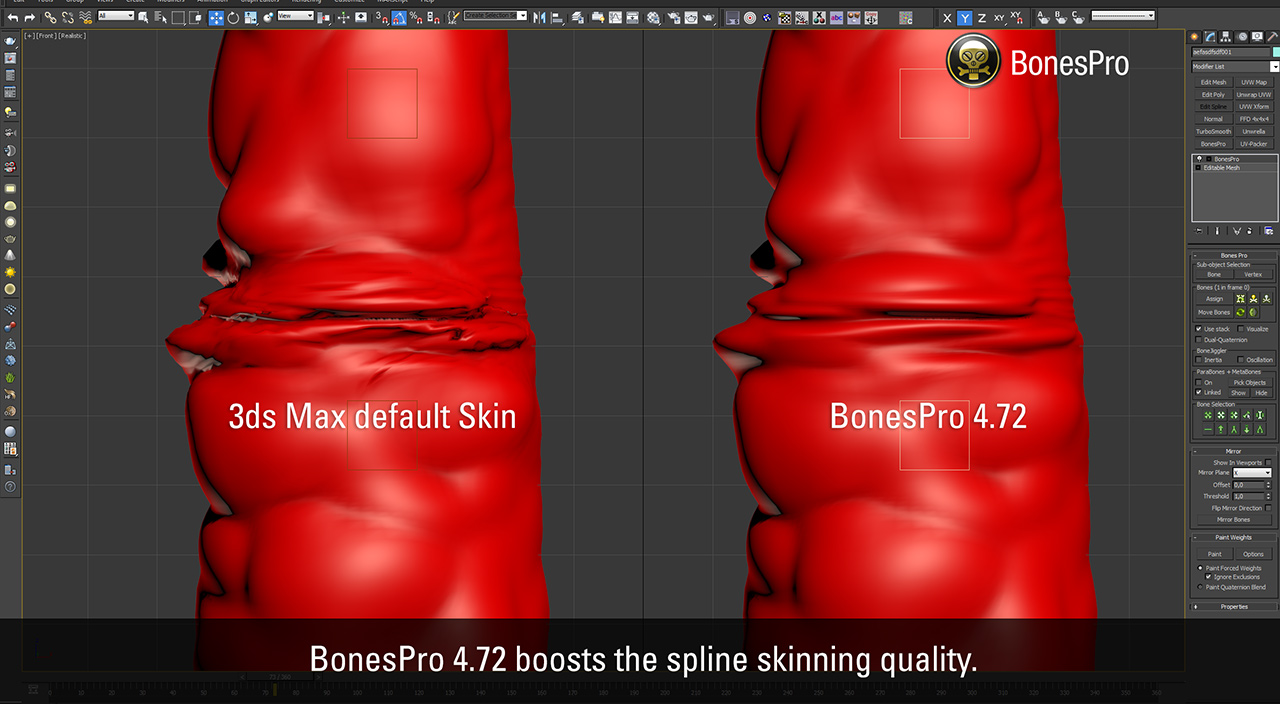
Improved accuracy for spline based deformations. This also fixes the problem where bent meshes lost volume at some rotation angles.
Spline deformations now work more accurately and update the deformation instantly in combination with other deformers below BonesPro on the stack.
Fixed a regression where paint tool could affect the wrong vertices in version 4.71.00.• The mirror tool now fully supports dual-quaterion blend weights and mirrors them together with the other vertex data.
Fixed an issue that sometimes caused windows like the ‘Move Bones’ dialog to be placed at inaccessible locations (ie a no longer connected secondary screen).
Performance of the BonesPro MAXScript interface has been improved for various calls. This includes a fix where execution could become extremely slow in rare cases.
The BonesPro C++ Interface has been extended with support for dual-quaternion weights. It also received a bug fix for cases where requested data wasn’t returned correctly. These changes also affected the layout of the bonespro.h include file and existing clients need minor adjustments to work with this version of BonesPro. Please check the documentation for the interface in the manual for details.
Performance of the BonesPro C++ interface has been improved for various calls.
Working in CG and archviz often means balancing creative intent with production realities. Human presence can support scale, context, and clarity, but it also adds another layer of decisions. Ready-made 3D character assets help keep visual focus where it belongs without expanding the project scope beyond its real needs
In professional visualization, buildings are more than background elements. They define context, scale, and clarity for industrial and commercial projects. Well-prepared 3D building models help viewers read a scene instantly and understand its purpose without relying on technical descriptions or supporting text
The production pipeline in CG and visualization is built on a sequence of clear decisions. Each stage depends on how information is defined, shared, and preserved. 3D models serve as digital assets that translate abstract ideas into structured visual data and consistently carry them through to the final render
In professional CG and architectural visualization, efficiency depends on structured decision-making and reliable resources. Using grouped 3D assets allows us to focus on scene logic, composition, and project consistency instead of repetitive asset preparation and library management.
3D furniture models support structured, predictable interior design workflows in professional archviz. In projects where deadlines, coordination, and visual consistency matter, ready-to-use assets reduce friction and enable teams to focus on spatial decisions rather than repetitive preparation.
In this walkthrough, we guide you through the process of building a polished 3D interior scene inspired by the cover of Archmodels vol. 306 – Table Sets.


















 Customer zone
 Your orders
 Edit account
 Add project
 Liked projects
 View your artist profile
COMMENTS