We use cookies to provide you with the best possible experience. They also allow us to analyze user behavior in order to constantly improve the website for you.
The consent is voluntary. You can withdraw it at any time or renew it in Cookie settings on the home page. Withdrawal of your consent does not affect the lawfulness of processing performed before the withdrawal.
Privacy Protection Policy
New version of plugin for 3ds Max that speeds up workflow.
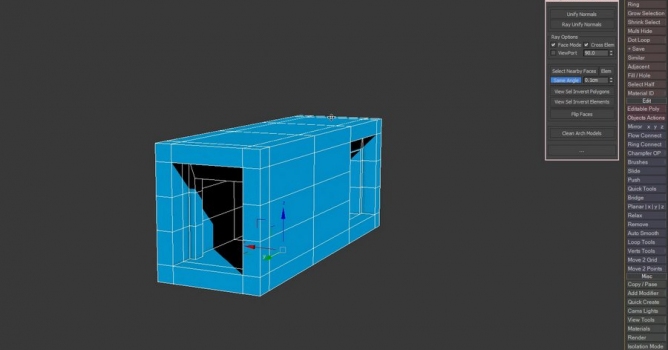
RappaTools3 is an advanced toolbox that comes with a great variety of tools for the artist working in 3ds Max. The main focus is to speed up the workflow and to reduce the amount of clicks. It offers a wide variety of tools, everything from selection tools to rendering tools. It comes with 3 user interfaces (2 of which are customizable), 3 customizable HotBox, a quad menu + a toolbar menu and 380+ macroscripts that can be assigned to a keyboard shortcut, custom toolbar, quad menu or used in your custom tool / interface. Plugin costs €31.99, All RappaTools3+ updates are free. Visit RappaTools3 page.
Version 3.4 changes:
Added support for Verts, Edges, Faces, Elements to RandomFly (each sub mode works in a different way).
Added Arc Tool to GeoOutline which is now a tool.
Added support for Splines to One Object, Explode Object, Detach Selection and Break Selection (also way faster than before).
Added extra functions to Move 2 Point such as planar rotate snap, move from point 2 point.
Added viewBlueprint so you can quickly add an image plane for the current view, they also move back so they don't intersect with each other.
Added support to CleanVerts and WeldVerts for subObjSelection.
Added support for EditPoly modifier to RandomSelect, RemveLoop, RemoveRing.
Added to WorkingPivot +shift to place the working pivot, when already active it keeps the direction.
Improved MakeMultiMaterial, collapse isn't required anymore, also from folder uses vray materials if it's assigned.
Improved Multi Hide, partial selection = hide, empty selection = unhide, all visible selected = invert.
GeoEdge is now a tool allowing to change the edge length on the fly.
Improved Create Polygon, also now it works with one edge selected (blender fill style) and inner verts are connected, inner edges are divided.
Improved Smart Toggles, and Sub Object Level toggles is more aware of the modifiers.
Improved CopyReplace, SetObjectHeight and VrayCameraFromView.
Improved Copy / Paste Material, it uses the scene material if the same.
RappaTools3 Quad Menu now can be assigned to either ctrl+shfit or ctrl+shift+alt.
Added Delete Empty Layers, toggles for display color, vertex color and shade vertex color.
Working in CG and archviz often means balancing creative intent with production realities. Human presence can support scale, context, and clarity, but it also adds another layer of decisions. Ready-made 3D character assets help keep visual focus where it belongs without expanding the project scope beyond its real needs
In professional visualization, buildings are more than background elements. They define context, scale, and clarity for industrial and commercial projects. Well-prepared 3D building models help viewers read a scene instantly and understand its purpose without relying on technical descriptions or supporting text
The production pipeline in CG and visualization is built on a sequence of clear decisions. Each stage depends on how information is defined, shared, and preserved. 3D models serve as digital assets that translate abstract ideas into structured visual data and consistently carry them through to the final render
In professional CG and architectural visualization, efficiency depends on structured decision-making and reliable resources. Using grouped 3D assets allows us to focus on scene logic, composition, and project consistency instead of repetitive asset preparation and library management.
3D furniture models support structured, predictable interior design workflows in professional archviz. In projects where deadlines, coordination, and visual consistency matter, ready-to-use assets reduce friction and enable teams to focus on spatial decisions rather than repetitive preparation.
In this walkthrough, we guide you through the process of building a polished 3D interior scene inspired by the cover of Archmodels vol. 306 – Table Sets.

















 Customer zone
 Your orders
 Edit account
 Add project
 Liked projects
 View your artist profile
COMMENTS