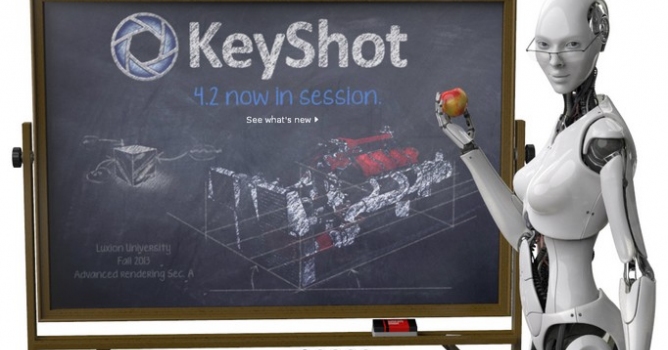
KeyShot 5 introduces enhanced usability and features that allow engineers, designers and 3D professionals to make their workflow more efficient.
Overview
The KeyShot Cloud leads features with the ability to download new resources and share custom assets. With this, a more streamlined interface delivers a completely updated user experience, smoother interaction of materials and options, a new Ribbon menu for common tools, Favorites and advanced material display. Rendering workflow enhancements introduce Instancing, ability to retain textures, seven new procedurals and speed increases for rendering large models. Animation users gain more power with the introduction of Fade Animation, Motion Blur and Events, while Pro users will receive NURBS ray-tracing, HDRI Editor updates with a new Sun & Sky System, Perspective matching and output to common 3D printer formats.

Image by Armstrong White
KeyShot 5 Features
The entire list of features in KeyShot 5 can be seen and downloaded in a What’s New guide that includes information on how each feature works. A video of the new features can be viewed here. Highlights include:
- KeyShot Cloud - The KeyShot Cloud is the online library where users can download new resources, and share their own custom assets. Opening the KeyShot Cloud enables easy drag-and-drop downloading of new resources into their local KeyShot Library, and quick search features and filters to find the perfect resources for a scene. All resources remain on a user’s computer with a copy of the resource uploaded to the KeyShot Cloud and no scene or personal info stored online. The KeyShot Cloud is accessible directly from inside KeyShot and online at cloud.keyshot.com.
- NURBS Ray-tracing - NURBS ray-tracing delivers more accurate geometry with smoother edges. This new import feature gives users the option to import and render NURBS geometry from their favorite 3D modeling application. The advantage is crisper visuals and smaller file sizes over data imported as triangle that can display edges and gaps on close detail shots. NURBS import is currently available for all geometry formats, including Creo, CATIA, Inventor, NX, Rhino, SolidWorks, Solid Edge, STEP, IGES, Parasolid and ALIAS. Available with KeyShot Pro versions.
- Instancing - Instancing allows users to duplicate parts in KeyShot and on import without increasing file size. Instancing of parts is available within KeyShot as a Pattern tool and completely automated in select KeyShot plugins. All instances can be treated separately for quick appearance studies or linked to apply materials quickly, but will all update when LiveLinking or update geometry is used.
- Fade Animation - The new Fade animation allows users to quickly apply an animation that fades parts from one opacity level to another. Through KeyShot Animation users add individual transforms that add animations with a click of a button instead of managing keyframes. Just as simple, Fade animations can be applied while adjusting the opacity of parts and groups on-the-fly which allows users to see the update in real-time as animations are created. Available with the KeyShot Animation Add-on.
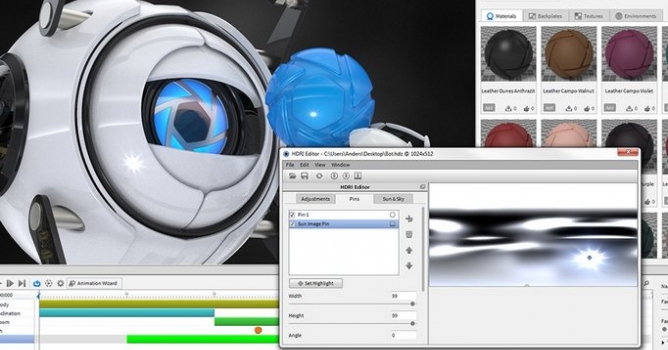
- Sun & Sky System - KeyShot 5 introduces a new Sun & Sky system for automatic creation of physically accurate geographic lighting. Preset resolutions and locations together with day selection, time and turbidity sliders allow the creation of unlimited daylight scenarios. Custom Sun & Sky environments can be created by users as well and combined with other lighting options available in the KeyShot HDRI Editor. Available with KeyShot Pro versions.
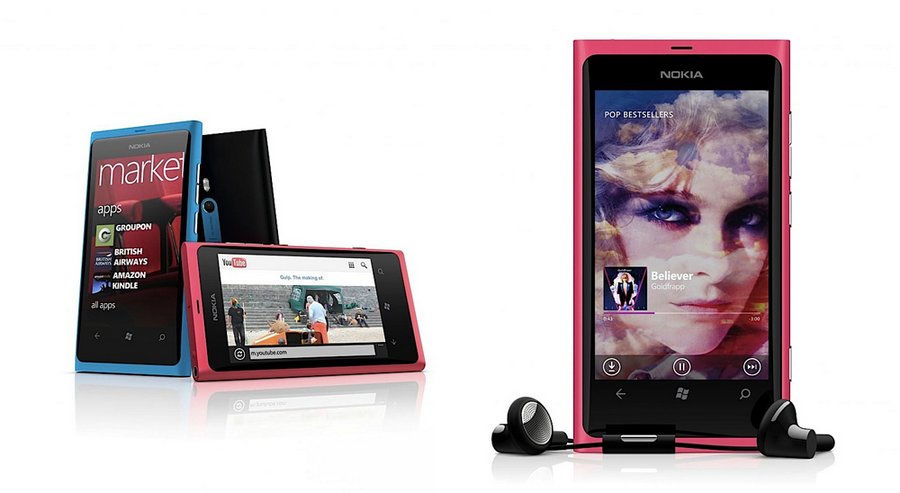
Project and render by Nokia
Availability
KeyShot 5 is available immediately. Pricing starts at $995. As with previous versions, animation capabilities can be added to KeyShot for $500 and interactive KeyShotVR capabilities can be added for $1000. All customers who bought KeyShot on or after February 14th, 2014, as well as all customers who purchased KeyShot for Education will receive the upgrade to KeyShot 5 free of charge. All KeyShot customers with active annual maintenance will automatically receive the upgrade to KeyShot 5. All other customer can upgrade to KeyShot 5 for an incremental fee.
For more information on KeyShot 3D rendering, animation and KeyShotVR please visit www.keyshot.com.











 Customer zone
 Your orders
 Edit account
 Add project
 Liked projects
 View your artist profile
COMMENTS