Evermotion: More Than an Asset Library
How Evermotion became a full-scale production partner for archviz, automotive and synthetic data.


Total: € 0

KeyShot 4.2 comes with new features and updates to existing tools that simplify the rendering and animation process. KeyShot 4.2 focuses on improvements to usability, control, materials and integration with new user interface updates, presets and automation that simplify the rendering process
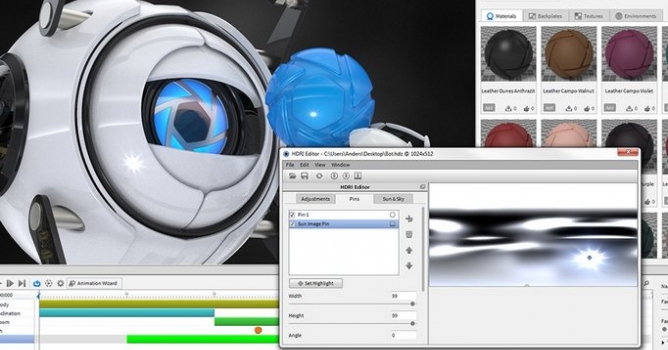
The focus of KeyShot 4.2 is improvements in the areas of rendering, usability, control, integration and animation while adding more flexibility to the creation of product visuals. With major new features such as LiveLinking, physical lighting, focused caustics and procedural materials introduced within KeyShot 4, KeyShot 4.2 brings faster rendering, better selection and more control over hardware and 3D data import allowing users to work faster and more efficiently with their models inside of KeyShot without jeopardizing the final quality of their images, animations and KeyShotVR interactive visuals.

New KeyShot 4.2 Features and Updates
Many of the updates in KeyShot 4.2 aim directly at improving the user experience of the software and the visual development workflow. Users will find easier ways to organize their imported 3D data, work with KeyShot's scientifically accurate materials presets and color libraries, as well as have greater control over the rendering environment and settings. The majority of updates include improvements to existing features inside KeyShot with some additional new features that deliver enhanced usability for users. Detailed documentation on new features can be found here.
Highlighted New Features Inside KeyShot 4.2 Include:
Groups:
KeyShot 4.2 introduces the ability to create groups in the Project Scene tree. Users may create new groups, drag and drop parts and sub-assemblies into existing groups and move parts between one group and another. The capability includes a full featured dialog that allows users to add one or multiple parts to an existing group or create a new group directly from the realtime render interface.
Set Core Usage:
KeyShot now comes with the ability to set priority on the amount of CPU cores used by KeyShot. Since KeyShot is fully CPU-based and utilizes 100% of all available cores, this ensures users are able to have access to more CPU power in other programs while KeyShot is rendering. This is a simple setting accessed from the KeyShot preferences with the minimum being four cores.
Material Swap:
Users can now swap materials between selected parts without having to change the material for each part. Users have two options, swapping materials by selecting parts or by dragging and dropping materials from the KeyShot library onto existing materials in the in-project library.
Scene Revisions:
KeyShot now offers the ability to save revisions of a scene. When users save a scene, rather than overwriting each scene with the latest settings, they can now save revisions of the same scene which can then be accessed later from within KeyShot.
Realtime Presets:
There are now more presets available for the realtime viewer. Through the project settings, users have an immediate selection of preset options that include actual aspect ratios found in print and digital media. These presets are single-click settings that can also be locked to ensure proper resolution.

Additional Updates:
Additional updates focus on improvements in four main areas where users have provided valuable input and feedback, updates that include:
Further details on all these new features and detailed documentation on what's new inside KeyShot 4.2 is available for download here.
Availability
KeyShot 4.2 is available immediately as a free update for all user on subscription. KeyShot 4.2 is currently available for purchase on the KeyShot website, along with KeyShot Animation and KeyShotVR, interactive visual creation, available as add-ons here.

LEAVE A COMMENT





|

|

|

|

|
 Customer zone
 Your orders
 Edit account
 Add project
 Liked projects
 View your artist profile
COMMENTS