Evermotion: More Than an Asset Library
How Evermotion became a full-scale production partner for archviz, automotive and synthetic data.


Total: € 0
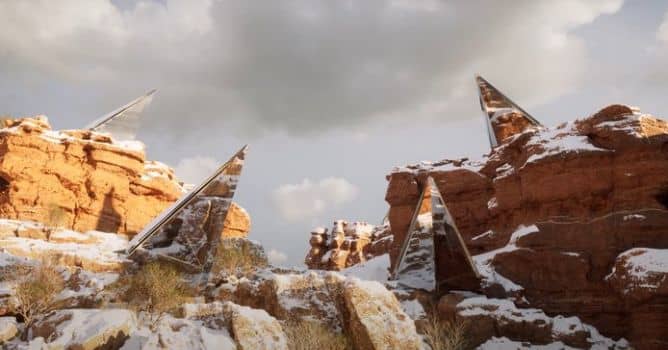

Twinmotion developers integrated a Path Tracer rendering engine to improve the overall fidelity of the rendering generated by Twinmotion. You can choose between Path Tracer or rasterization in the viewport and control the quality of each in the output dock The Path Tracer can be enabled/disabled via a button on the toolbar. When the Path Tracer is activated, a progress wheel appears to indicate the convergence of the rendering depending on the current Path Tracer quality settings.
Clicking on this progress wheel will give you access to three quick settings, Low/Medium/High, corresponding to the number of samples used for the calculation; the higher the number of samples, the longer the calculation time. The three quick settings of the Path Tracer can be customized via the settings of the Preferences panel (Edit -> Preferences).
It is the first iteration of path tracer in Twinmotion so it has some limitations - it requires DX12 and GPU supporting raytracing. It is not supported on macOS, some rendering features are currently not supported. This includes caustics, decals, weather height fog, volumetric light shafts, light haze, point clouds, flag animation and sun shape visibility.
HDRI Skydome
There are new HDRI skydomes that increase the visual realism of images, videos, panoramas, and Presentations in Twinmotion Cloud. You can switch from a dynamic sky to the HDRI Skydome, leveraging the lighting from the HDRI texture with the Path Tracer. Using the Intensity and Ambient sliders, you can change skydome background and scene lighting (from HDRI) intensities. The Match sun toggle makes the sun position fixed to the sun of the skydome.
Point cloud support
Twinmotion now supports laser-scanned data from popular formats, typically scanned in the context of architectural or industrial applications. Point cloud files can be imported from the Import dock.
More about Twinmotion.


LEAVE A COMMENT





|

|

|

|

|
 Customer zone
 Your orders
 Edit account
 Add project
 Liked projects
 View your artist profile
COMMENTS