Features:
All these tools work with a continuous projection on the reference mesh.
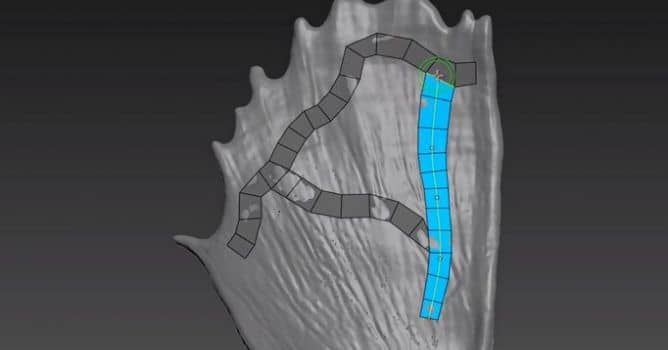
Stripes
- Paint Stripe.
- Move Bezier knots.
- Change bezier Knots count while keeping the curve.
- Change Stripe subdivs.
- Taper Ends.
- Snap on other edges.
- Auto adapt width.
- Edit custom Edge ring like a Stripe.
- Brush Radius.
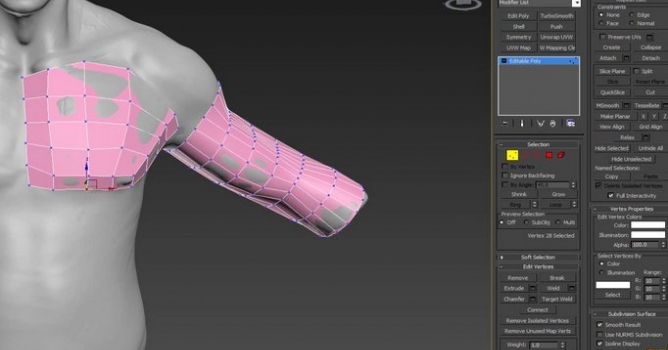
Surface
- Paint Surface.
- Move Bezier knots.
- Change bezier Knots count while keeping the curves.
- Change Surface width and height subdivs.
- Continue surface after surface.
- Can extend an Edge selection.
- Brush Radius.
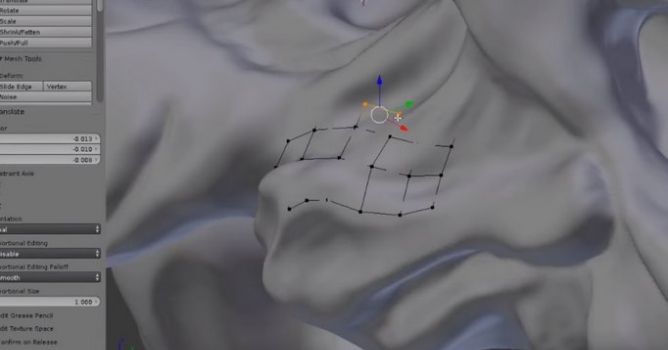
Create Face
- Create new face from nothing, edge, vertex or corner.
- Auto snap/weld to the closest vertex or edge.
- Select and extend edge loop.
- Move vertex.
- Delete Face.
Branch
- Paint Branches.
- Move end points.
- Change width and height subdivs.
- Twist and rotate.
- Continue branch after branch.
- Extend open branches.
Bridge
- Select start and end edge loop.
- Change bridge subdivs.
Cap
- Cap hole.
- Rotate the Cap mesh to find the perfect orientation.
- Change the Cap subdivs with all possible cases.
Relax
- Relax Brush.
- Change Radius and Strength.
Move
- Auto find the closest sub element (Face, Edge or Vertex).
- Auto snap to closest vertex.
- Add and remove from selection.
- Move a selection.
- Delete a selection or Paint delete (Face, Edge or Vertex).
- Select Edge Loop.
- Snap along edges.
Freeze tools (protect faces from changes)Freeze brush.
- Freeze & Unfreeze.
- Freeze & Unfreeze all.
- Freeze & Unfreeze face selection.
Split
- Auto-detection of the closest edge ring.
- Slide the new Edge loop along the closest edge.
- Split from custom Start to End edges.
Cut
- Snap to vertex.
- Snap along edge.
- Delete selected edge.
Opacity controls.
Projection distance.
Live project (to project using editable poly or mesh).
Dynamic shortcuts reminder.
You can buy TopologiK for 36.90€ from this website. Plugin is compatible with 3ds Max 2013 to 2019.









 Customer zone
 Your orders
 Edit account
 Add project
 Liked projects
 View your artist profile
COMMENTS