We use cookies to provide you with the best possible experience. They also allow us to analyze user behavior in order to constantly improve the website for you.
The consent is voluntary. You can withdraw it at any time or renew it in Cookie settings on the home page. Withdrawal of your consent does not affect the lawfulness of processing performed before the withdrawal.
Privacy Protection Policy
V-Ray 3 for SketchUp has been redesigned from the ground up.
V-Ray 3 for Sketchup helps you focus on being creative.
What's new?
New UI - Introducing a redesigned, designer-friendly user interface for faster workflows.
Material Library - Select from over 200 drag and drop materials to speed up your next project
V-Ray Swarm - Introducing a powerful, scalable distributed rendering system that's simple and fast.
Denoiser - Automatically remove noise and cut render times by up to 50%.
VR - Render VR-ready content for popular virtual reality headsets.
Section Cuts - Easily create quick cutaways and section renders with V-Ray Clipper.
Aerial Perspective - Quickly add realistic atmospheric depth and haze.
Grass - Create realistic grass, fabrics, and carpet with V-Ray Fur.
Key Features
Twin-Engine Performance - V-Ray includes two powerful rendering engines. With CPU or GPU acceleration, you can use the best engine for your project and hardware.
Interactive Rendering - Render interactively while you design. Fine-tune lights and materials and see the results right away.
Global Illumination - Render photorealistic rooms and interiors with V-Ray’s powerful and fast global illumination.
Accurate Lights - Render natural and artificial lighting using a wide range of built-in light types.
Environment Lighting - Light your scenes using a single high-dynamic-range image (HDRI) of its environment.
Physical Sun and Sky - Simulate realistic daylight for any time and any location.
Real-world cameras - Work like a photographer, with controls for exposure, white balance, depth of field and more.
Physical Materials - Create great looking materials that look exactly like the real thing.
Advanced Textures - Create realistic and unique materials using any texture map or one of V-Ray’s many built-in procedural textures.
Proxy Objects - Bring more detail to your project with memory-efficient proxy models of complex objects like grass, trees, cars and more.
Render Elements - Render your scene as separate passes for more artistic control in your image-editing software.
Frame Buffer - Track render history and fine-tune color, exposure, and more directly in V-Ray’s frame buffer.
Render Nodes - Give V-Ray Swarm and network rendering a major speed boost by adding cost-effective render node licenses.
V-Ray Scene Export - Share complete, ready-to-render V-Ray 3 for SketchUp files with any V-Ray 3.4 or higher application.
Evermotion presents, Vray Workshop Principal artist group online on Facebook. Evermotion is pleased to announce a partnership with Vray Workshop group.
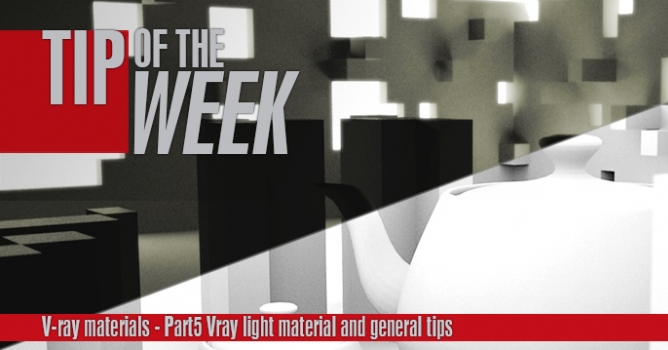
This is the last part of a V-ray materials tip of the week series. In this part I will show you how to use V-ray light materials and some general tips for baking v-ray dirt and using opacity maps.
This is the last part of a V-ray materials tip of the week series. In this part I will show you how to use V-ray light materials and some general tips for baking v-ray dirt and using opacity maps.
In this walkthrough, we guide you through the process of building a polished 3D interior scene inspired by the cover of Archmodels vol. 306 – Table Sets.











 Customer zone
 Your orders
 Edit account
 Add project
 Liked projects
 View your artist profile
COMMENTS