Improved Editor Stability and Quality of Life
This was a really big focus for Unreal Engine 4.8. With every Unreal Engine release we fix hundreds of bugs and add many new features, but with Unreal Engine 4.8 we've worked hard to improve editor and game stability, as well as to address many of the most common engine bugs and small feature requests. We hope that the result is a very solid engine runtime and editor, and we'll continue to make stability a big focus of future releases.
New: SteamVR/HTC Vive Support
Click on image to enlarge 
Unreal Engine now has comprehensive support for Valve's SteamVR API and HTC Vive hardware!
- Preview your game instantly on a connected HTC Vive using the "VR Preview" button!
- All HTC Vive motion controller features are supported, and controller buttons/touchpads are bindable
- Full support for both room scale and seated experiences.
New: Landscape Grass Renderer
Click on image to enlarge 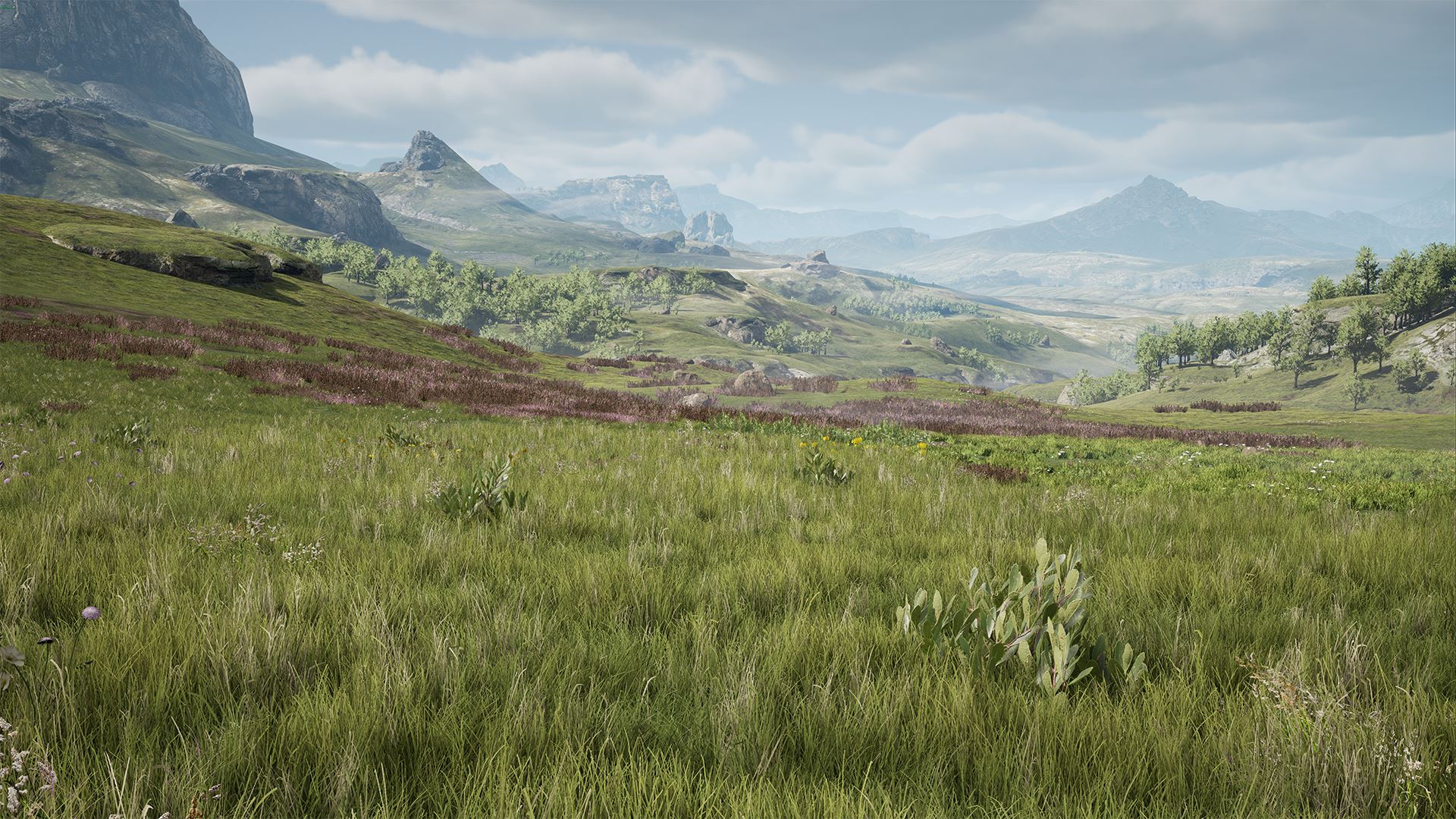
The new grass system dynamically renders instanced grass and other ground clutter meshes on the landscape around the player.
- As the player moves through the world, new instances are added, and instances no longer in range are removed.
- Artists author grass density through the landscape material, by outputting density to a Landscape Grass Output node. This allows the grass placement to match the terrain texturing!
- Grass instances are procedurally generated by a background task according to the grass density map.
- Grass is efficiently rendered using a hierarchical instancing system that implements culling while keeping draw calls to a minimum. LOD transitions are per-pixel and fairly seamless due to Temporal AA.
- See the "Landscape Grass Tools" section below for information about how to set this up!
New: Hierarchical Level-Of-Detail System
Click on image to enlarge 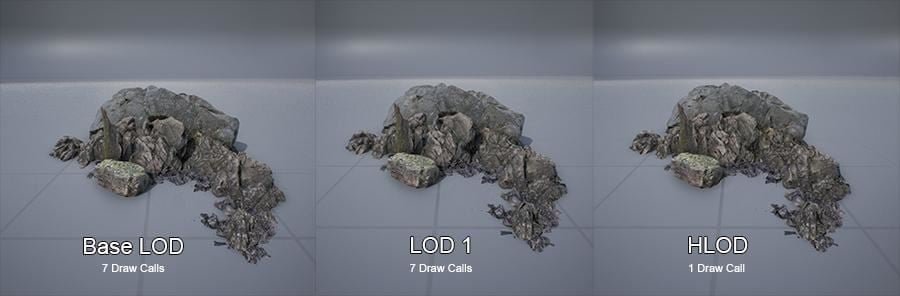
This new Hierarchical LOD feature automatically creates LODs for groups of meshes. This greatly reduces draw calls and polygon counts when they are visible from a distance. This is great for open world games!
- Groups of meshes to combine are found automatically. If Simplygon is available, it will be used to generate the low-detail mesh for a group. If not, the LOD version of each mesh will be combined (using the Merge Actors feature). Materials are merged automatically if possible, to reduce section (material) count.
- To use Hierarchical LOD, set Enable Hierarchical LOD System to be true in World Settings. Once enabled, you'll be able to edit settings in the LODSystem section.
- Individual Actors can opt out by disabling their Enable Auto LOD Generation option.
- LOD meshes are generated as part of the 'Level Build' process, or by selecting Build LODs in the Build menu.
New: Procedural Foliage Generator (Experimental)
Click on image to enlarge 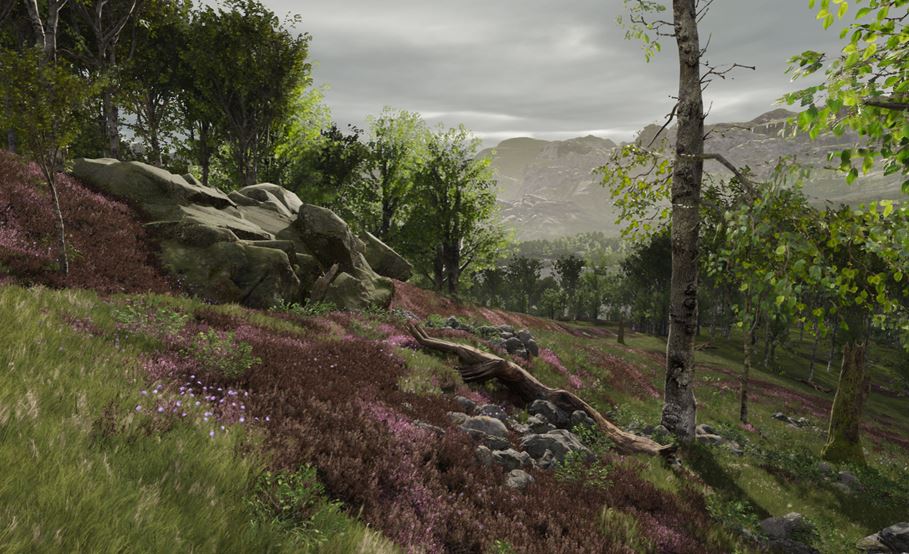
There is a new experimental feature for procedurally generating huge (or tiny, or medium-sized) regions of foliage instances quickly.
- Foliage Type assets now have properties to customize how they spread and grow over the course of a simulation.
- Multiple procedural foliage types can be simulated alongside one another to generate the foundations of an entire forest!
New: High Quality Depth of Field and Tone Mapping
Click on image to enlarge 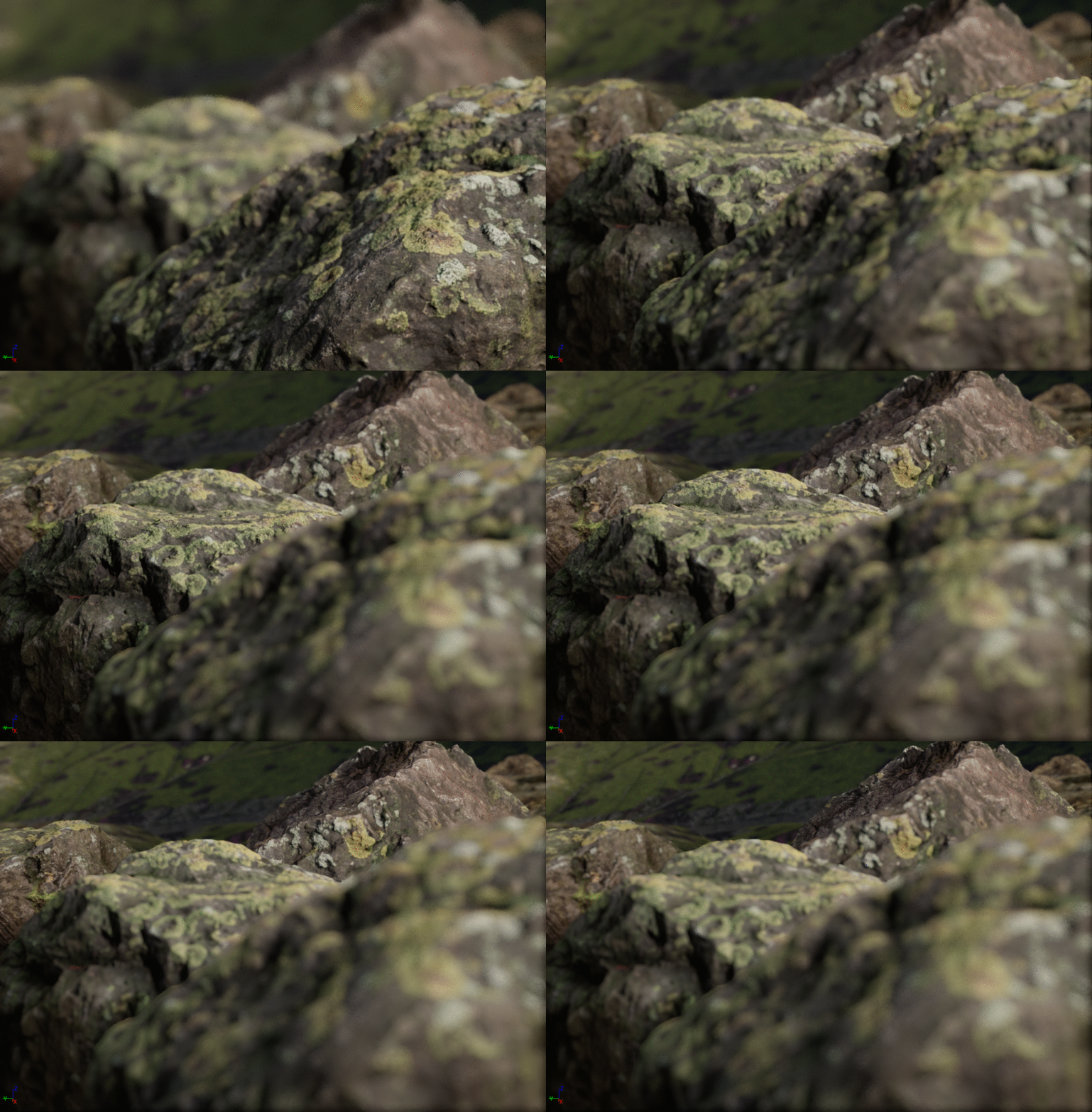
New depth of field algorithm called "Circle DOF".
- New depth of field algorithm called "Circle DOF"
- High performance DOF technique with circle bokeh and nice transitions from in to out of focus
- Circle DOF controlled by physical camera parameters: fstop, focal length, focal distance
- Supports a distance based blur to simulate light scattering through the atmosphere
- New film like color and tone response
- Matches the Academy Color Encoding System (ACES) (https://www.oscars.org/science-technology/sci-tech-projects/aces)
- Added additional color grading and white balance.
- Baked into 32x32x32 LUT so it is 50% faster than before.
- r.TonemapperFilm 1 to enable
New: Redesigned Foliage Editor
Click on image to enlarge 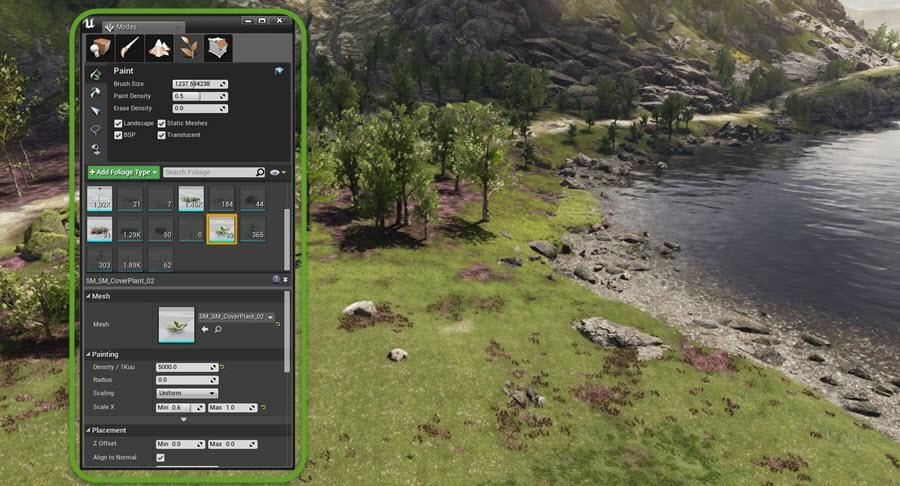
The foliage editor has recently undergone a redesign! Besides improved usability, the new layout gives you the ability to more easily work with a large number of foliage types in the palette at once.
- Easily create new Foliage Types directly from the foliage view with the "Add Foliage Type" button.
- Foliage thumbnails have buttons for toggling visibility and saving the asset, as well as the total instance count.
- You can now activate or deactivate multiple foliage types at once with multi-select.
New: Screen-Space Reflections for Translucent Surfaces
Click on image to enlarge 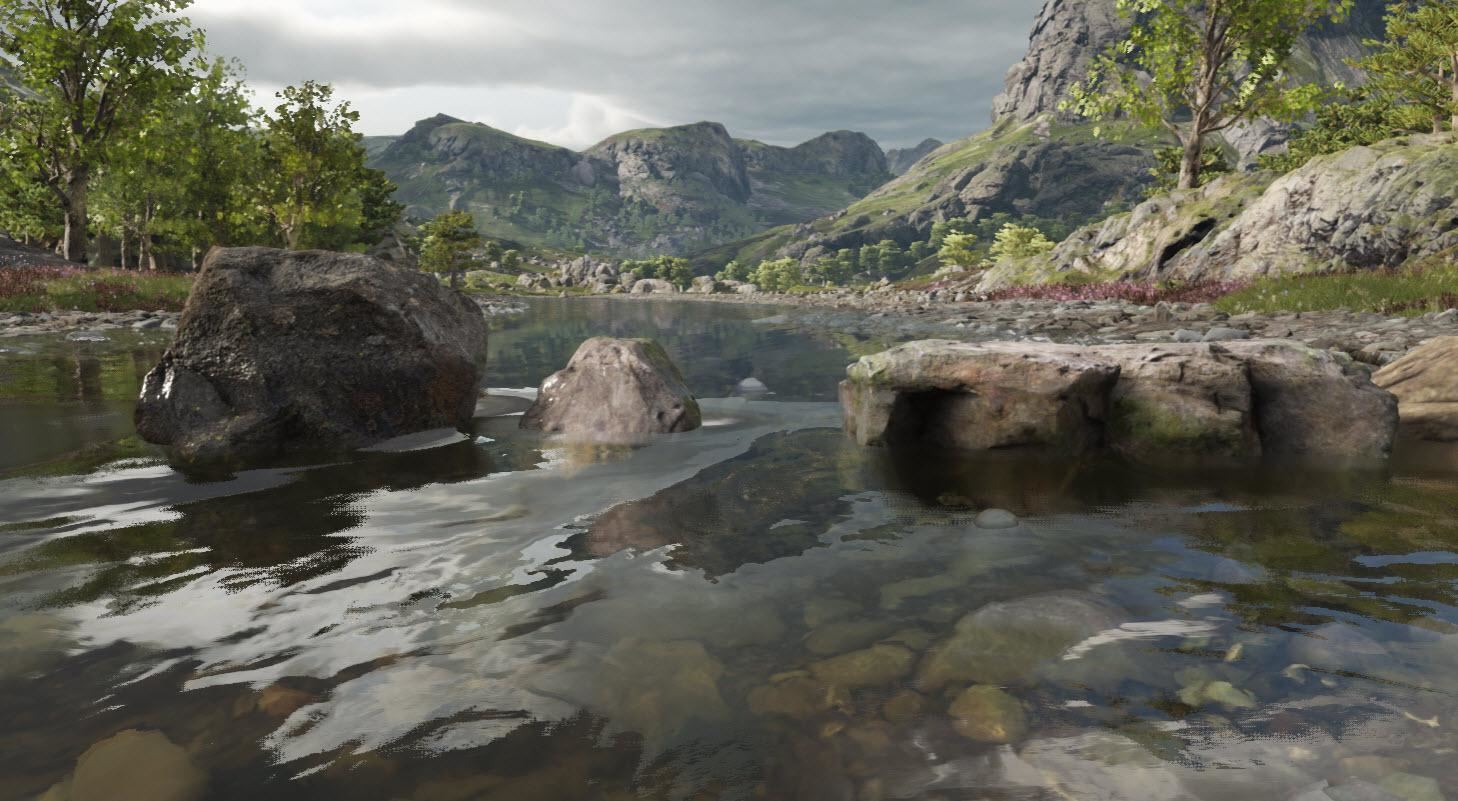
Translucent surfaces can now dynamically reflect other objects on the screen!
- Enable on translucent materials with the 'Screen space reflections' option
New: Landscape Grass Tools
New editor features have been added for setting up instanced meshes for the grass rendering system.
- Each type of grass is described by a new Landscape Grass Type asset type, and each grass type can specify multiple static meshes for variation.
- A grass density map is generated from the landscape's material. A Landscape Grass Output node should be added to your landscape material, and one or more Landscape Grass Type assets can be assigned. For each grass type, a new input connection will appear, which is used to specify the grass density.
- Connecting a Landscape Layer Sample node directly will allow a landscape layer to specify the grass density. You can also connect a network of nodes to create more complex placement rules such as automatically removing grass based on surface normal or altitude or using multiple landscape layers.
The list of all changes is huge and you can find it on Unreal Engine site.

















 Customer zone
 Your orders
 Edit account
 Add project
 Liked projects
 View your artist profile
COMMENTS