Evermotion: More Than an Asset Library
How Evermotion became a full-scale production partner for archviz, automotive and synthetic data.


Total: € 0


Through extended research and profiling of customer scenes, core ray tracing calculations for brute force and path tracing were optimized. Early comparisons show speed increases from 1.5 to 5 times faster.
You can win V-Ray + dongle worth 1000E. Join Evermotion Challenge 2013 - Future home design!
In V-Ray 3.0 Chaos Group implemented a simpler User Interface. V-Ray 3.0 includes 3 UI modes: Basic, Advanced, and Expert. These modes can be toggled at any time to reveal additional controls, but most artists should find the Quick mode effective for their daily production work.
Progressive Rendering
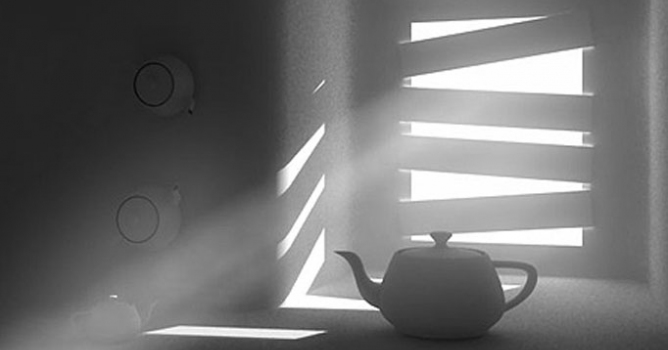
The new version of V-Ray 3.0 comes with a brand new image sampler called Progressive Image Sampler. Instead of creating the image bucket by bucket, it renders the whole output at once and quickly clears the noise in it. It is similar to V-Ray RT as it renders subsurface scattering, V-Ray Environment Fog and uses the Irradiance Map and Light Cache GI solutions. The settings for the Progressive Image Sampler can be found in the Render Settings dialog in the V-Ray Tab under the Image Sampler (Antialiasing) roll out.
Probabilistic Light Sampling
A new option in the Global Switches allows our users to greatly optimize and speed up the rendering of scenes with multiple lights. When this option is disabled (the default setting), V-Ray has to evaluate each light's contribution to direct light and GI for each visible point, and this slows down the rendering process. Enabling the Probablistic Lights allows us to specifiy a number of randomly selected lights that are going to be used in the evaluation of each visible point. Smaller values will speed up the rendering but may produce some noise, while higher values will reduce the noise and add additional calculations.
Quick settings
To speed up artists workflow even further, V-Ray 3.0 introduces Quick Settings and an expanded list of Production Presets to fine-tune quality and speed. With the Quick Settings dialog, artists can render settings using a single slider, and new rendering presets are available based on an artist's needs for a particular scene. Selections include a range of choices for interiors, exteriors, still images, animations, etc.
VrMat and improved shaders
V-Ray 3.0 introduces VRmat functionality to 3ds Max. VRmats (formerly Vismats) are universal V-Ray Shaders for use across multiple applications. For example a VRmat material may be created in V-Ray for 3ds Max and transferred directly to V-Ray for Maya, SketchUp, or Rhino. The functionality of VRmats opens the door to easy asset sharing.
V-Ray 3.0 includes several new and improved shaders, including a new Skin shader, ray-traced SSS, and support for OSL.A dedicated, intuitive Skin shader will make it easier than ever for artists to create complex, layered skin. Rendering SSS is faster in V-Ray 3.0, and a new Ray-traced Skin Shader is under development. Artists looking to write their own shaders may now use Sony's Open Shading Language (OSL) to create custom materials. A new material, VRayOSLMtl, has been added to allow the user to load OSL shaders and render them with V-Ray.
Improved hair
V-Ray 3.0 introduces core ray tracing improvements and shading optimizations for rendering millions of strands of semi-transparent hair. Early tests show rendering performance is 5 to 15 times faster, and we will continue to explore refinements throughout the beta process.
You can win V-Ray + dongle worth 1000E. Join Evermotion Challenge 2013 - Future home design!

LEAVE A COMMENT





|

|

|

|

|
 Customer zone
 Your orders
 Edit account
 Add project
 Liked projects
 View your artist profile
COMMENTS