Search
Cart
Sign in
  • offerCustomer zone
  • offerYour orders
  • offerEdit account

  • offerAdd project
  • offerLiked projects
  • offerView your artist profile

  • Dark mode

We care about your privacy

We use cookies to provide you with the best possible experience. They also allow us to analyze user behavior in order to constantly improve the website for you. The consent is voluntary. You can withdraw it at any time or renew it in Cookie settings on the home page. Withdrawal of your consent does not affect the lawfulness of processing performed before the withdrawal. Privacy Protection Policy
Accept all
Accept selection
Reject all

PhysX Painter 2.0 released

PR 2021-02-10 08:49 article  > Software

3ds Max plugin for fast asset placement.

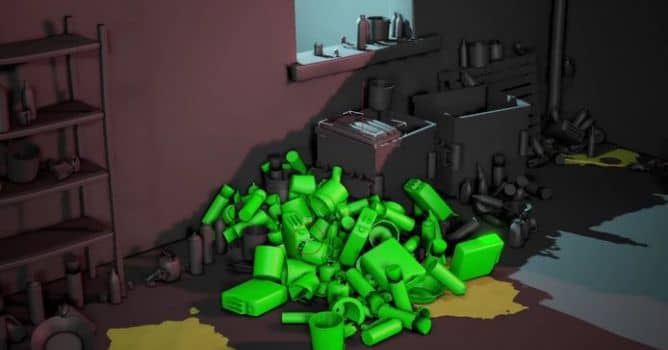
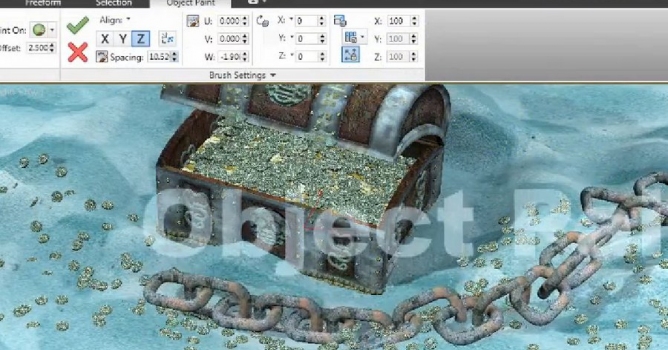
PhysX Painter is made to quickly populate your scenes with your assetts. Using a brush, it automatically places them with Rigid bodies simulation.

Whether you work in architecture, game cinematics, commercials…etc you very often need to add details to your scenes with some assets. Placing them by hand is tedious and takes time to get a natural look. You also probably tried to do that with MassFX simulations or particles, but it takes time to get the result you want. 

Using this plugin will drastically improve your workflow and help you to make more believable and lifelike scenes in less time.


New in version 2.0:

  • Better overall Performance
  • No more asset optimisation needed, your Assets will be optimized for simulation automalically and non destructively. You can also modify the optimisation from a custom modifier or from the Source Objects tab
  • Improved UI
  • Undo / Redo
  • All in One Paint brush
  • ...and many more - read the full list on PhysX Painter site.
Author: PR Editor: Michał Franczak
Tags: 3dsmax plugin physics assets
You may also like...
OmniTiles sneak peek

OmniTiles sneak peek

OmniTiles is a 3Ds Max plugin (by VizPark)  that creates materials based on free tileable patterns, designed with the Pattern Designer.
×

LEAVE A COMMENT

You need to be logged in to leave a comment. Don't have account? Register now.