Modeling and rendering tutorial by Alfa Smyrna
Introduction

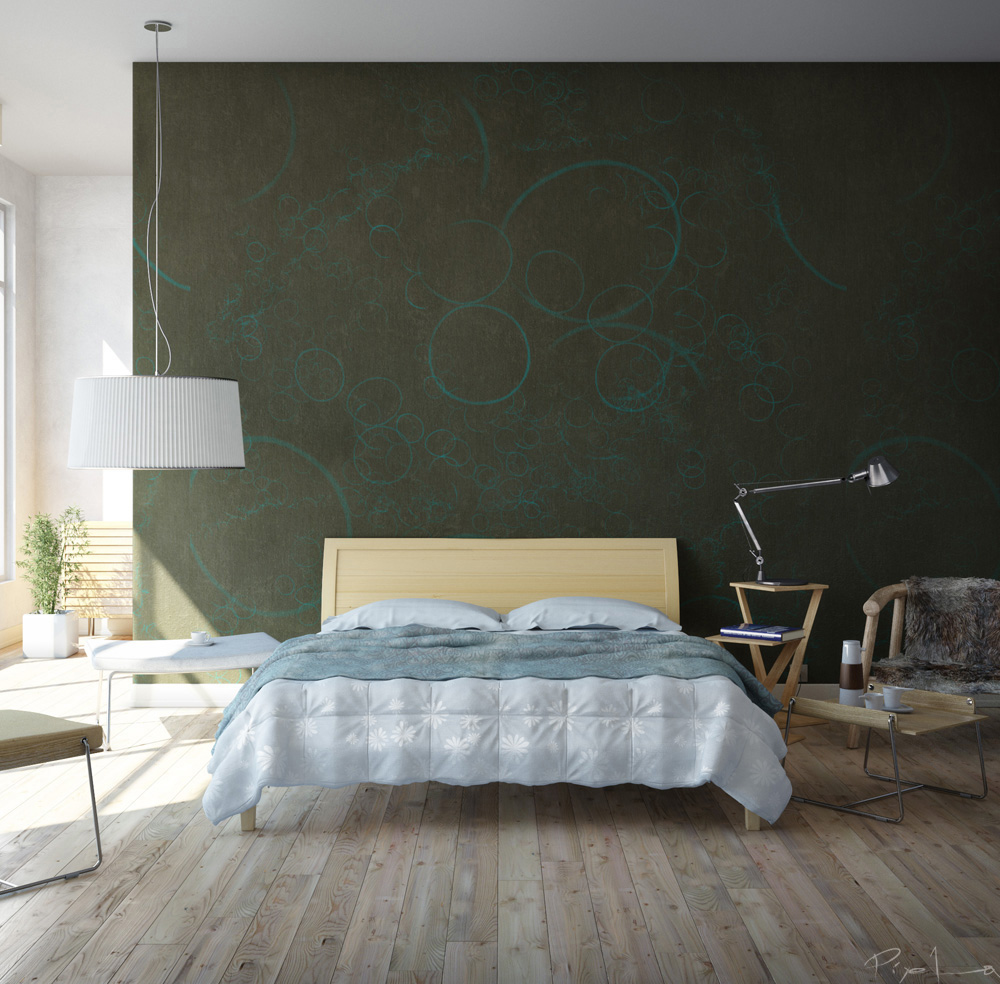
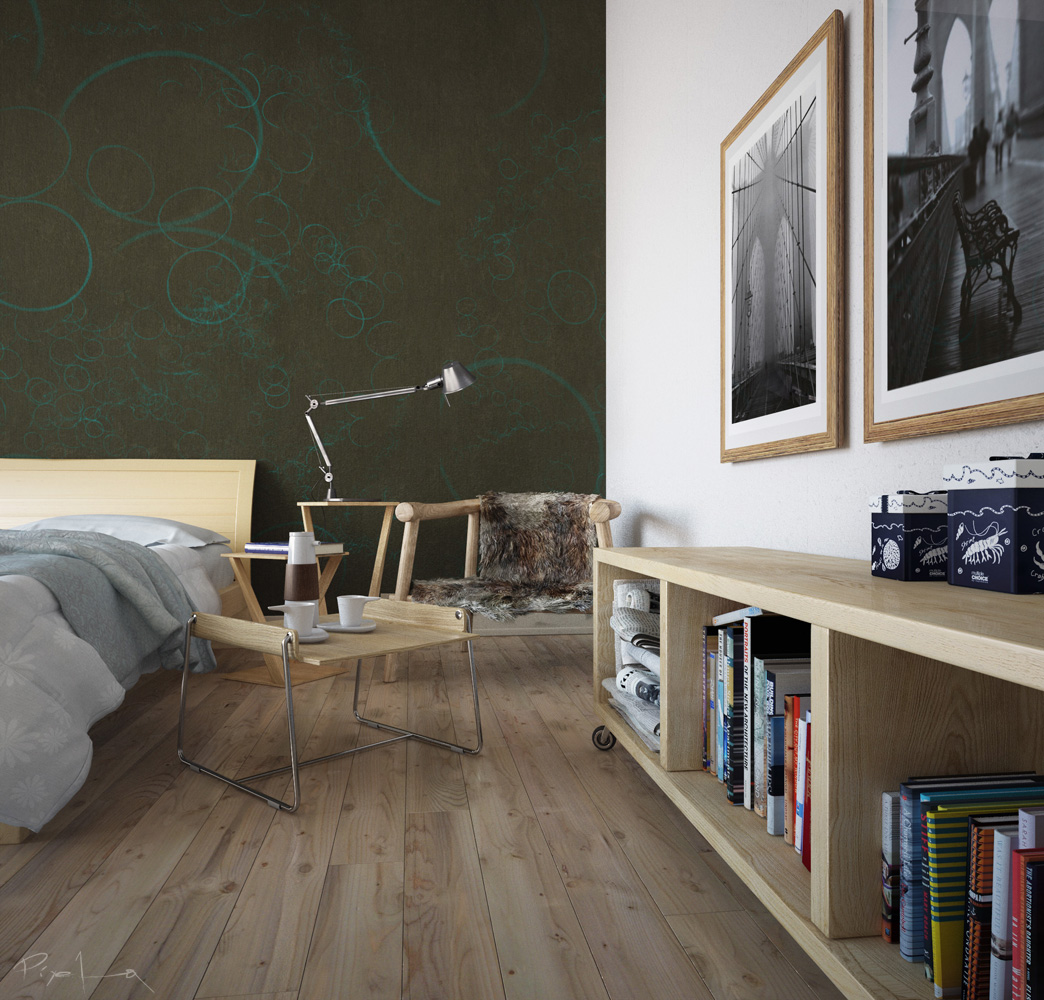
Hi, Thanks for Evermotion team for this great site and Thank you to all who gave me feedback and encouragement. I will try to tell you my Making Of Story for my Bedroom Concept. I hope you find my tutorial useful.

1. Concept and Workflow

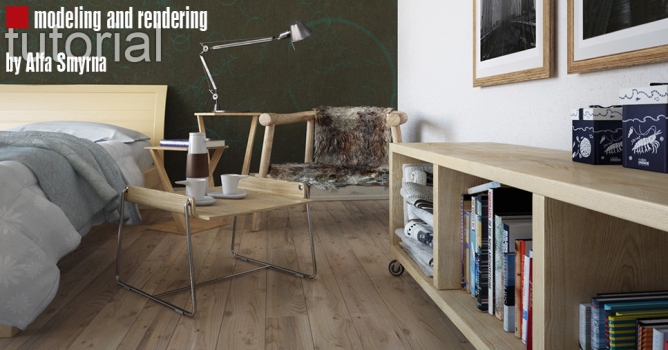
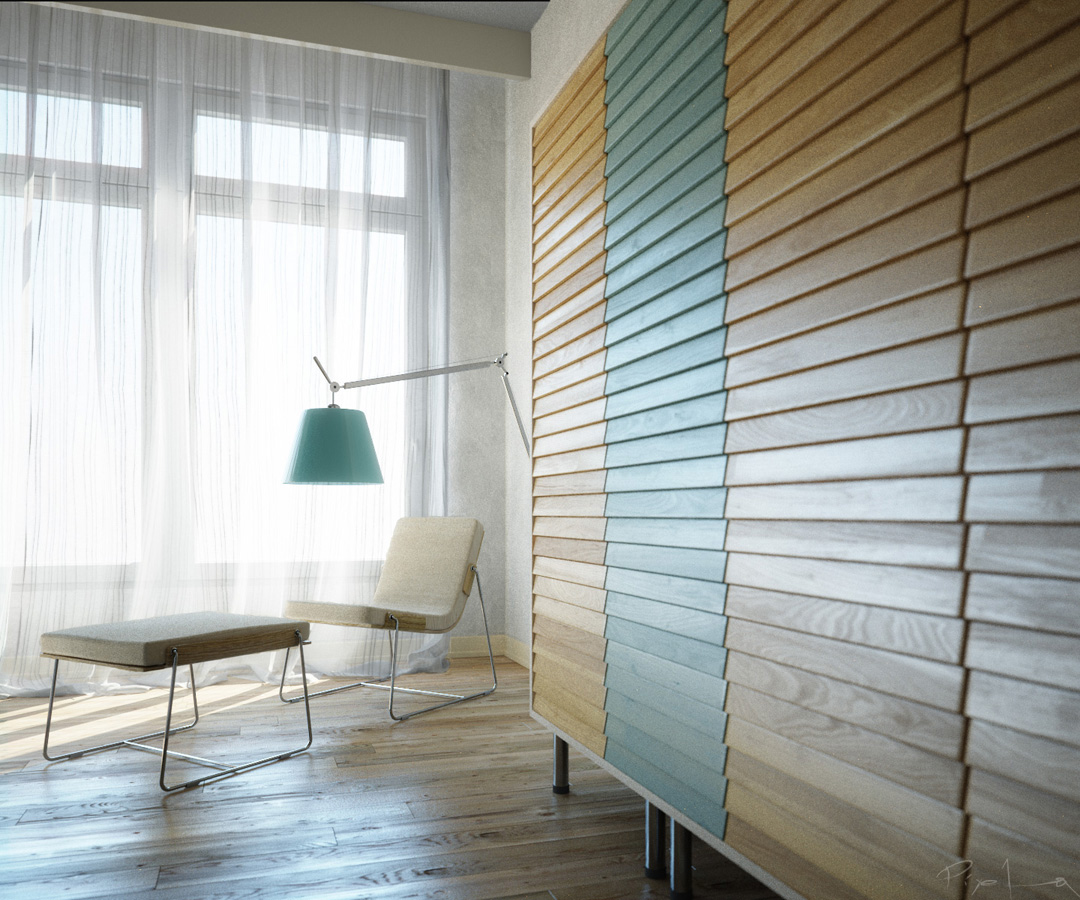
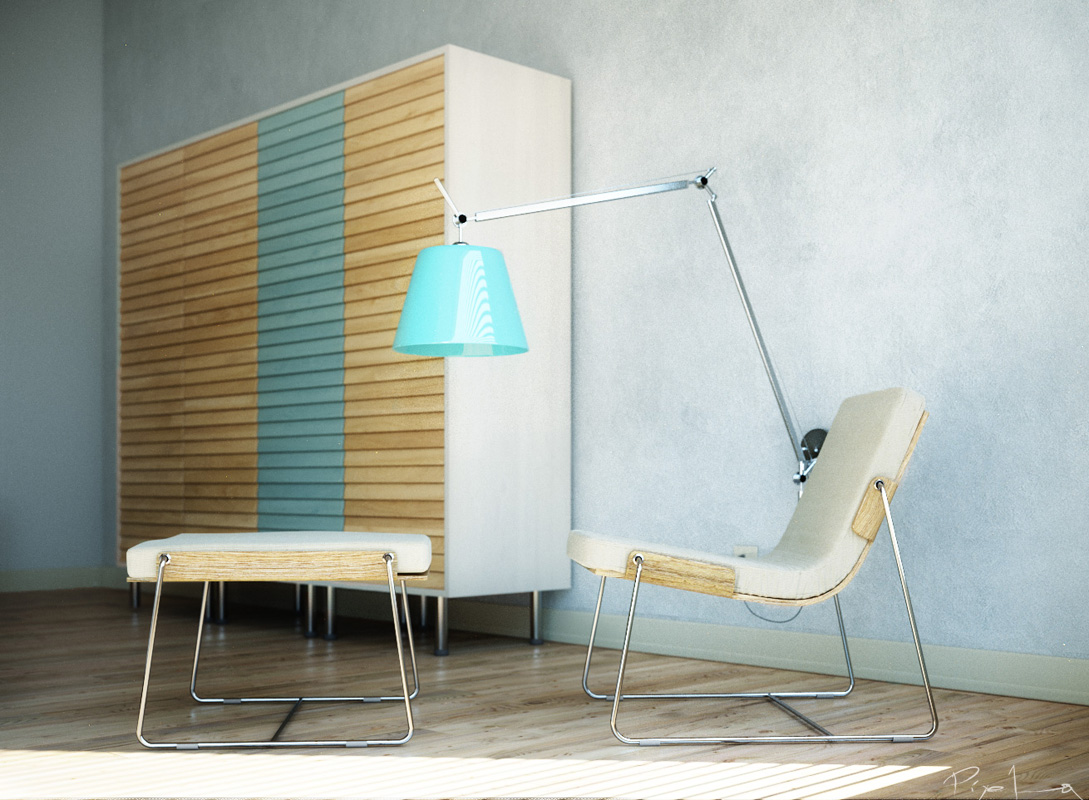
I believe that making sketches is a vital step in designing architecture or objects ; as well as for designing the images. For this bedroom, I took a slightly different workflow. I can call it "sketching in 3d" First, I had vision of this bedroom on my mind. I was imagining the sun falling down into the room, I was imagining about the wallpaper and bed. All of this formed a strong and clear vision and I found myself choosing chairs for my virtual bedroom, and designing some of the furniture myself. After making few basic sketches of furniture I design, I started building/modelling the room. Sketching in 3d, provided a lot of space and time for me to concentrate on forms, surfaces, materials. As I was modelling each element, at the same time I was thinking of each element as a part of the whole, and concentrating on the whole design.


1.Modelling

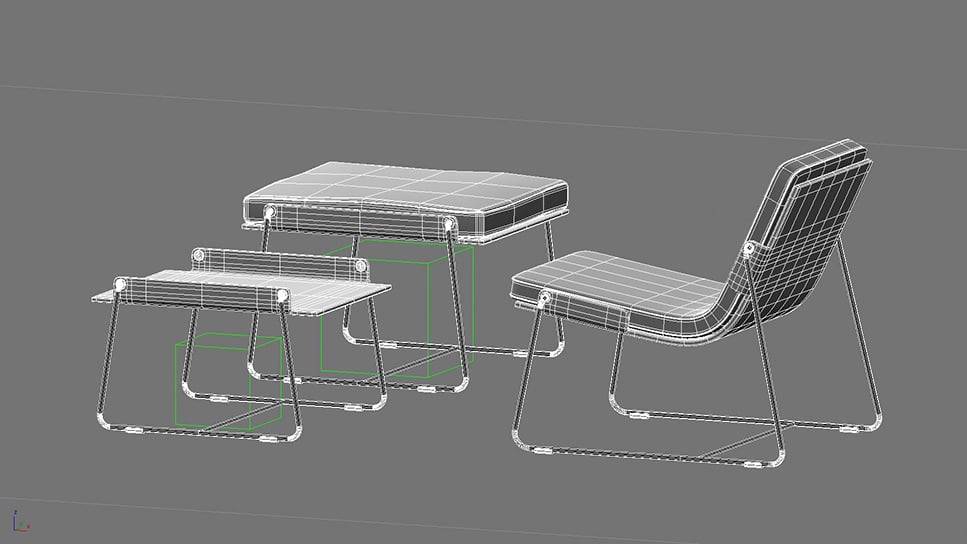
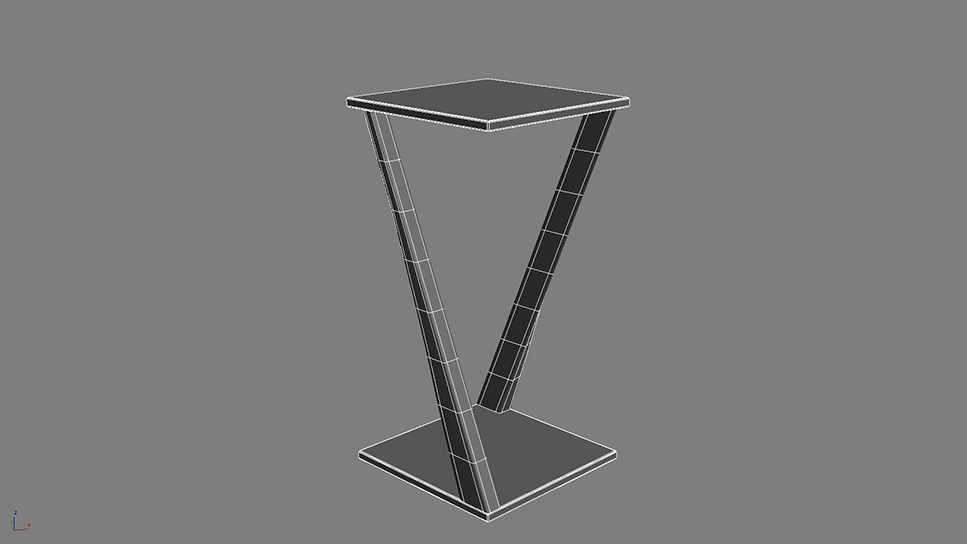
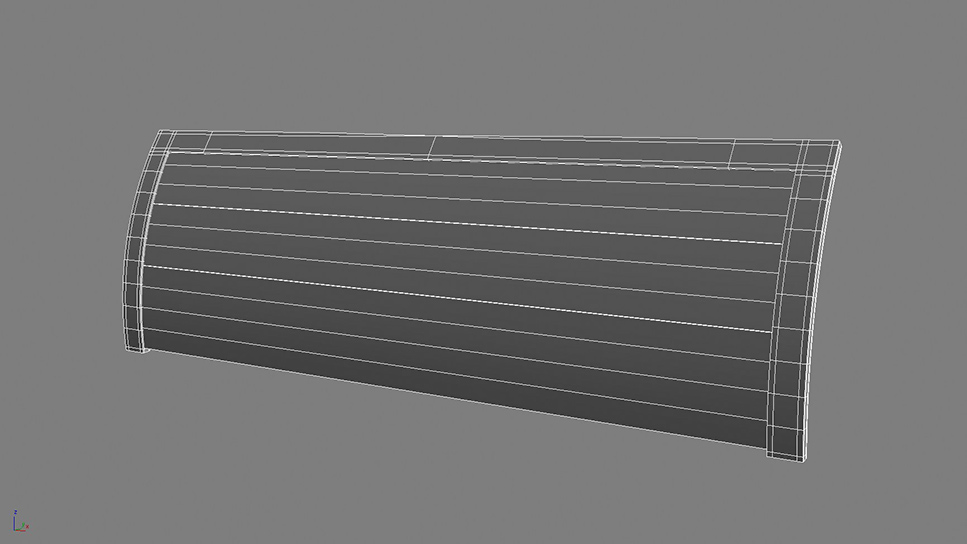
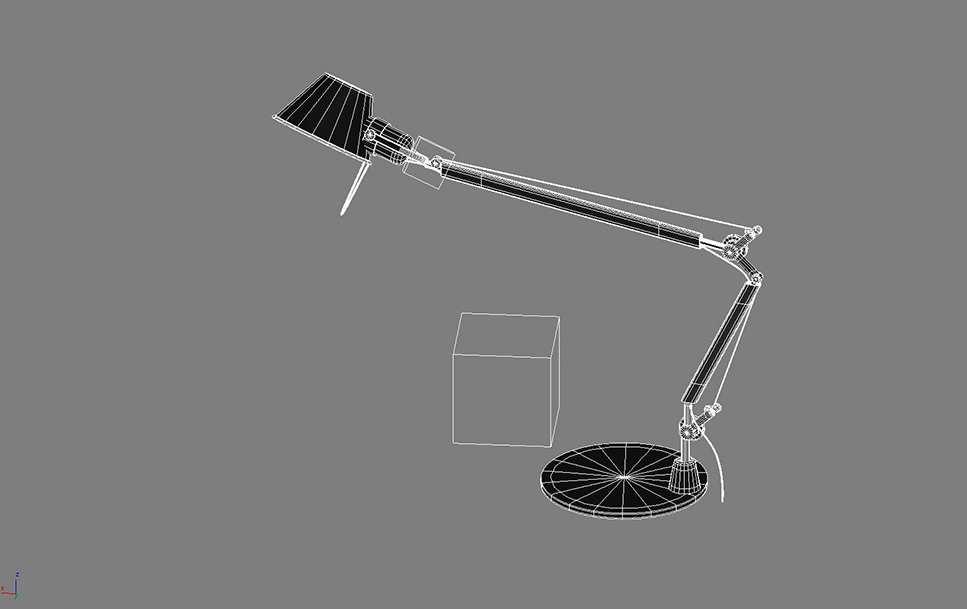
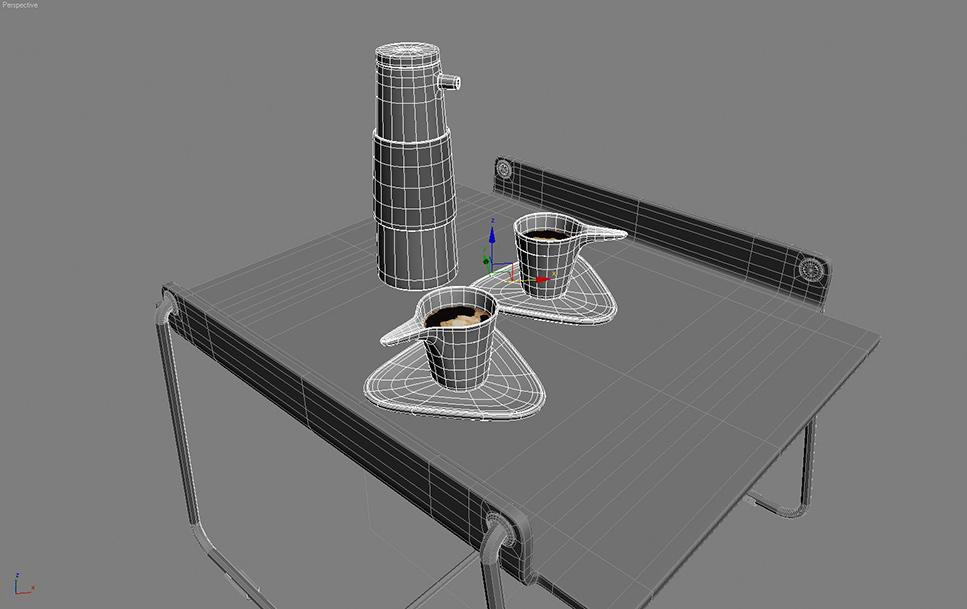
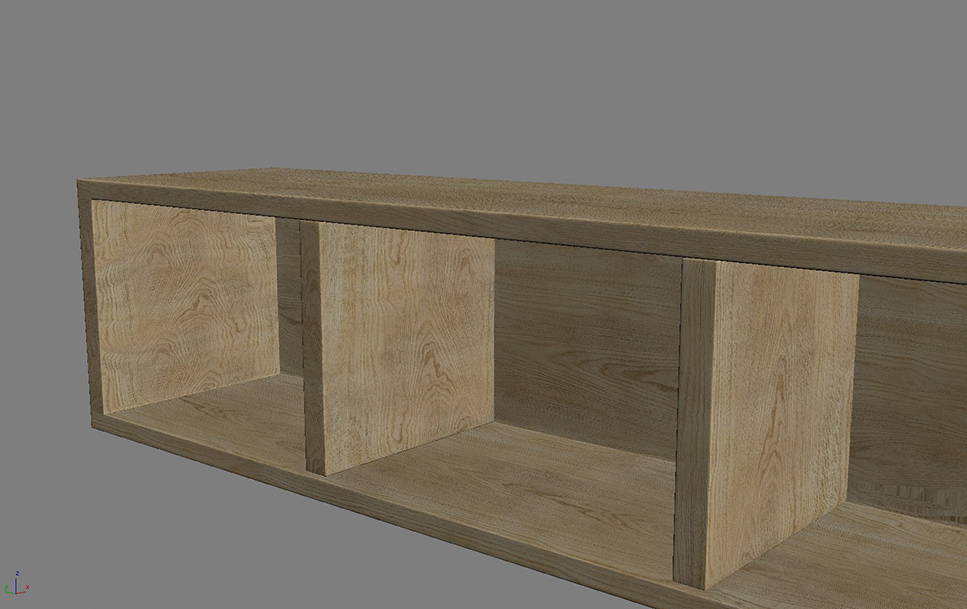
Most of the models of basic poly-modelling as you see in the images. Poly-modelling is a strong tool which I am learning myself as well. I will not discuss the basic poly-modelling techniques inside this Making Of Story as there are many tutorials about this.

Modelling the Bedcover :

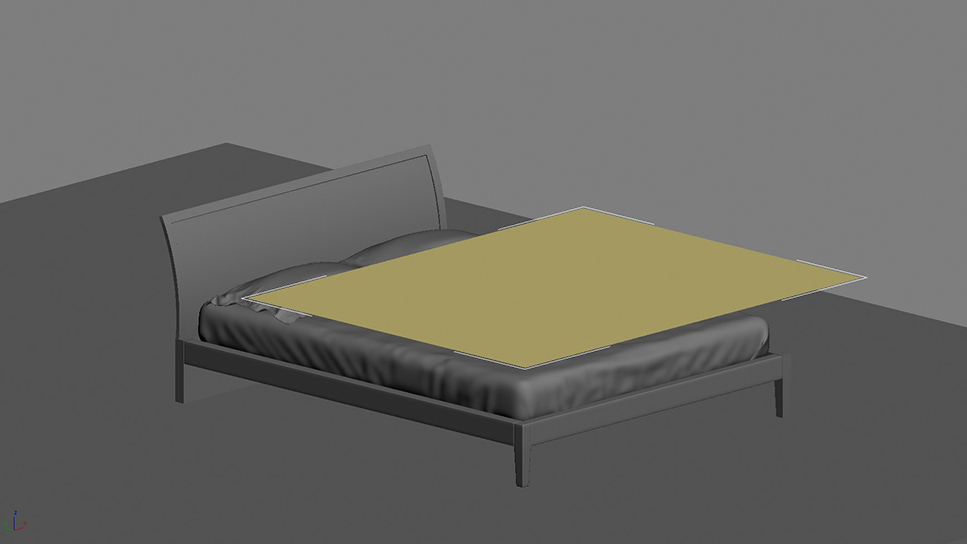
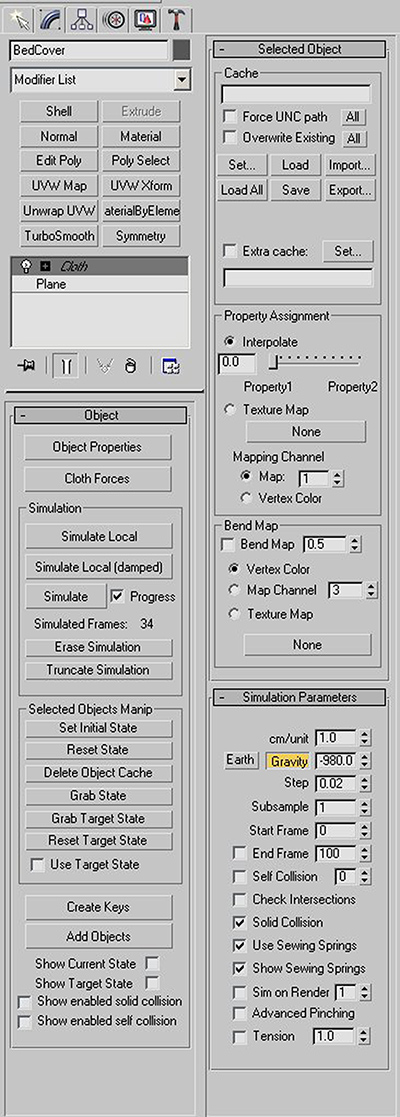
I used Max Cloth Simulator for creating the bedcover and other cloths except the pillows. Pillows are created with Simcloth plug-in, just for experimenting. Both plug-ins give great results. The idea and workflow is similar so you can carry out the same process with any of them. First start with a plane with adequate segments and apply cloth modifier to this plane.


Go to Object properties and assign this object to behave as cloth during simulation. Add all the rest of the elements that are part of the simulation and assign them to be collision objects. Here in my example, bed sheet, frames, bed feet and even floor is assingned to be collision object as I didn't exactly know how cloth will fall. You can see all the settings in the images below.


Now all you need to do is press "simulate" button and wait for the bedcover to fall.You don't even need to animate the cover because it will fall down automatically due to the gravity. I saved the simulation as a video to give you an idea.

3. Pre-Lighting

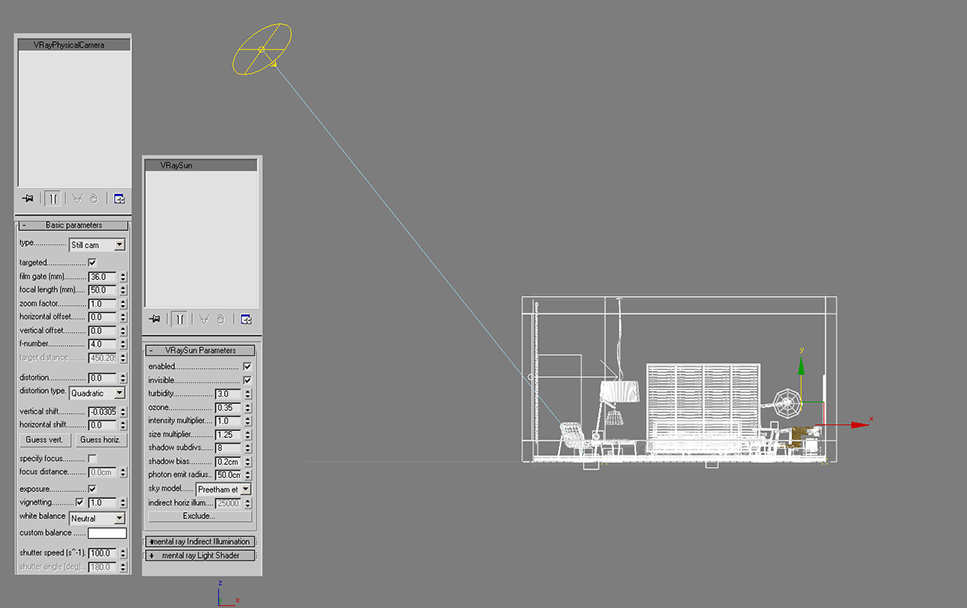
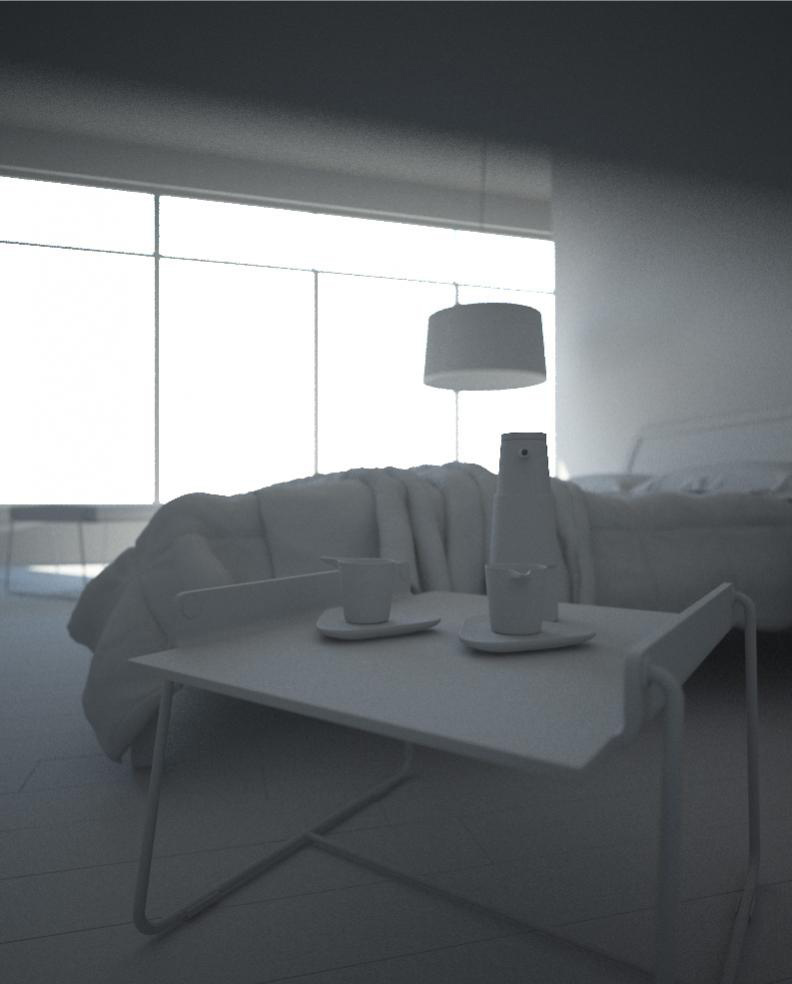
Before starting texturing work, I always try to make up a basic light setting to test my shaders and to see how my textures look. I find the daylight setting best for my purpose. I usually make a "final lighting" stage after I put my shaders and textures. For this project, "final lighting" was not necessary as I always imagined this bedroom in a bright sunny late morning. Some little tweaks was enough at the final lighting stage. I use Vray for my rendering and I love it so much. So for my daylight, I used the VraySun-VraySky and the VrayCamera. When you add a VraySun in your scene, VraySky is automatically replaces the Max Environment map and they are linked to each other so setting up my lighting was very easy. Here are the settings and wireframe image:

4. Texturing

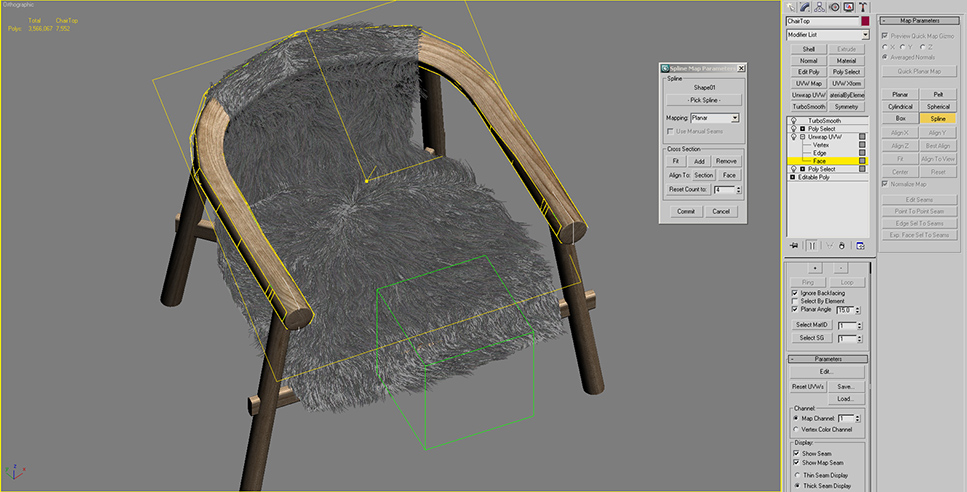
When basic daylight was set, I moved onto the texturing step. I downloaded many textures from www.cgtextures.com. This is a great site with many nice free textures. I find it very useful. 90% of the objects have a basic UVW Mapping, standard planar maps, box maps or cylindrical maps. The round top element of the Fur Chair has an unwrap modifier. I used spline mapping to adjust the UV coordinates of this part. It is very easy and basic. After you create the spline to follow, you will pick it up from the rollout. You can see my settings and you can see the spline. (in white)


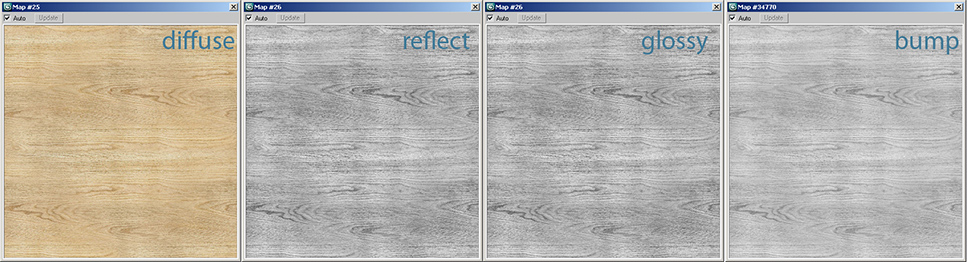
Below is one of the wood materials and its component maps. It is a basic shader- only some tweaking and testing is needed. The rest of the materials inside scene are on the same basis.


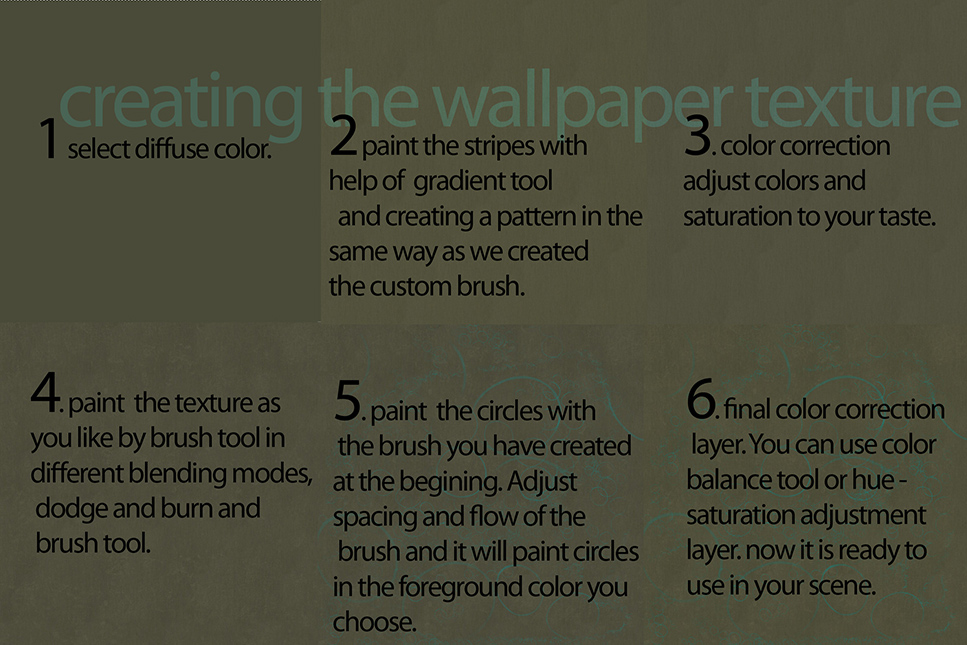
Creating the Wallpaper Texture

First make your own custom brush. Draw circles with a brush tool. You can play with different settings of the brush to create the exact circle you have on your mind.
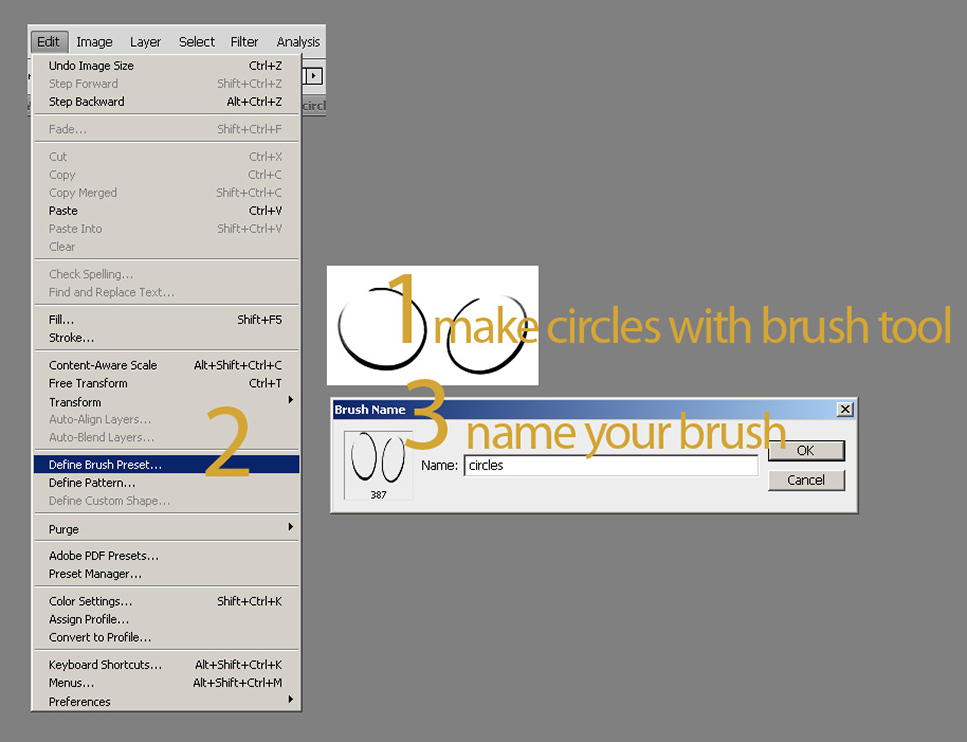


You can see the rest of the process in steps in the image below. After I choosed my base color, I created a pattern on top of this diffuse color out of gradient texture to give a touch sense in the 3rd dimension on the wallpaper texture. Color Correct: Then I had some color correction on this texture. It was a subtle change but I am very picky about my colors so this change was significant for me. You can make color correction with Hue Saturation Adjustment Layer or Color Balance Adjustment Layer or Curves Correction. Hint: It is essential to use adjustment layers (and fun) because you can easily change things without harming the original image and can always revert back or change more. Variance: What I had in mind was combination of a vintage base with a more pure and stylised pattern on top. I wanted to create some variance on my texture. You can easily make this by brushing in different blend modes (usually in black or white in different opacity). Another way to make this is to use dodge and burn. Hint: I try to work everything on seperate layers so I can adjust the opacity individually. Moreover it is fun to experiment with different blend modes. So I made the new strokes on a seperate layer. Circles: I changed my brush to the brush I have previously created. I adjusted the flow and scattering and scale to have varying rhytms of circles. Then I freely brushed on my canvas the circles. This was the most fun part because circles interact and form very nice flows and you can feel it under your hand. Again, if you work on a seperate layer, you can manipulate this layer with more control. Moreover, having the circles on a seperate layer, will make it easier for you to make the final color correction.


5. Effects

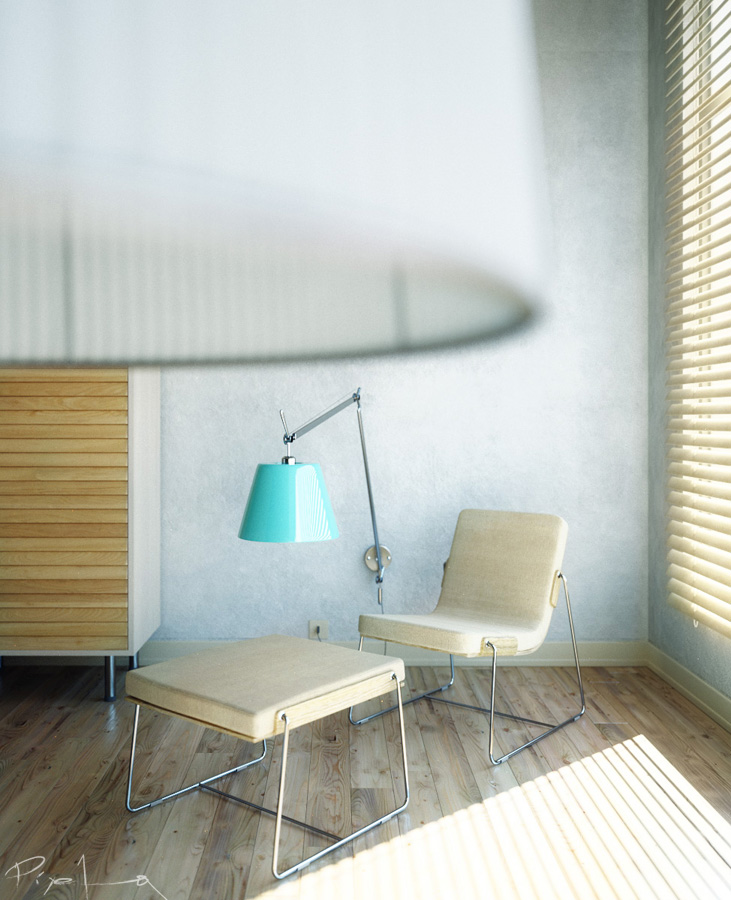
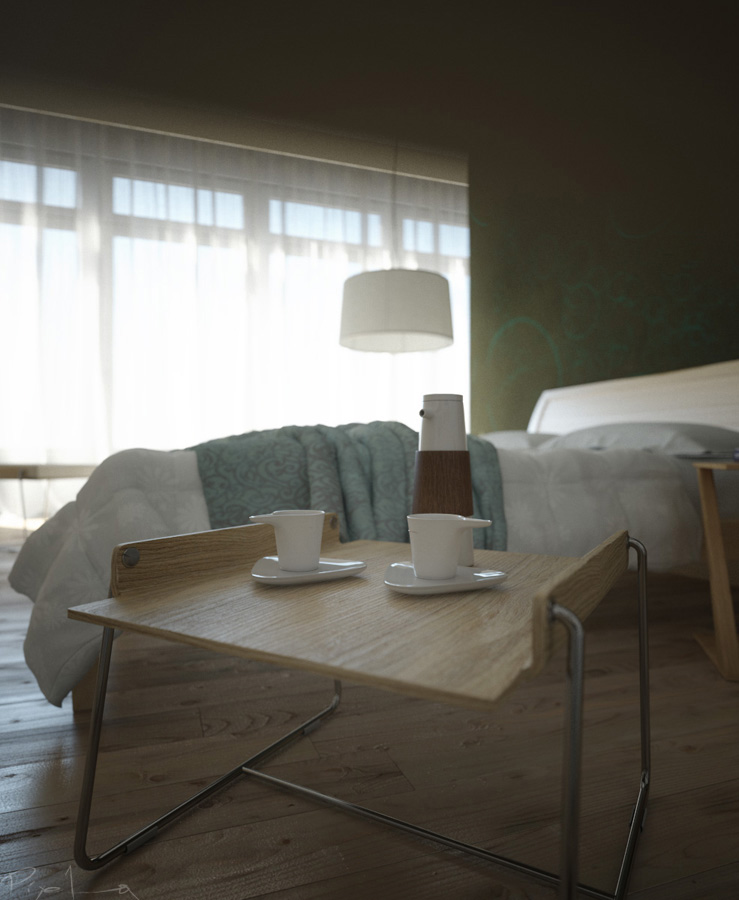
DOF Using Vraycamera also gave me chance to experiment and get familiar with VrayDOF. In future works, I want to experiment with DOF in post-production but for this project I wanted to stick to VrayDOF which is just a setting of VrayCamera. So it is easy to setup with one click, but it is important to remember that it will increase your render times. After making few basic tests,I kept this parameter off until the final renders.


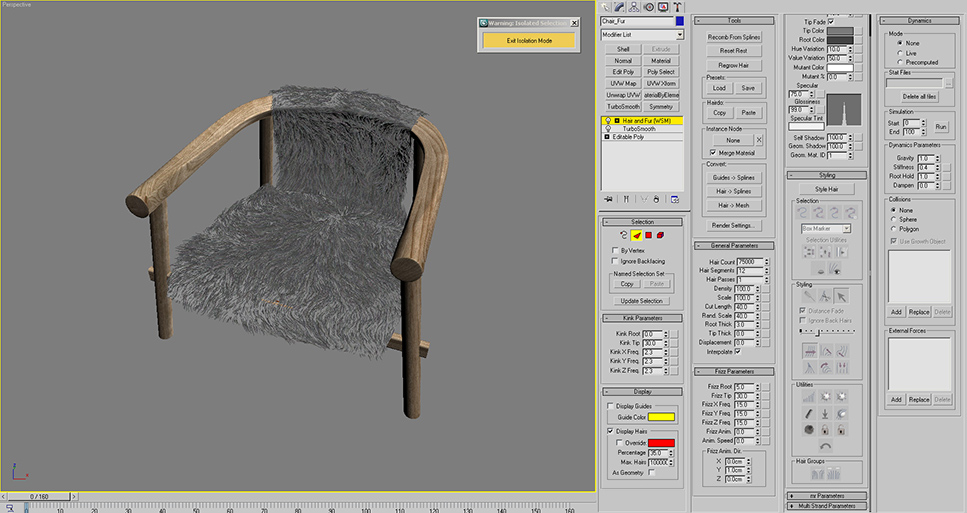
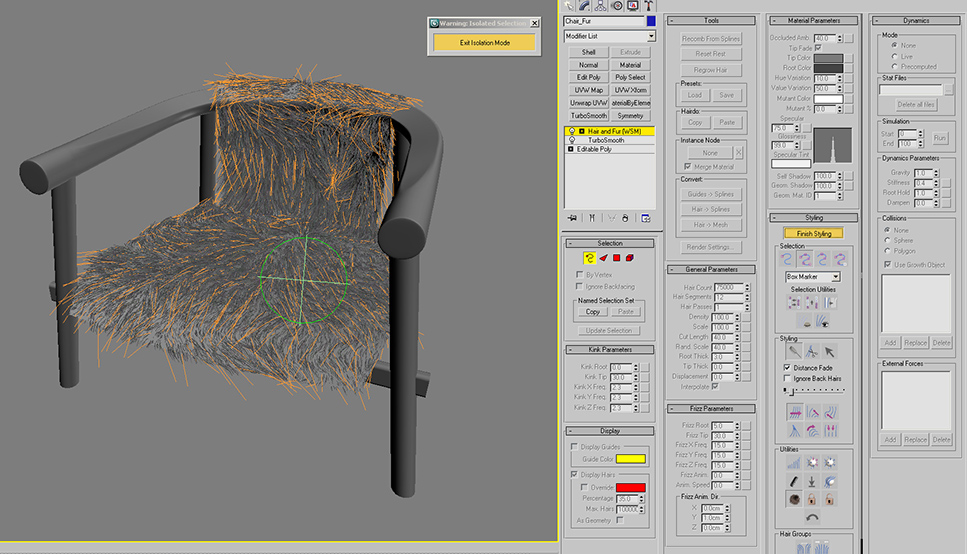
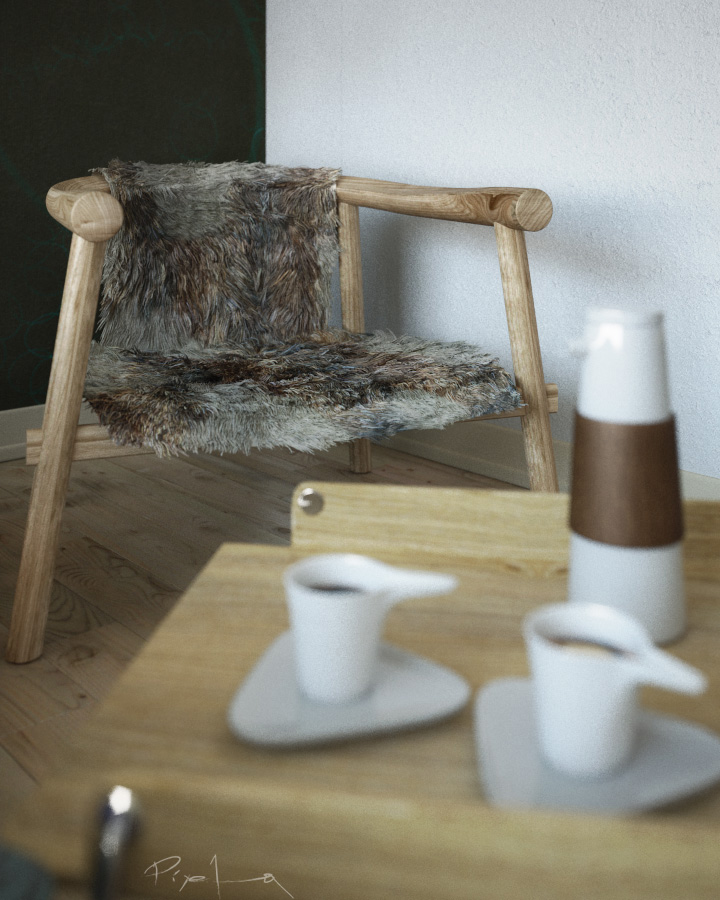
Hair and Fur After I modeled the chair, first, from the modifiers panel, I added Hair and Fur Modifier, which is under World Space Modifiers. You can see the parameters I used in the image below.


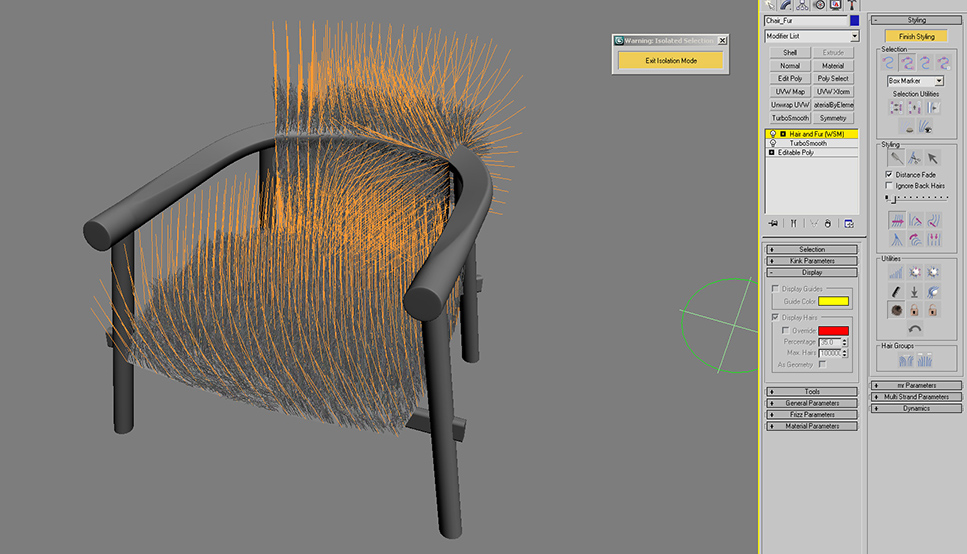
The fur will not look like as you see in the image at first hand because we have to "style" it. This step makes fur look realistic because we comb the the fur as we like with a brush. When we click on the "Style Hair" Button, you will see the hair guides. We will shape these guides with our brush and our fur strands will follow.


First start with adjusting the size of your brush. You can select hair guides individually or in groups. The selection menu is very detailed. Hint: At first, I selected all guides and tried to give the general look I wanted. (I will explain how to brush and style in the next part) As the second step, I selected guides in groups and continued brushing. For fine-tuning, you can even select edges or roots of hair or single vertex like in sub-object mode.


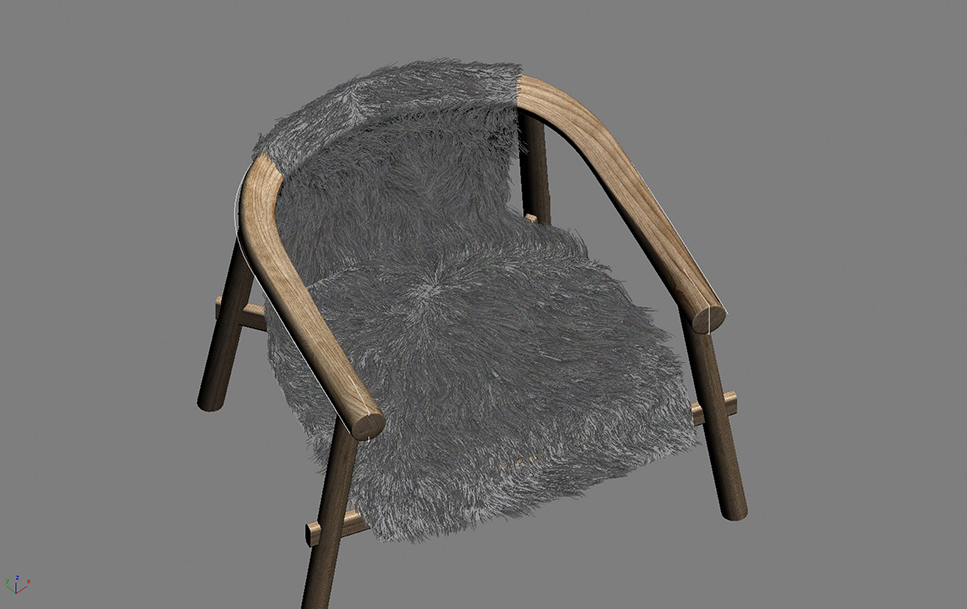
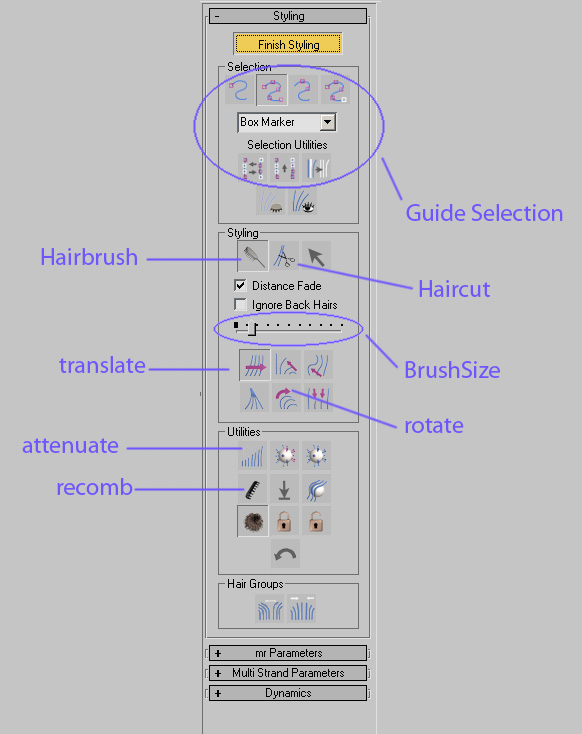
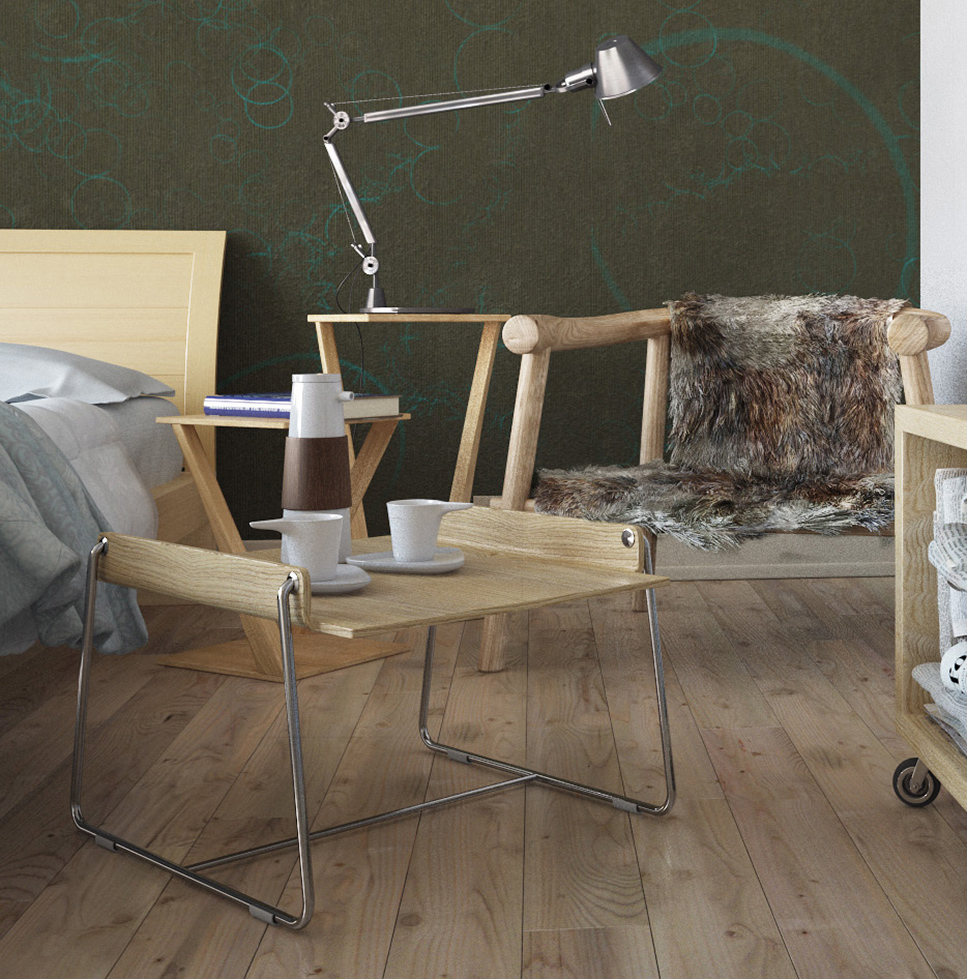
Under Style Roll-out, there are many tools as you see in the image. We will use some of them to brush our fur. Here I paste some definitions of these terms from 3dsMaxHelp File: Now you start styling, cut it where you need. As you brush, you will see that fur changes shape. You can move the strands in any direction you want, rotate them individually or in groups, clump them so they can move towards like a bunch. You can shape up your fur according to your imagination. Hint: It is easier to understand when trying to make it. Here, it sounds more complicated than it is. Start brushing and play with tools and you will see you get nice results. Here is the result after I styled it:


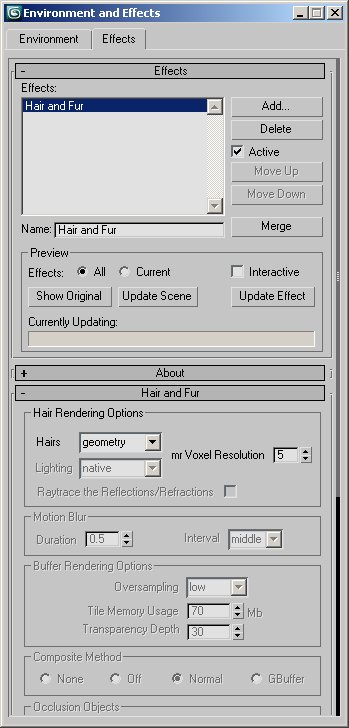
Don't forget to turn on the Hair-Fur effect from Effects rollout. You can disable this to save RAM when the fur object is not in the visible POV.


6. Final Lighting

My target was a sunny look for my Bedroom. I didn't need to re-design lighting but only tweaking exact position of sun and how it falls into my room for fine-tuning and tweaking few camera shutter-speed settings. So there is not much to tell or show for this stage but I wanted to include it to give idea of my workflow.


7. Rendering

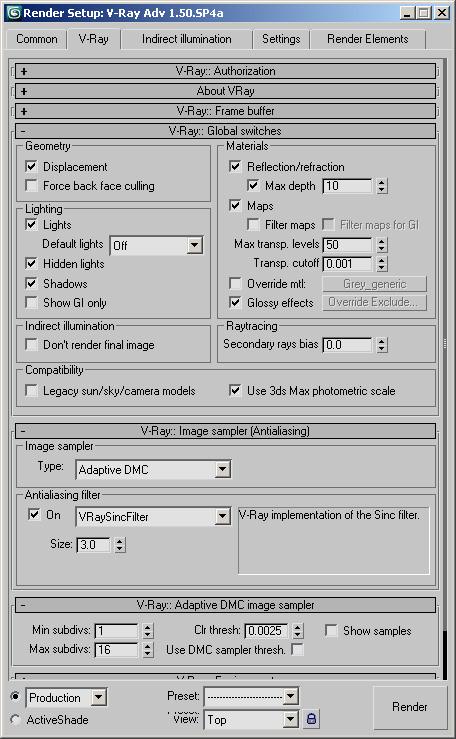
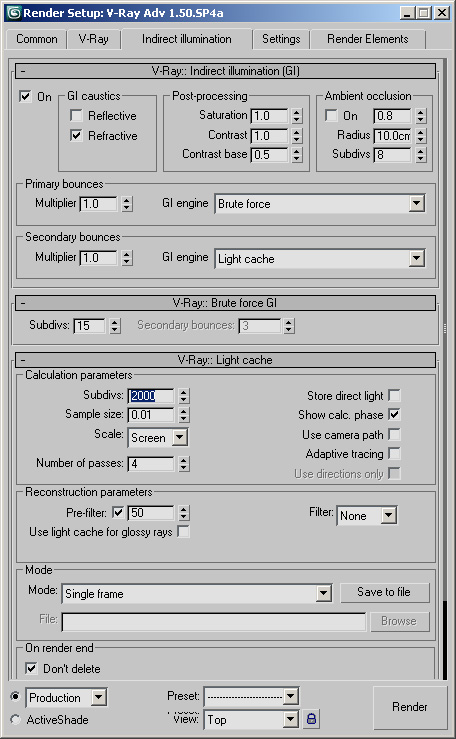
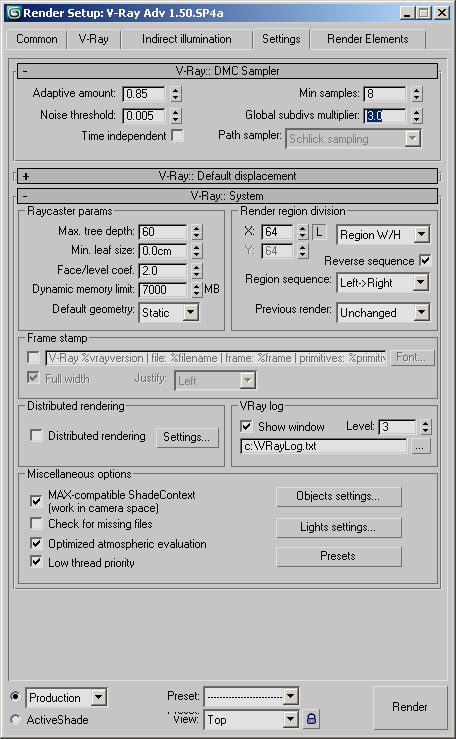
I rendered the scene with Vray which I like very much. Here are the render settings:


It is hard to tell about rendering times because I usually left each render when I go to sleep and found it ready when I wake up. During this project, the hard disk containing this project gave me big problems because of a bad sector. Luckily I was able to finish the renders and the project without a file loss :)

8. Post-Production

There is not heavy post-production. Only little color correction and adjusting contrast. I also added some glow. I tried to paint the glow by hand by adjusting with levels and blurring the layers. Check this thread on Evermotion.org forum. My Bedroom Design


 
add comment
comments
2012.01.31
Если его не проблема Plase : derka4ev.freelance@yandex.ru
2012.01.24
Number 1.Very nice work, please can you send the scene to learn more. back_to_life_2011@hotmail.com thanks very much :)
2012.01.19
great work! plaese send file to me, eng.nonna_2020@hotmail.com

2012.01.14
nice...work please send me your file for study ( ma_oil88@hotmail.com) thank you

2012.01.13
no guys he is not sending..we may stop asking
2012.01.10
Great work, can you mail me the max scene please. farteks_33@yahoo.com pleaseeeeeee
2012.01.10
Very nice work, please can you send the scene to learn more.kakia2000@naver.com
2012.01.07
It is really cool and useful to me. please can you send the scene to learn more. fearless_yaso@hotmail.com thanks very much
2012.01.05
truely amazing, never thought that this would actually be achievable! would love a file for this scene to practice, a.wicks@live.co.uk


2011.12.21
its amazing scene! i would like to see more detailed all material settings ans vray light settings. if possible send me ur scene please snowhite_ua@hotmail.com
2011.12.20
i very like your 3d. pls sent me your file. vsfarchitects@gmail.com
2011.12.16
Amazing, amazing work... Please, send me a file for study. Thanks,thanks,thanks!!! myspaceexists@mail.ru
2011.12.12
Is it possible to send me file for study? thanks moj.imejl@poczta.onet.pl
2011.12.10
very nice. If possible, please send the file to am.gh.1367@gmail.com. Thanks.
2011.11.23
can i have those file or mapping please>< ryu_uen@hotmail.com
2011.11.22
and me please!rosu1983@yahoo.it...thanks
2011.11.12
My mouth is open and I cant close it. thanks if u want send me the .max scene at schiavonefabio@gmail.com Regards
2011.11.10
and me! freedes@mail.ru thanks
2011.11.08
t-cue@hotmail.com thanks in advance.
2011.11.08
WOAH this is great. Can I ask for the file please?
2011.11.02
太棒了!请给我你的文件,1289654352@qq.com,感谢你
2011.11.01
it's one from the best i ever seen!!! Could you sent me the .max file? thank you. madonom@yahoo.gr
2011.10.26
Very nice work, please can you send the scene to learn more. toninosaba777@hotmail.com thanks very much
2011.10.20
realy wonderful!!!! Kindly send me the file for study. (sojanjhon1@gmail.com) thanks and regards
2011.10.09
it's amazing!! can you send me the file for study please ?(vasopan2@gmail.com) thanks in advance
2011.10.06
Hello! everyone: could anyone help about the computer specs for 3d max program for a fast & goo quality rendering? please..=(.. coz I really don't know what computer is required for this particular program & I suppose to buy one... thanx guyz..
2011.10.06
OMG! very Impressive master of 3d^;^ Thank u so much for this wonderful & great tutorial... By the way master, can you help or give me some advice about the computer specs for 3d max...I mean what computer specs is suitable for 3dmax program for a faster & good quality rendering...coz i was just a beginner in 3d max master. if you cud help me on this..I highly appreciate it if u could help me on this master... this is my email: poorprince.ah.design@gmail.com thank you...
2011.10.06
OMG! very Impressive master of 3d^;^ Thank u so much for this wonderful & great tutorial... By the way master, can you help or give me some advice about the computer specs for 3d max...I mean what computer specs is suitable for 3dmax program for a faster & good quality rendering...coz i was just a beginner in 3d max master. if you cud help me on this..I highly appreciate it if u could help me on this master... this is my email: poorprince.ah.design@gmail.com thank you...u could s
2011.10.04
very nice tutorial, but can i have your file for closer study shahzad9242@gmail.com
2011.10.01
Great! please send me your file, gorbunoff.and@yandex.ru, thanks you
2011.09.17
and thats my mail plz i really wanna learn vray render could u plz help me xmanh6@yahoo.com
2011.09.17
and thats my mail plz i really wanna learn vray render could u plz help me xmanh6@yzhoo.com
2011.09.17
awesome can u please tell me how did u learn 3ds max if u have any books or videos plz can u tell me where can i get it specially in v-ray rendering material and light okay and your scene is the best
2011.09.08
Sorry my e-mail is djfmehmet@gmail.com thanks..
2011.09.08
Perfect rendering and beautiful materials. I love it. Congrats.. Can you send me the scene and materials please. It will be good for me. Thanks for sharing..
2011.09.08
could you share materials settings? thanks in advance
2011.09.07
Great tutorial..can you send me the scene too please.....nwhaaa@gmail.com. thank you
2011.09.06
Saludos!! Excelente trabajo de verdad, aun soy novato en esto del renderizado. Can you send me the file? Please! publick_arq85@hotmail.com i hope you can... Congratulations!! Mexican user
2011.08.30
Hi. this tutorials is awesome! can you send me the scene please? I am curious about your settings on the white wall. akirahopp@gmail.com
2011.08.22
wonderful scene!!Please sendo scene to my address: ste2707@hotmail.it , Thanks you!!
2011.08.22
It is really cool and useful to me. can I have the model shared at Arch.dzungdoan@gmail.com Thnx in advance. Cheers
2011.08.15
I agree, an excellent lesson! Please send your scene to my email address (armansatayev@gmail.com) thank you in advance!
2011.08.13
great!I love to learn from the files. Let me know and keep sharing,Thank you!(xiaxiang101@yahoo.com.cn)
2011.08.10
Hi im new to 3dsmax and just found your tutorial. Inspiring. Any chance I could ask you a couple more questions or if possible, I would love to learn from the files. Let me know and keep sharing, funcit@gmail.com
2011.08.06
Great! please send me your file, thongarc99@yahoo.com, thanks you
2011.07.22
can u send me the scene file? thanks
2011.07.20
Hi, It is excellent, what is the gamma. can u send file please, fasalkpvkd@yahoo.com
2011.07.13
hi alfa, what the hell with render,it's awesome!! can you send me the scene please? pramayu85@gmail.com thanks
2011.07.08
please,please send me the scene file to me...so that i can learn...I can't wait ;) please....! henniezzz@hotmail.com
2011.07.07
great work! plaese send file to me , Email:3dalex@i.ua ,Thanks!
2011.07.07
Thank u very much!!!!Amazing work,Fantastic scene!!!!would you be so kind to send me the scene file?please...:D henniezzz@hotmail.com
2011.06.17
Congrats Elif, great work as always. Sorry about the late reply.
2011.06.13
The best of all... If its not a problem plase send your file at: ziemniaki2kg@poczta.onet.pl Thanks and good luck
2011.06.12
can you send me scene file, please. yahoo: jaychoupham@yahoo.com thansk
2011.06.02
gamma 2.2 ??????????
2011.05.20
Thank you so much, this is so helpful!!! are you sharing the scene model for further practicing? I'd love a copy if so. vherrer@gmail.com
2011.05.20
Excuse me sir, can you send me the scene, please? Thank you very much veesly@gmail.com
2011.05.19
amazing! Would you be able to send the file to me please? wappler-s@gmx.de
2011.05.19
Email for below matty.t@live.com. Thanks
2011.05.19
Fantastic scene. Top work. If you could email the scene to me to that would be great! Just learning V-ray
2011.05.13
can you please email me your 3d files? 9067881@mail.ru Thanks!!!
2011.05.05
amazing! Would you be able to send the file to me please? kubaniec@vp.pl regards
2011.05.04
thanks for tutorial.Good job;)
2011.04.22
Brilliant..can you email me the scene so that i can learn please....dunke69@hotmail.com
2011.04.21
so nice!!!!amazing rendering!may i have the scene?if can,my email is [ ls8_goh@hotmail.com ]
2011.04.18
wonderful, the light settings is amazing!! can u send me the scene to simonelapenta@gmail.com thanks and enkoy!!
2011.04.17
Amazing work! Please can you send me scene file? s_mart@bluewin.ch
2011.04.17
Some amazing work here. Would you be able to send the file to me please? mitch.mckenzie1@gmail.com. Cheers
2011.04.13
Work remarkable... It would be desirable to understand it JUL080@yandex.ru
2011.04.05
не могу быть большим оригиналом , хотел бы просить вас познакомиться с вашим произведением в оригинальном формате, с уважением к вам zubbarr@yandex.ru I can not be the big original, would like to ask you to get acquainted with your product in an original format, yours faithfully to you zubbarr@yandex.ru
2011.04.03
wow very nice work and your bed room is very nice.can u send the scene to ----hotkey_8@yahoo.com---
2011.03.28
hi, your work is bombastic, can you send me scene too?where you find so realistic texture?have you icq?
2011.03.21
Look gorgeous wow :):):), very nice work , please send me the scene to nabil.khchaf@gmail.com , thank you, and keep maxing ;)
2011.03.20
amazing, perfect work! i hope is no problem to send me scene file too?? Please :) thank you very much zakimurtadha@gmail.com
2011.03.12
SUPER WORK :) can you send me the scene? mirek.bini@interia.eu thanks
2011.03.11
great work! plaese send file to me , Email:546793930006@sina.com ,Thanks!
2011.03.10
You are a true inspiration. could I please have the scene? dragos.miler@gmail.com . Regards! Can't wait to see more of your work.
2011.03.07
amazing!!!.. can u send the scene to my mail? amedio_yui@yahoo.com tq. :)
2011.03.06
hi..can you share to wood textures in your scene with me,please?thanks..
2011.03.06
Hello! Excelent work!!! Can you send me scene file, please. ;) artyom.kulik@gmail.com
2011.03.06
Hello! Excelent work!!! Can you send me scene file, please. ;)
2011.03.04
hi i like your texturing and lighting ... can u mail me this file..... pankaj
2011.02.20
Thank you for tutorial.I have a question.Can you give an information about making floor and texturing?Thanks...
2011.02.06
Great work plz send me file i need to know more about lighting i alwayes have problem with lighting
2011.02.05
send me please newdesign@pisem.net
2011.02.01
Hi - well done on some beautiful renders. I'm really interested in the colour tone you've achieved and if you are indeed sharing the file i'd be grateful to have a look. Really good simple yet stunning work. chrisbainbridge@hotmail.com
2011.01.26
Wow! I don't know if you have honored any of the previous requests for a copy of the model, but I would also love to dive into this and see how you achieved such a fantastic rendering. arketec@yahoo.com thx.
2011.01.26
Perfect Tutorial, very good. Can you send to my e-mail (gabszuk@hotmail.com), please. Thanks in advantage...
2011.01.24
great work, i like it,please can u mail me the scene, tkx my mail kokita_elamri@hotmail.com
2011.01.23
superb its really great...pls send yr scene file too (emailbala87@yahoo.co.in)
2011.01.15
great great great! Can I also get the scene? leewonkim1312@yahoo.com
2011.01.14
Hi there! nice works alfa.good tutorial..i wonder if you dont mind,can u email me the scene and the materials.because could not make the effect just like yours..if u can share mail to wafibizzare@yahoo.com i appreciate it if u can do..thanks a lot..nice design nice 3D!
2011.01.13
It`s great! Excuse me, can you send me the scene, please? I want to explore all settings in scene. Thank you ( k_e_s@inbox.ru or svolo444@gmail.com )
2011.01.12
hi! perfect tutorial (tekremciplak@gmail.com)
2011.01.12
good
2011.01.11
wow so nice sir, can ask scene for this file because i really struggle how set up the color mapping. archmanlapao@yahoo.com.ph. please..i want to make like this result. thanks
2011.01.07
Nice Tutorial please is it possible to get scene files ?? if yes (xtajman@yahoo.com) Thank you
2011.01.05
Great tutorial..can you send me the scene too please.....uzware@gmail.com
2011.01.02
Great work, can you mail me the max scene please. antoniart@abv.bg
2010.12.27
Great work, can you mail me the scene, will be very gratefull akakiro@gmail.com
2010.12.21
great great great! Can I also get the scene? charlie.charles@o2.pl
2010.12.17
great work thanks!! could you send me the file noor_thebigboss@hotmail.com
2010.12.15
Hi, Great work and tutorial. If You could share the file, I'd also be interested. Thanks! witia111@gmail.com
2010.12.11
could you add materials settings....thank in advance...
2010.12.03
WOW, Can you sent me your file? please. namtu@hotmail.com
2010.12.02
Great work, amazing! Please send me the file to explore it a bit more kapri_m@yahoo.co.uk, thanks
2010.11.28
can you send me scene file, please. yahoo: girlovemusic_89@yahoo.com thansk
2010.11.26
hey hi, saw ur 3d & it's so prefect. Can u please send me ur 3d file above as i can explore how u draw.. thanks..
2010.11.24
your works is really good!! I am a new learner of v ray, can you send me the 3ds max file to me? My E-mail is cancer0w0@gmail.com . thank you!!!
2010.11.24
this my email. ezrinnazan@gmail.com
2010.11.24
hi alfa..can you send me the scene too..i want to explore your lighting setting..
2010.11.20
hi alfa , this is very nice rendering and lighting , please send scene to me please (behrooz.rastegarmanesh.c@gmail.com) thanks
2010.11.19
Great Tutorial.. love it. God Bless
2010.11.17
Hi, Amazing tutorial, is there any chance I could get the scene files so that I could take a closer look (mo.akhtar@sovibrant.co.uk). The chance to learn from a scene such as this is a rarity ! Many thanks... mo.akhtar@sovibrant.co.uk
2010.11.15
Wonderful work. Clean and realistc. Please Coul you share the scene file to diego.amadei@gmail.com ? Thanks, bye!
2010.11.13
Beautiful render and tutorial. If possible, please send the file to rockus_123@yahoo.com. Thanks.
2010.11.12
very good
2010.11.12
Good job!! Very fantastic use of materials and lighting thank you.
2010.11.08
Great tutorial, please share your file... vizual78@gmail.com I hope not too late, thanks
2010.10.21
you can add materials settings?
2010.10.18
hi fantastic use of materials and lighting...forward scene plzzzzzz.....modarchstudio@gmail.com....thanx
2010.10.17
Great tutorial ! Please send scene file to me (kulek32@o2.pl) thanks!:)
2010.10.17
excellent..it's late for share models? ziloni@libero.it ...anyway 10 stars for your tutorials...i love your mood
2010.10.15
Nice work!!!Would you share the scene with me? anelistar@gmail.com
2010.10.05
WOW VERY NICE SCEEN CAN YOU SEND IT TO MEE TOO PLEAS ran@3darc.co.il
2010.10.03
Oh my God!!! This is so amazing!!! I love your work!! Can you please share this 3d file with me? I would love to practice on your scene( denisatudorica@yahoo.com) i would be very grateful. Thank you!
2010.10.03
good... can u send this file thanks,liuyuezhang18@163.com
2010.10.02
Hi! Amazing tut...Can you send me the scene please? dariusz.staciwa@gmail.com Thanks a lot!
2010.09.30
hi. can you send me the file because i want to study its lighting and texturing features , shahzad9242@gmail.com
2010.09.30
good... can u send this file ,sidhaksidha@gmail.com
2010.09.28
Hello! Can you send me the scene please? labodop@yandex.ru Thanks so much!
2010.09.27
i like it ^_^ can you send me scene file ? punkq21@yahoo.com Thank you!
2010.09.16
Amazing tutorial ! Please send scene file to me (Beatthemeat@mail.ru)
2010.09.16
perfect lighting can you send me the file. thanks vidonja@hotmail.com
2010.09.16
HI 老师,你是我学习的目标~ 希望你能共享一下 UPW456@126.com 谢谢~!
2010.08.22
wow, I LOVE it, the exposure, amount of lighting, the angles and just about everything. I will be looking forward to see your latest work!
2010.08.20
hi alfa this is perfect render and light setting , plaese send file to me thank you. behrooz.rastegarmanesh.c@gmail.com
2010.08.17
Thanks guy, great work! would be happy about the file, please share: meyssam@gmx.de
2010.08.12
Hi, Great work and tutorial. If You could share the file, I'd also be interested. Thanks! - kiel.basa@o2.pl
2010.08.11
Yeah great, please share your file... thongarc99@yahoo.com, thanks you very much!
2010.08.10
Great tutorial! Can you please send me the scene file - boonteck_75@yahoo.com Thanks!!
2010.08.05
sorry my mail : shinriko_nikichi@yahoo.com
2010.08.05
thax for your tutorial, can u give me file 3dmax plz shinrio_nikichi@yahoo.com thax very much
2010.08.04
amazing, perfect tutorial and perfect work! it's one of the most realistic rendering that i ever seen!! i hope is no problem to send me scene file too?? Please :) kasia.szeszula@gmail.com
2010.08.02
The best tutorial ever! I never belived that i can do this by practicing only one night! http://s223.photobucket.com/albums/dd77/ebuchi/?action=view&current=Untitled-4-1.png PLEASE SEND ME THE FILE, I WANT TO PRACTICE MORE: e.buci@hotmail.com
2010.07.25
i like it ^_^ can you send me scene file ? viet_danem@yahoo.com Thank you!
2010.07.25
I would like to try to disassemble your settings that would at least an inch closer to your skill! You are a genius! Please elenion_star@mail.ru
2010.07.22
Amazing!! can you send me scene file too? Please... joanna_dd@o2.pl
2010.07.12
perfect work!!! :) can you send me scene file, please... i want to know more about this work. thank you very much (e-mail: reddot005@gmail.com)
2010.07.08
would you be so kind to send me the 3d file...so i can try do the same ? its really awesome, again ! thanks ! tato-dth@hotmail.com
2010.07.08
I love this work ! its amazing ! the lightning, the cameras, textrues, the wallpaper, the chair, everything ! wich 3ds studio max did u use ? 2010 with vray 1.50 SP4 ?
2010.07.05
Hi, this is one of the most reallistic work that I ever seen. I hope you can share your 3d file with me, so I try to do the same. Thank you (draghignazho@hotmail.com)
2010.06.27
greet work!!how i wish i can do the same..i am new with this..can you pls email me your 3d files for 3ds max ?(tantmeux@yahoo.com)..thanx a lot..
2010.06.25
you can write me on nety@inbox.ru Thank you
2010.06.25
it looks realy amazing, like a photo. Most of all i like texture of wood. When i saw it i began to feel the smell of fresh pine planks))But i've got some questions about tutorial. How did you do the floor!?and you didn't show your color mapping. Thanks a lot. 100 points from 10
2010.06.23
excellent! can you give me modeling files? e:mail:zishatown@qq.com
2010.04.02
my email adress is s_nice_s@naver.com Thankyou
2010.04.02
excellent! can you give me modeling files?
2010.03.29
EXCELLENT, please tell me how u created the net curtain material, its great.....
2010.03.24
hi thanks for ur tutorial sir can u pls give me material details, that edit part thanks
2010.03.23
Excellent work! Thank you for sharing, this is very inspiring.
2010.03.23
Hi! Thank you very much for your tutorial, it`s a very good job, fantastic!
2010.03.18
Thank you a lot for the wonderful job
2010.03.12
Simple techniques and a Great job.. Thanks for sharing your methods. Can you also please explain about the curtain shader like how did you get the translucent look which seems to be transmitting light through it ?
2010.03.11
EXCELLENT WORK!!!!!!!!! thanks for sharing it!
2010.03.11
i try cloth modifier but i don't know how there must be problem could you explain for beginner like more detaily
2010.03.11
can you post your color mapping and environment settings? i usually have an hard time in setting it correctly...
2010.03.10
MUY BUENO FELICITACIONES
2010.03.10
Really nice job. I really like your wood, and the hairy chair as well. What about your color mapping then, could we have some details? Thanks.
2010.03.10
thank you very much! it's so great!
2010.03.10
great work.... cheerss... mohitarnold@gmail.com
2010.03.10
Wow hanks a lot for this useful tutorial!!! I wanted to know if your used vray cam's DOF or it was some plugin? Thank you
2010.03.10
Hey master of Light )!!!!! Thank you so much for this precious share... This is still my best light ever seen before.. i hope you success. Med, Tunisia.
2010.03.10
thank u very much i like your very much
2010.03.09
Thannnx for share your Knowledge... just cant see cam settings cheers
2010.03.09
Hi Alfa, Thanks for the tutorial!! I have a quick question about the wallpaper texture. How did you create a gradient texture? It seems like a great tool to create randomized patterns. Cheers!
©Evermotion 2009 - all rights reserved - copying and publishing without permission is forbidden.
EVERMOTION s.c., ul. Przedzalniana 8, 15-688 Bialystok, NIP: 542-291-02-99, ph.: +48 85 674 50 05, fax: +48 85 653 3620 POLAND. Our office is open from 8am to 4pm (+1.00 GMT)
Facebook icon