Introduction:
I would like to show you the process of creating my scene called "Three Seasons and night". I based on Norwegian architects RRA project "Villa Hesthagen". The most imported thing was setting up the environment and creating realistic winter climate. The scene was created with 3ds max 2009 and V-Ray Render.
Modeling of buildings:
On the beginning I created few simple solids. Thanks this i could adjust the camera. The buildings are simple enough so several basic blocks suffice perfectly.
Modeling of small tree:
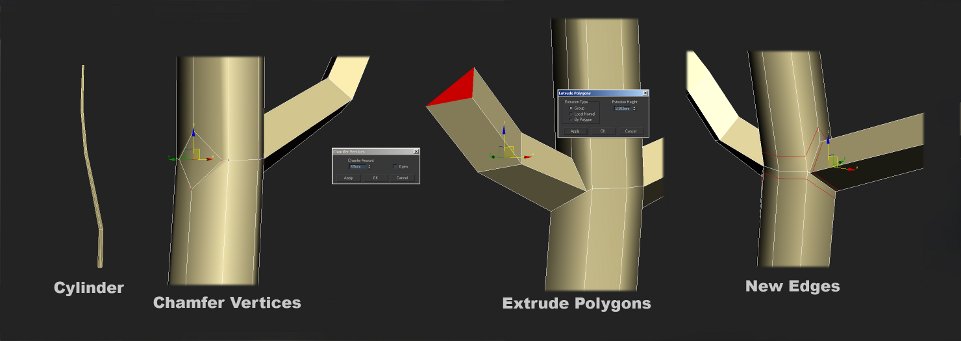
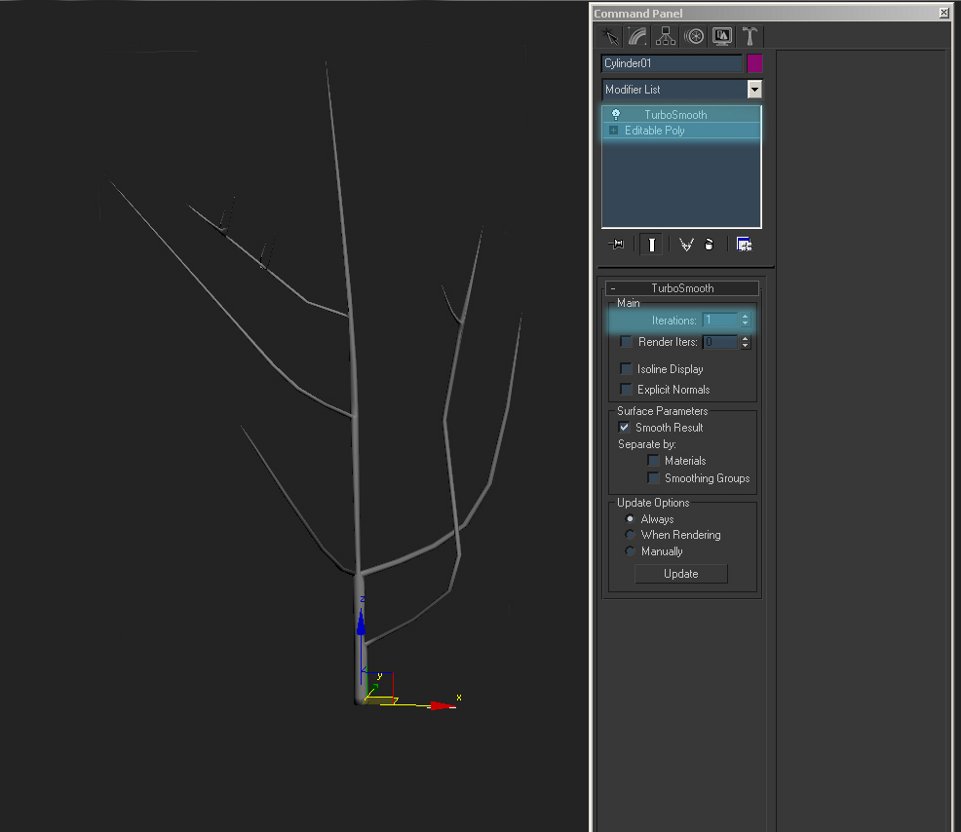
Edit cylinder to fields and use chamfer, extrude, bevel and finally connect.
Modeling snow on the roof:
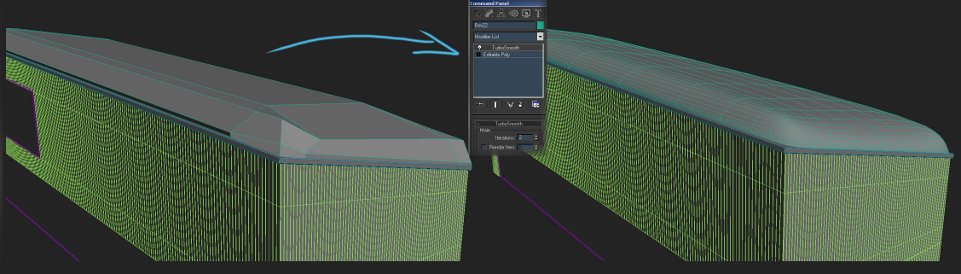
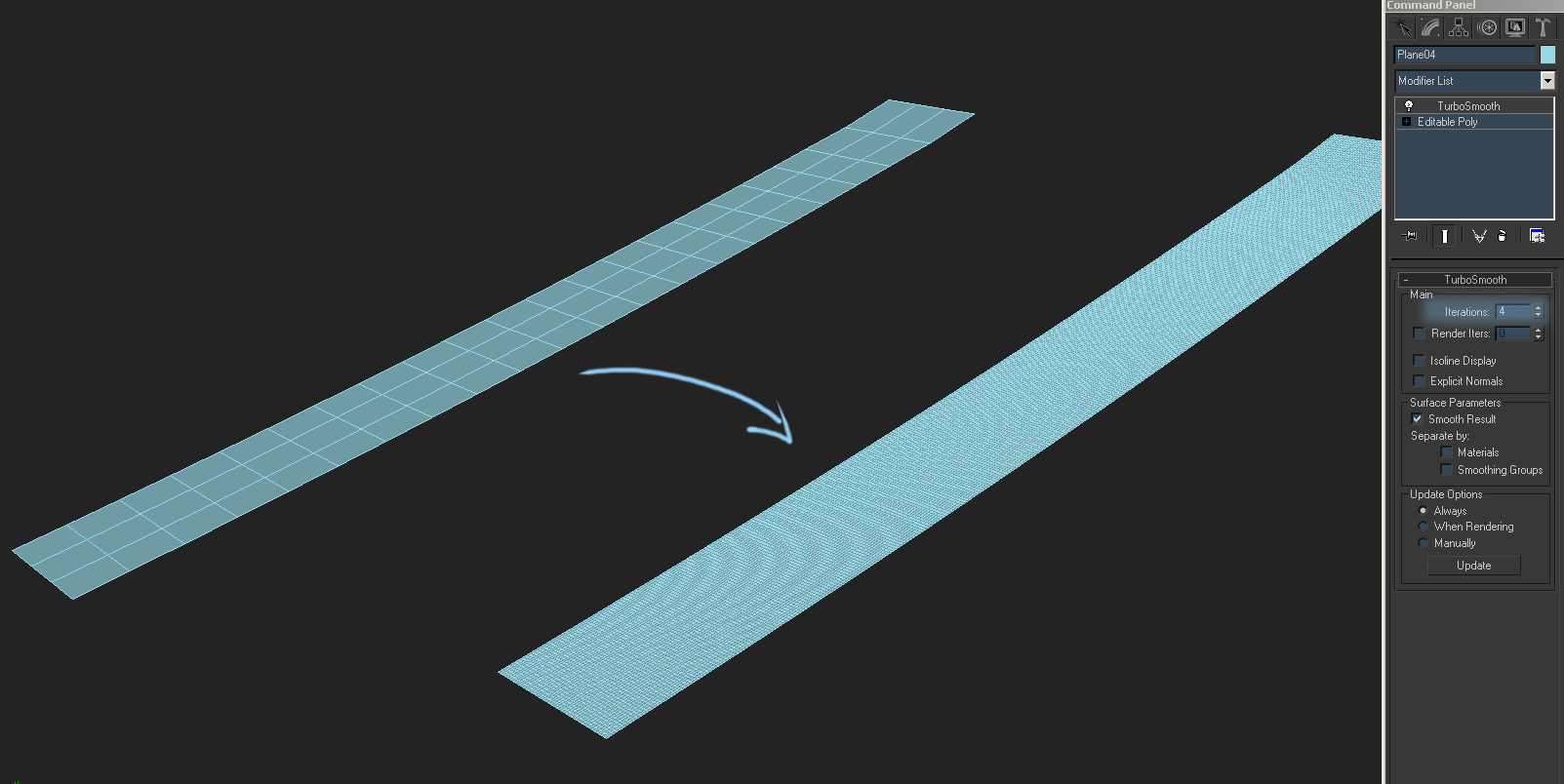
To create such snow you only need to have modified box and use Turbo smooth.
Modeling of terrain:
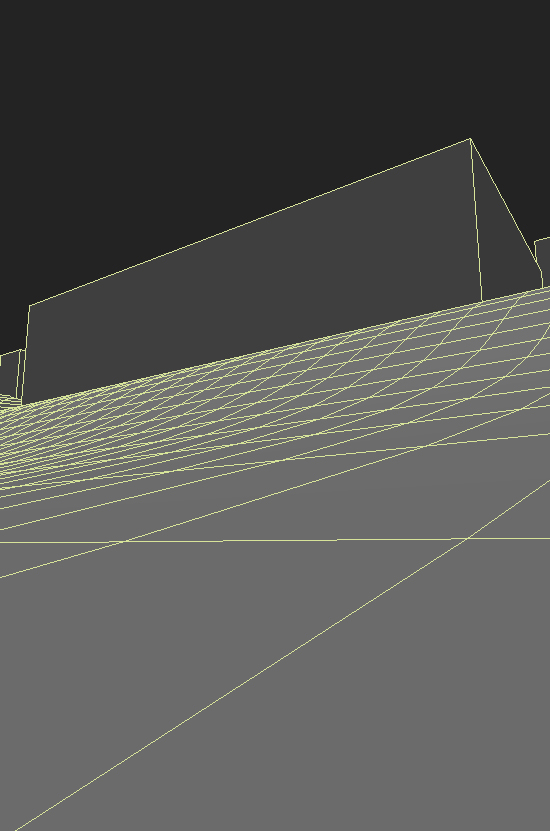
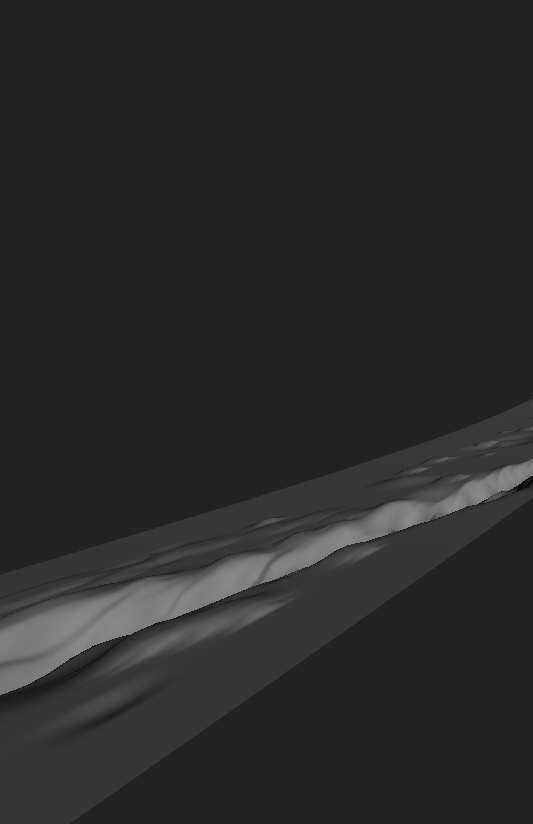
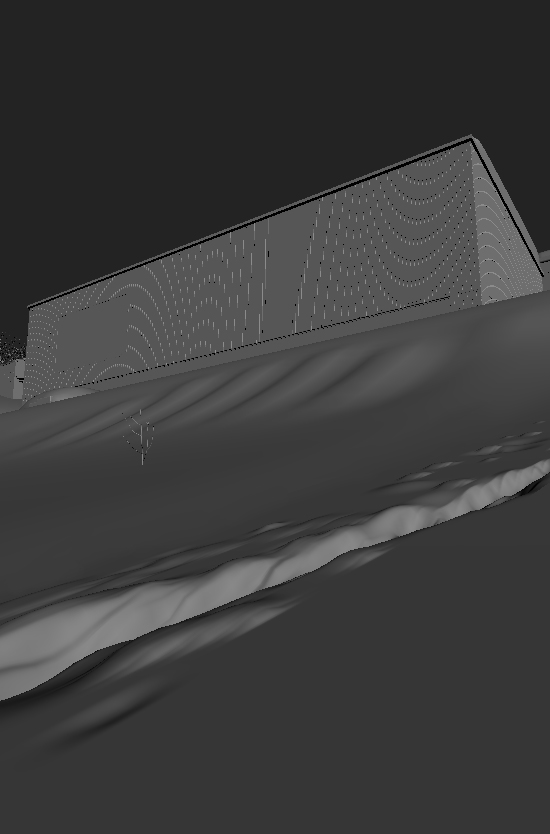
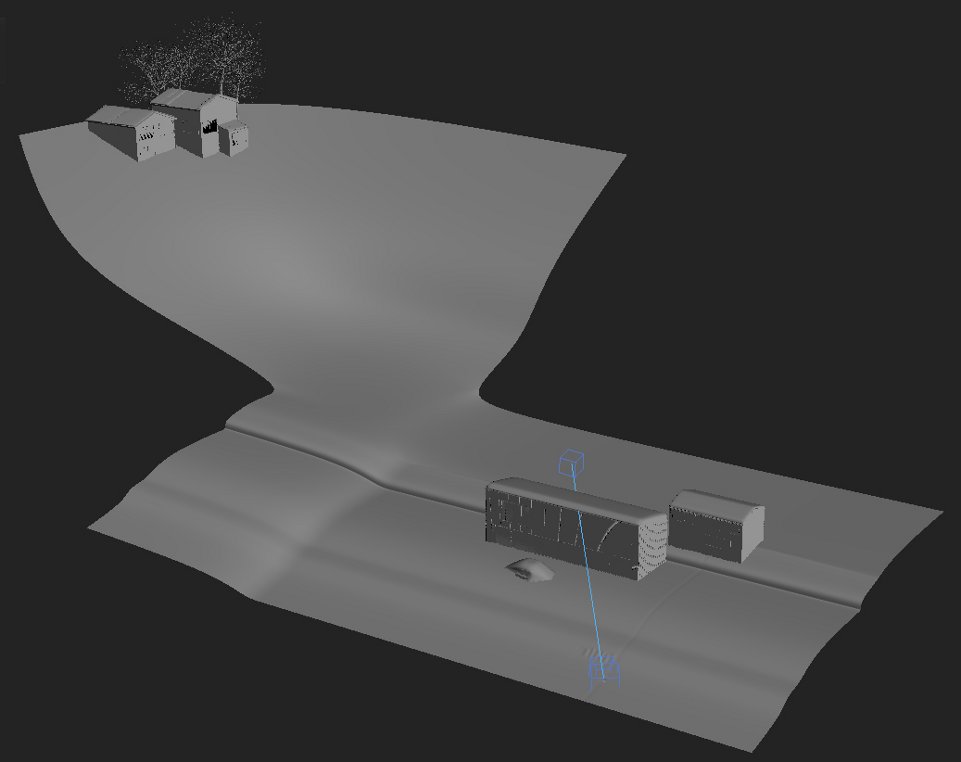
With snow was some more fun. First I have created plane (edited in to poly) and then moving polygons I formed a hill. So now I can thickening the grid and get smooth shape hills with snow-covered effect. I have selected next polygons in the grid area, the place where you can find the snow and drifts traces. After doing this we click in Detach to separate plane and we will use some Turbo smooth options.
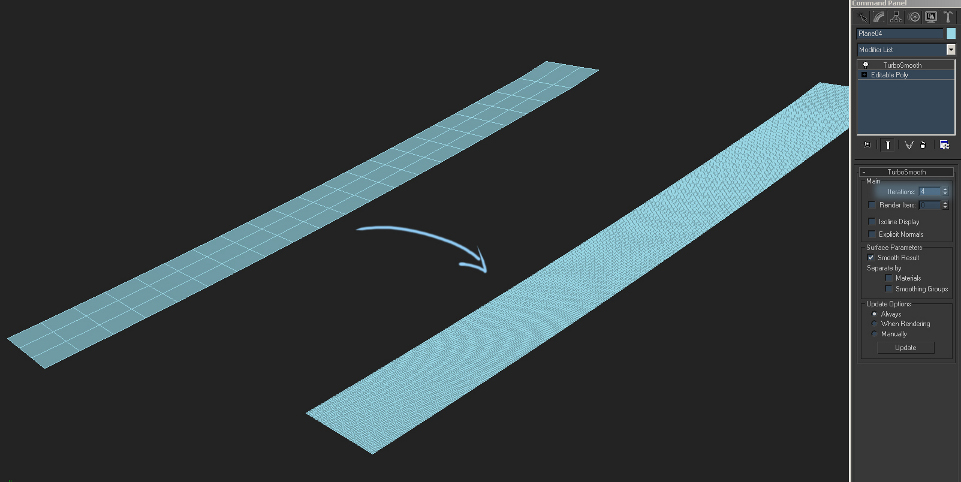
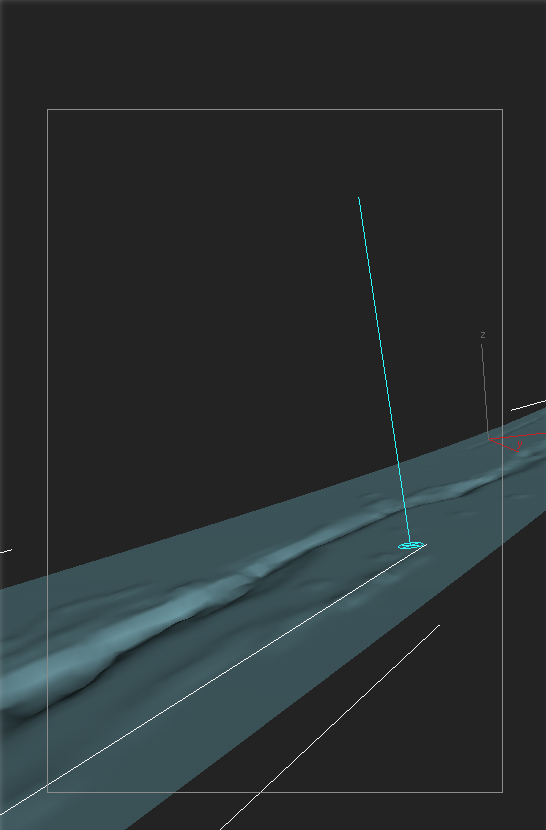
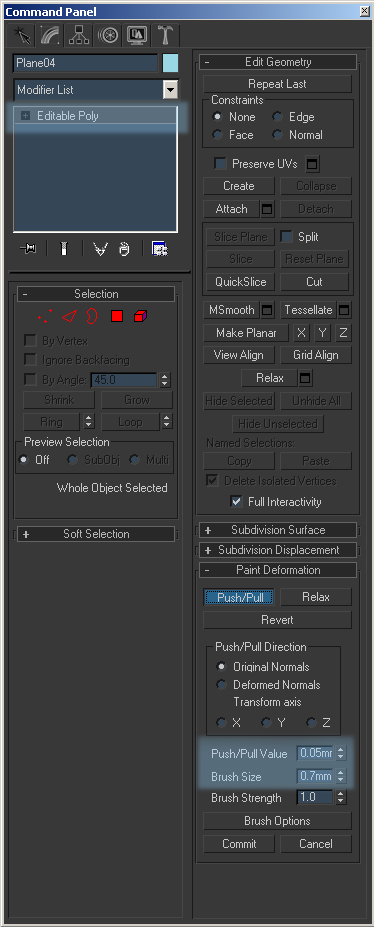
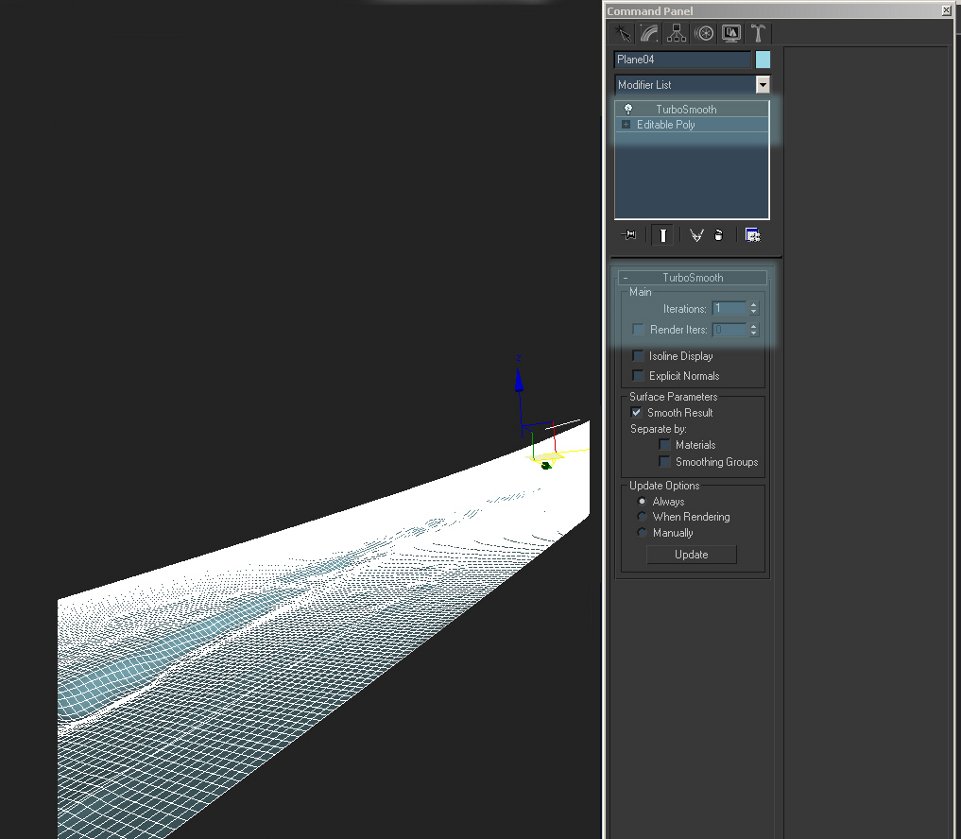
Using the tool Paint Deformation I sculpt dents and bulges. That give me a effect of snowdrifts. I used additionally Relax function (for smoothing) and when the effect was for me satisfaction I corrected the scene too with Turbo smooth.
Snow Shader:
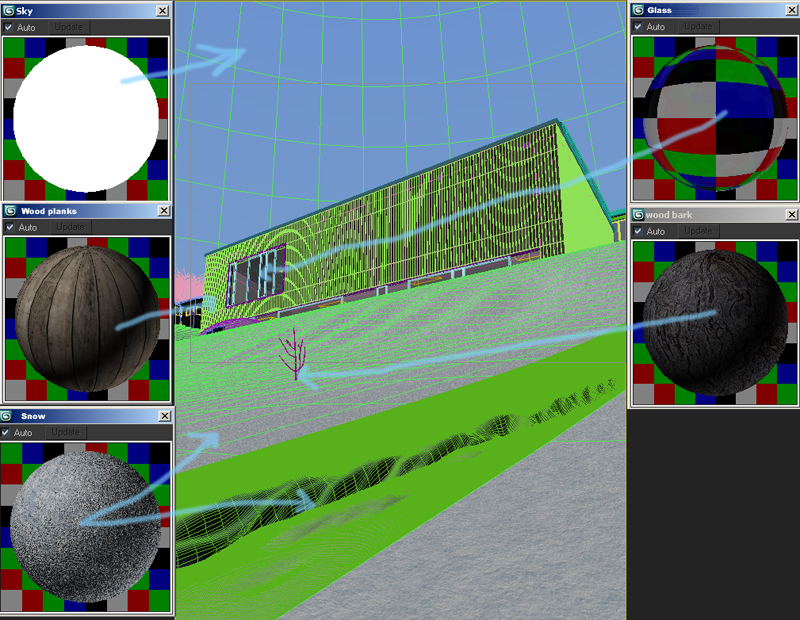
There are simple materials (only textures in Diffuse slot) so I don't show you how to create all shaders. However I will show you how to create snow shader, the most importing thing in the scene... So in Diffuse slot I inserted snow map (that was good tiling) and add to BUMP slot (value 70) a map with shades of gray. Diffuse map blur I have setup on 0.1 and Bump blur slot was setup on 0.0.1.
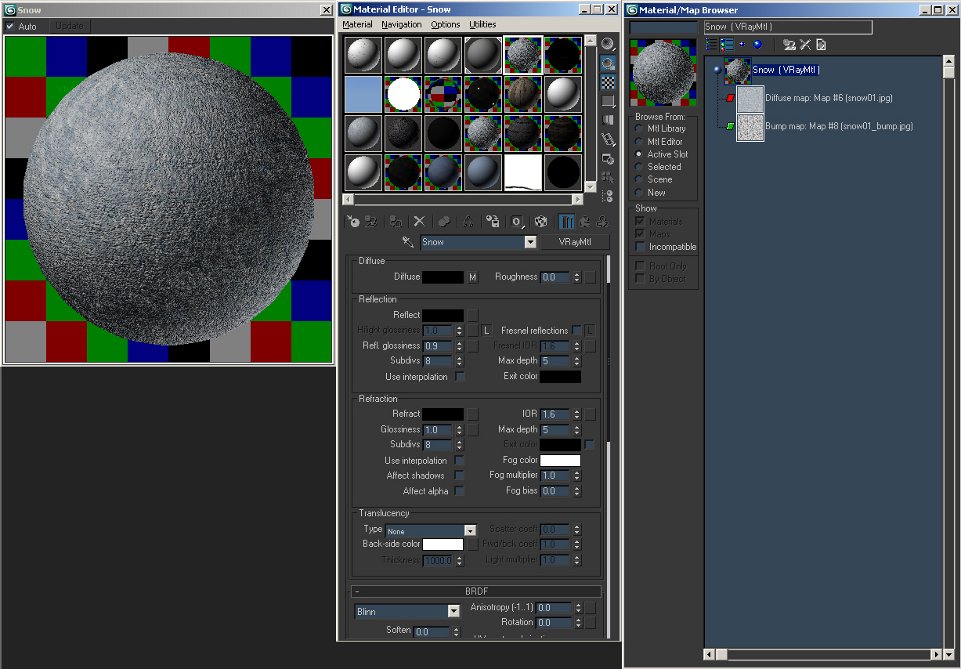
Most important shader that I used in scene
Scene Lighting:
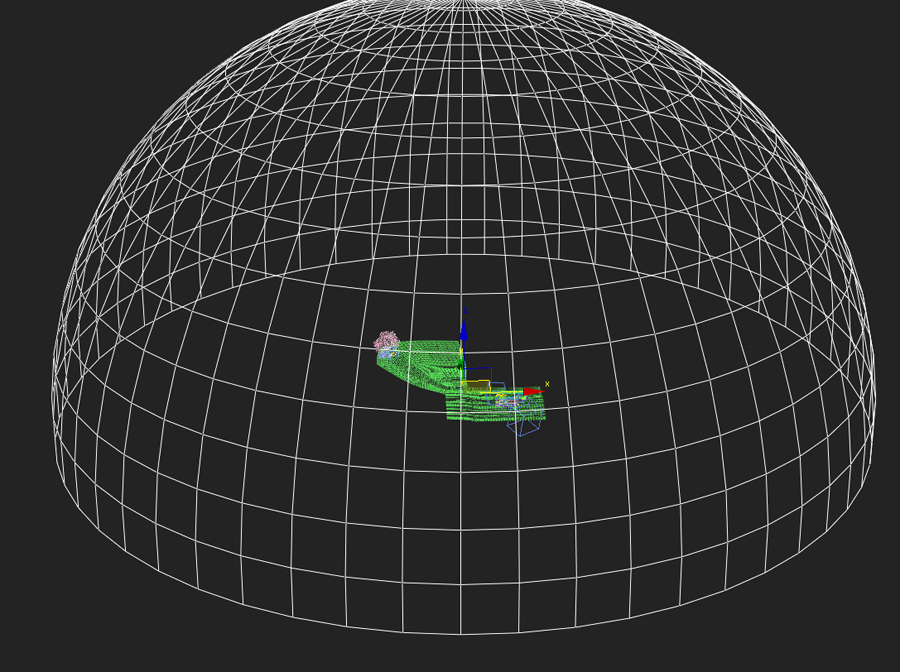
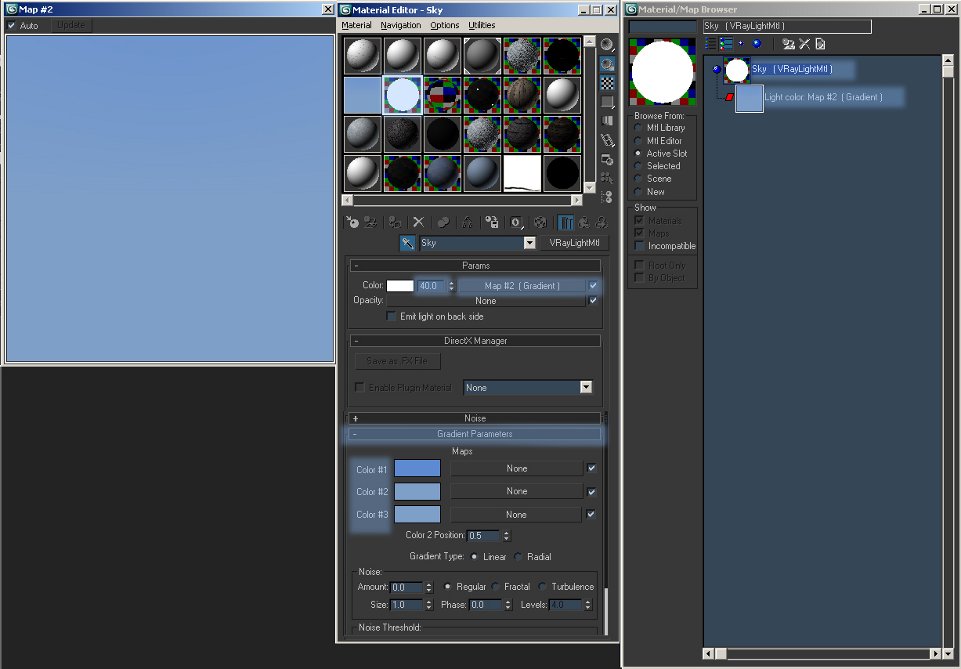
For lighting the scene I used a half sphere with imposed VrayLight materials.
Setting up VrayLight materials
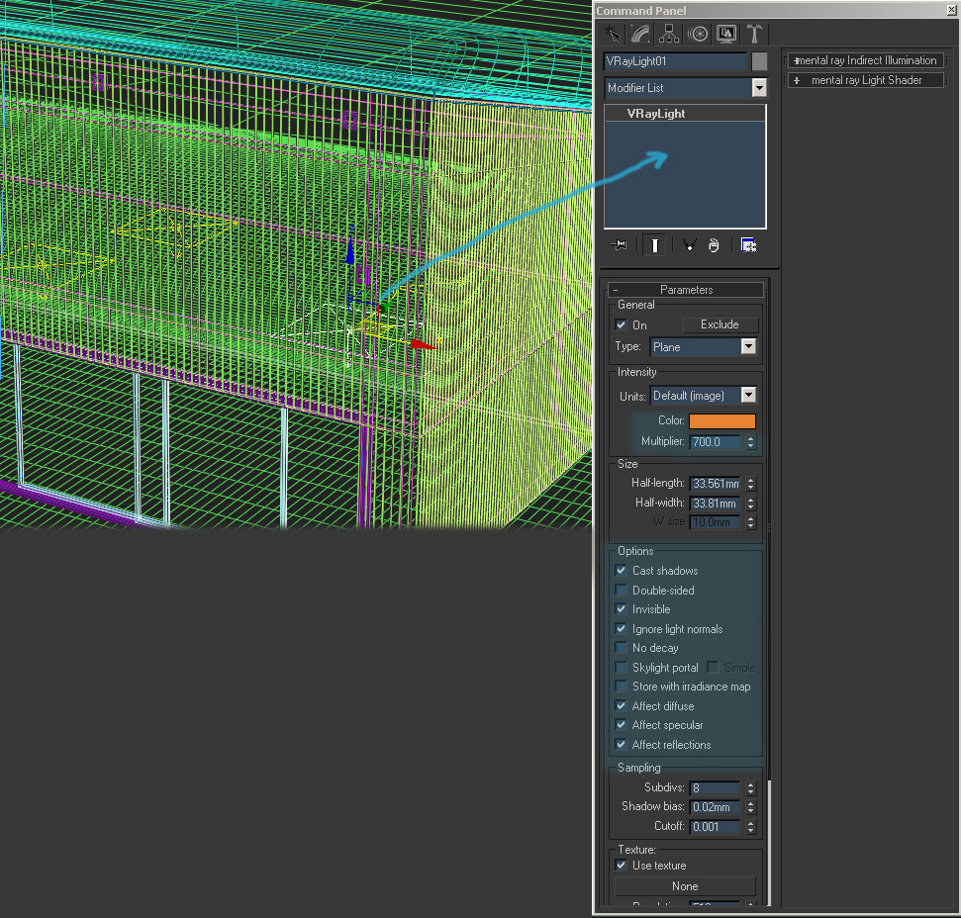
Lighting interior of the building:
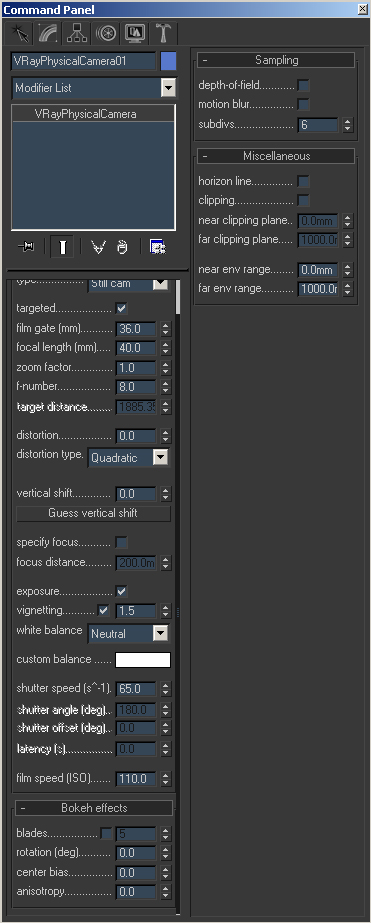
Setting up VrayPhysicalCamera:
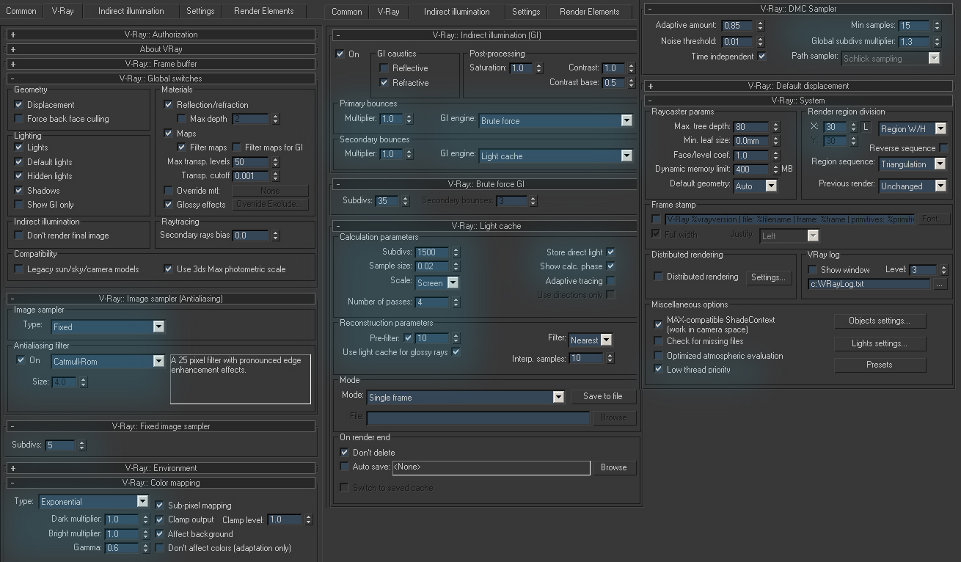
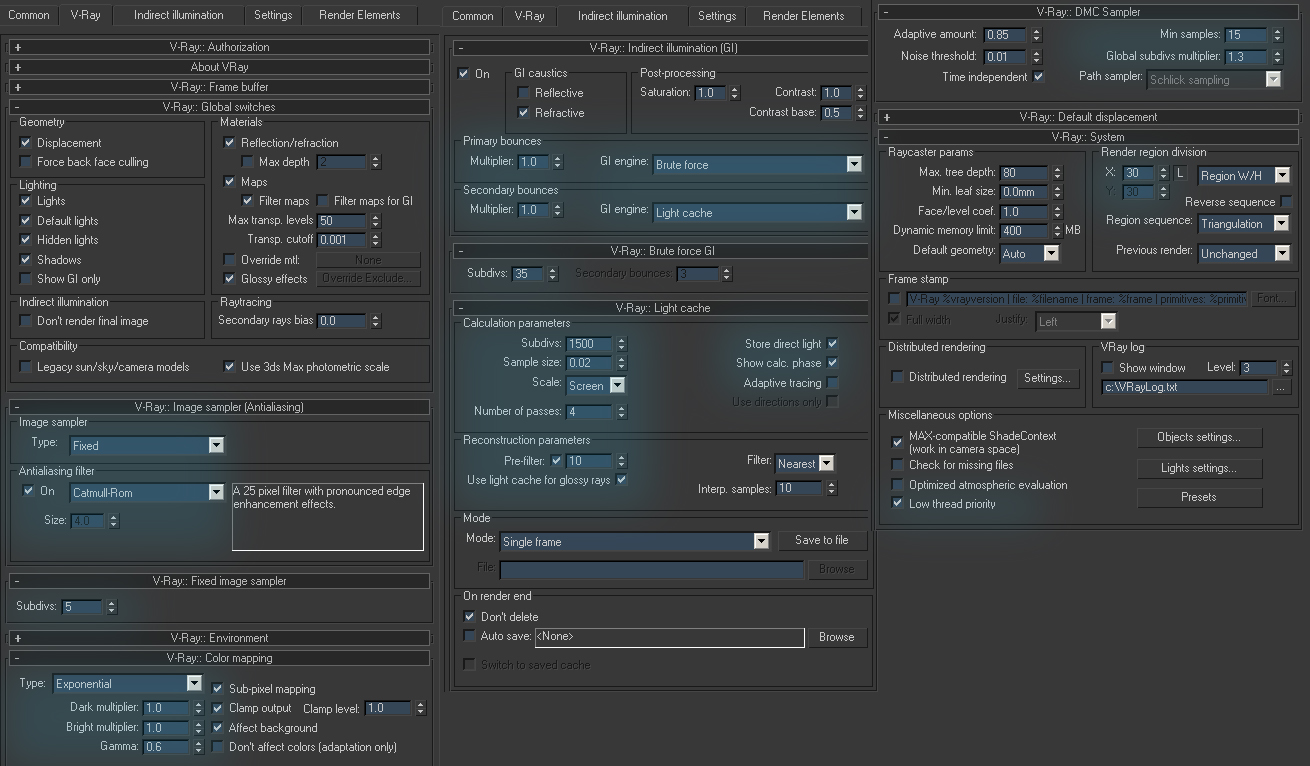
Setting up Render
Posproduction in Photoshop:
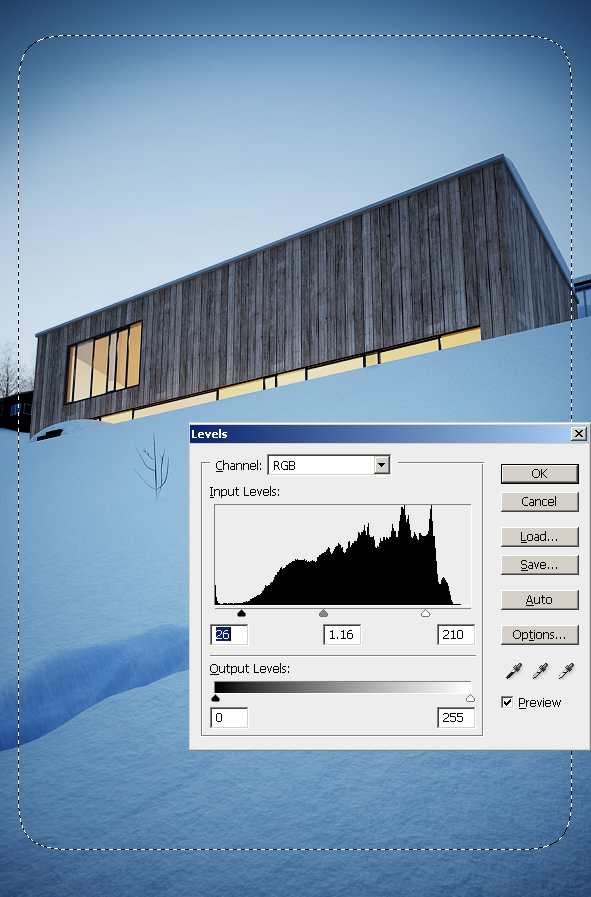
In Photoshop I used Levels (Ctrl+L) to lighten and add more contrast in render.
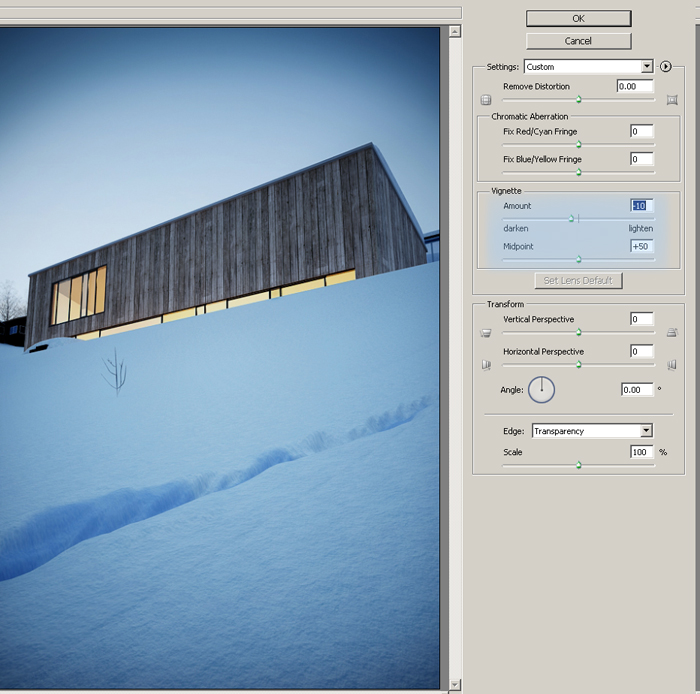
On finish I used filters: Distort and Lens Correction (where I reduced Vignette Amount value to -10).
Thank you for reading my Making of Three Seasons and night... it would be very nice for me if someone take advantage from this article. Send best regards "Jamiethomas".






 Customer zone
 Your orders
 Edit account
 Add project
 Liked projects
 View your artist profile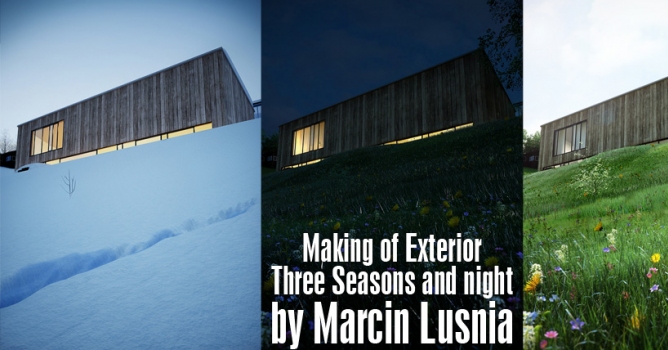




















COMMENTS