LIGHT STUDIO is a new ray trace software plugin for 3D Studio MAX programmed by
dlP - Die Lichtplaner and
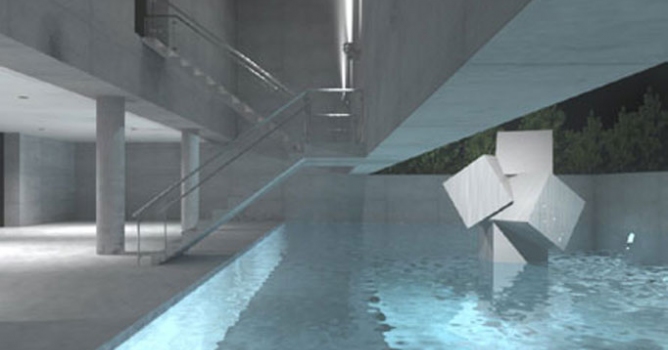
dlP - Habware. It combines the modeller of 3D Studio Max with one of the most outstanding ray tracers called RADIANCE. Radiance gives the power to the user to calculate and simulate physically correct lightning scenes. So especially for lightning designers, architects and in generally a person who wants to create photorealistic pictures from buildings, this software is a must!
Radiance is well known in the ray tracer scene, but always seem to be very hard to handle, because the first versions were just build for UNIX systems and it was blank command line typing. But now with the power of 3D Studio MAX it's possible to get the most out of your visualisation using LIGHT STUDIO.
Using ies Files and geometry from leading light manufacturers
The support of ies Files gives you the power of having real lightsimulation in your software. But that's not all - you even can drag and drop the whole geometry of some manufacturers directly into your scene. Without understanding a lot about light, illuminance, lux and so on, you can make very easily realistic and photo like images.
Textural Maps
Use textural maps in your scenes - you don't have to worry about resolution any more. There is a library of the most used materials attached to the LIGHT STUDIO software package.
Easy to use - but for professionals LIGHT STUDIO includes two different GUI. The first one is simple mode: Make quick and easy good looking pictures with 3D Studio MAX. This mode helps you to get more into Radiance, but you don't have to be a specialist.
The expert mode gives you the possibility to dive deep into the world of RADIANCE. You can control Antialiasing, direct, indirect, mist, specular and display parameters.
Lightning Simulation Physical correct Lightning simulation with the approved Radiance core. You don't have to worry anymore about how the light would be. LIGHT STUDIO just creates the light as in reality. Simulate daylight with overcast or clear sky, analyse artificial light, create sun charts were you can see the actual position of the sun in your scene.
 Features
 - Complete Integration into 3D Studio MAX V3.x - V6.x
- High End Backward Raytracer
- Textural Maps
- Import of IES- or Eulumdat- photometric files
- Simple Mode, Expert Mode for Experts
- Compatible with every 3D Studio MAX Model
- Multithreading for 2 CPU´s or more
- Compatible with the original Radiance kernel
- Human options (Visual acuity, Veiling glare, contrast sensibility, color visibility)

















 Customer zone
 Your orders
 Edit account
 Add project
 Liked projects
 View your artist profile
COMMENTS