We use cookies to provide you with the best possible experience. They also allow us to analyze user behavior in order to constantly improve the website for you.
The consent is voluntary. You can withdraw it at any time or renew it in Cookie settings on the home page. Withdrawal of your consent does not affect the lawfulness of processing performed before the withdrawal.
Privacy Protection Policy
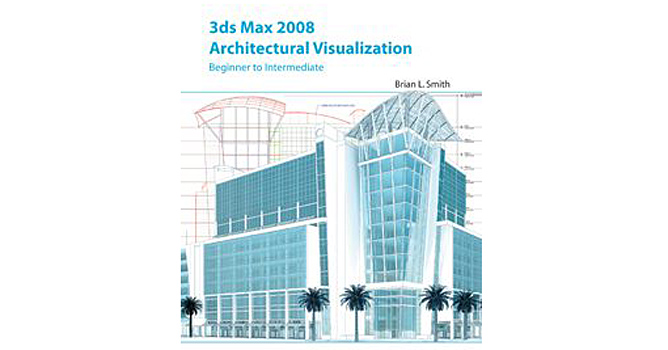
"3ds Max 2008. Architectural Visualization. Beginner to Intermediate" is intended to people interested in creating proffesional architectural visualisations. Surely a lot of CG fans concentrated around Evermotion, will find here many precious advice, that will help speed up their workflow and enlarge quality level.
The book (hardcover, 480 pages) was published in 2007 by 3DATS, a 3D training company cofounded by Brian Smith, the book's author. It is the partial rewrite of the book "Foundation 3ds Max 8 Architectural Visualisation" published by Friends of ED in April 2006. Brian Smith, an experienced architect visualizator, reveals secrets of creating architectural visualizations and animations, using 3ds Max software.
THE BOOK LAYOUT
The book language is clear and comprehensible. All discussed issues are summarized with short tutorial to deepen your understanding of the principles. With architecture field on mind, Brian Smith choses only the most handy tools, not to discourage beginners. Text is richly illustrated in full colour.
The book contains 6 parts: - "Getting around Inside 3ds Max" - "Modelling" - "Materials" - "Lighting" - "Cameras and Animation" - "Rendering"
Each part is divided into few chapters that include number of sections. All chapters are provided with short introduction and summary, that makes the reader curious about what's next and put gained knowledge in order. Beside that, book is accompanied by two appendixes: "Appendix A" that explains in greater detail what was introduced in "Chapter 1" - " Navigating the 3ds Max Interface", "Appendix B" that includes list of 100 default and additional 3ds Max keyboard shortcuts. At the very end of the book we'll find "Index" and "Gallery of Images", where author compares initial and up-to-date works of lead visualisation artists. Worth noting is well thought-out layout, that enables both reading a book from cover to cover and browsing through it, searching for any questions or doubts answers.
Simultaneously with learning new tools and techniques, we get to know how to avoid a program crash, or a time-consuming rendering or modelling. Brian Smith strongly emphasizes, on each page of the book, a need of effectiveness of our work: from time-saving use of select and transform feature, through preventing wasting time correct naming system, to reducing file size instance comand.
The Author focuses on useful for architecture visualisators areas: for exapmle in "Modelling" part, Brian Smith presents most effective, for architecture visualisators, types of modelling: spline, shape and mesh modelling. Avoids bringing up NURBS and patches, about what I'm a bit disapointed. Especially NURBS I find worth mention, as this method, used in creating some objects, significantly speeds up both modelling and mapping process, what makes this technique very efficient. The author's choice of those three methods is directly connected with 2D architectural drawing form, which mostly are imported from AutoCad.
Floor plan drawing in AutoCad. "When creating architectural visualization, you will almost always work with drawings, that originate in a 2D CAD program..."
Time-saving scatter feature
The text is full of tips and tricks: - making 3ds Max send you an e-mail with failure alert progress when your rendering brokes - the Horizon option, helpful in creating vast exteriors works - creating a 360-degree panorama using the Panorama Exporter tool - typical rendering resolution, used for billboard, magazine advertisement or brochure - standard animation resolution for North American TV, European TV, HD-DVDs or HD-TVs, Internet
I found "Animation" chapter very useful and interesting. Not only because you can find here huge amount of information, but also because of author's encouraging and amusing recommendation. He says: "Animations offer sth unique that stills simply can't provide - a true sense of being immersed within a scene", "...if you show them [people] quality animation, they will probably be left scratching their heads in amazement". This part surely covers basics of animation needed to create architectural visualization. You'll learn how to place and move a camera, or animate elements in the scene: you'll be able to move, scale, rotate them using 3ds Max controllers. Apart from this critical knowledge, Brian Smith shares with us some handy tips, as what focal length of camera lens he uses to create typical camera view, show the scene foreground, or get wider angle to render small room.
The Clipping planes feature
Brian Smith let us know his opinion about 3ds Max 2008 new features: - "Scene Explorer", that is very useful managing ojects tool, but, in author's opinion, requires second monitor - "Viewport Shadows" that is presented as a long-expected feature, that significantly speeds up work
The new viewport shadows feature.
Worth mentioning is the forum created on https://3dats.com, where book's readers can ask questions to the author. Additional support is ensured via downloadable files, that some of the tutorials in the book require.
To sum up, it's a great book for focused on architectural visualization people. Included in book methods will undoubtedly help to save a lot of time and show beginning of the way to create photorealistic works. Following the author: "...with dedication and hard work, you too can vasty improve the level of your imagery". I highly recommend it.
Review of Brian Smith's latest book "3ds Max 2008 - Intermediate to Advanced" will appear soon.
Working in CG and archviz often means balancing creative intent with production realities. Human presence can support scale, context, and clarity, but it also adds another layer of decisions. Ready-made 3D character assets help keep visual focus where it belongs without expanding the project scope beyond its real needs
In professional visualization, buildings are more than background elements. They define context, scale, and clarity for industrial and commercial projects. Well-prepared 3D building models help viewers read a scene instantly and understand its purpose without relying on technical descriptions or supporting text
The production pipeline in CG and visualization is built on a sequence of clear decisions. Each stage depends on how information is defined, shared, and preserved. 3D models serve as digital assets that translate abstract ideas into structured visual data and consistently carry them through to the final render
In professional CG and architectural visualization, efficiency depends on structured decision-making and reliable resources. Using grouped 3D assets allows us to focus on scene logic, composition, and project consistency instead of repetitive asset preparation and library management.
3D furniture models support structured, predictable interior design workflows in professional archviz. In projects where deadlines, coordination, and visual consistency matter, ready-to-use assets reduce friction and enable teams to focus on spatial decisions rather than repetitive preparation.
In this walkthrough, we guide you through the process of building a polished 3D interior scene inspired by the cover of Archmodels vol. 306 – Table Sets.



















 Customer zone
 Your orders
 Edit account
 Add project
 Liked projects
 View your artist profile
COMMENTS