Move pivots of all objects to object center.
Turn on pivot snap.
Use tape to measure distance between back and front axles.
Measure distance between centers of left and right wheels.
Create MadCar object.
Set car length to half of distance between back and front axles.
Set front and back axle lengths to half of distance between left and right wheels.
Apply MadCar controller to a wheel.
Pick MadCar object.
Select apptopriate object type.
Use affect object only mod to correct wheel position.
Set appropriate wheel dimension.
Select a brake and apply MadCar controller.
Pick MadCar object.
Select apptopriate object type.
Use affect object only mod to correct brake position.
Do the same actions for the other wheels and brakes.
Apply MadCar controller to carcass.
Pick MadCar object.
Select appropriate object type.
Use affect object only mod to correct carcass position.
Pick surface object. Press Update Surface button.
Set start position of vehicle.
Just move green arrow to place what you need.
Press Reset Animation button to move vehicle to start position.
Set suitable End Time.
Press OnRunDriving button.
Click to transparent window and press ENTER.






 Customer zone
 Your orders
 Edit account
 Add project
 Liked projects
 View your artist profile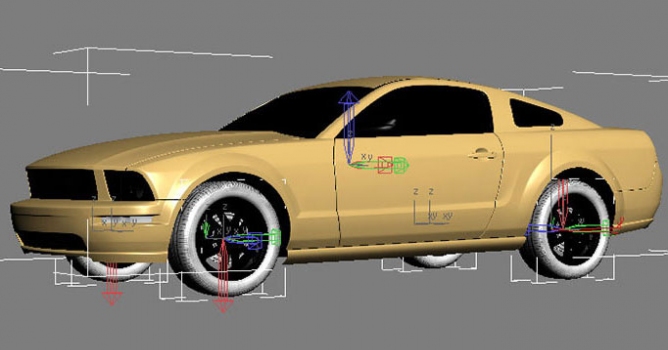















COMMENTS